LinkedIn’s inbox works for basic networking, but it falls short for managing outreach at scale. It lacks features like tagging, prioritization, automated follow-ups, CRM syncing, and analytics. Plus, strict messaging limits and account restriction risks make it harder to use effectively. If you’re in sales, recruiting, or business development, here are better tools to manage LinkedIn messaging:
- Cesar.chat: A fast, organized messaging tool with CRM integration and productivity features like labels, snoozing, and snippets. ($24–$40/month)
- HubSpot CRM: Combines LinkedIn messaging with broader sales workflows, offering multi-channel sequences and AI-driven personalization. (Starts at $15/month + LinkedIn Sales Navigator costs)
- Waalaxy: Automates LinkedIn and email outreach with sequences, tags, and CRM syncing. Budget-friendly but browser-based. ($0–$139/month)
- Hiver: Consolidates LinkedIn with email, WhatsApp, and social media into one inbox, ideal for teams handling multi-channel communication. ($25–$75/user/month)
Quick Comparison:
| Tool | Best For | Key Features | Pricing |
|---|---|---|---|
| Cesar.chat | Manual LinkedIn workflows | Labels, snoozing, CRM sync, secure API | $24–$40/month |
| HubSpot CRM | Sales teams | Multi-channel sequences, AI personalization | $15+/month + Sales Navigator |
| Waalaxy | Beginners, LinkedIn + email | Automated sequences, CRM sync, tags | $0–$139/month |
| Hiver | Multi-channel communication | Unified inbox, internal notes, AI triage | $25–$75/user/month |
Each tool addresses LinkedIn’s limitations differently. Choose one based on your workflow, team size, and messaging needs.
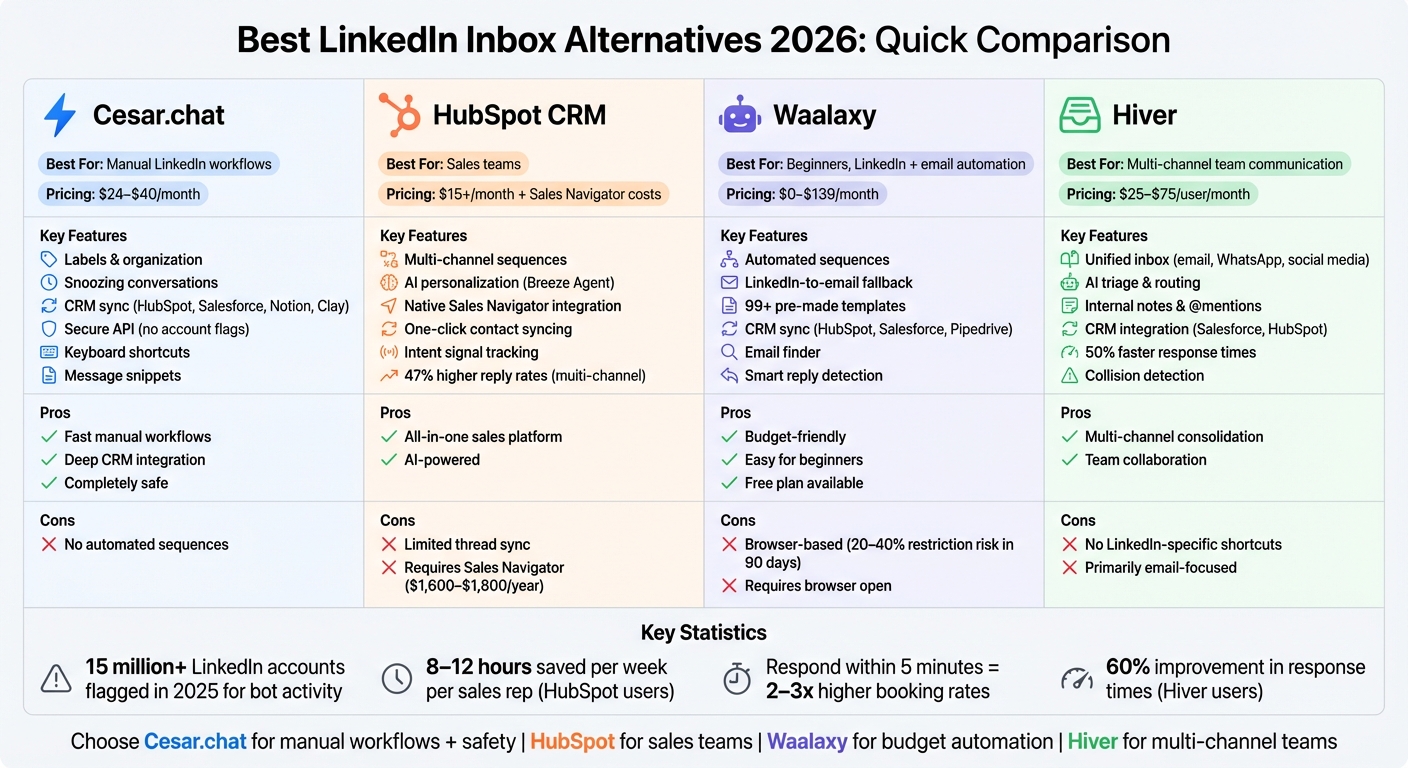
LinkedIn Inbox Alternatives Comparison: Features, Pricing & Best Use Cases 2026
1. Cesar.chat
Cesar.chat brands itself as "Superhuman for LinkedIn DMs", offering a streamlined messaging interface designed to help LinkedIn power users handle their inbox twice as quickly. It integrates directly with LinkedIn’s internal APIs, ensuring that all messages – sent or received – sync in real time across both platforms. By focusing on a cleaner, faster interface, Cesar.chat enhances manual messaging while providing tools to manage conversations more efficiently. Here’s a closer look at its key features, including productivity tools, CRM integration, and smart automation.
Messaging Productivity
One standout feature is its split inbox and labeling system, which helps users categorize conversations into groups like hot leads, cold prospects, or follow-ups. This ensures that important messages don’t get lost in the shuffle. Additional tools like snoozing conversations and setting reminders ensure timely responses. For even faster workflows, keyboard shortcuts make navigation a breeze, and message snippets allow users to reuse templates, cutting down on repetitive typing.
CRM Integration
Cesar.chat simplifies data management by syncing conversation details, labels, and notes directly with popular CRMs and productivity tools. Supported platforms include HubSpot, Salesforce, Notion, Clay, Zapier, Make, and Slack. This eliminates the need for manual data entry and ensures no lead information slips through the cracks. The Business plan supports up to three integrations, while the Enterprise plan offers unlimited sync options and includes a white-glove setup service for seamless onboarding.
Automation Features
Unlike traditional LinkedIn automation tools, Cesar.chat doesn’t automate outbound sequences. Instead, it focuses on automating CRM updates to keep records accurate without manual effort. Its reminder feature ensures no follow-ups are missed. As the team explains:
We aren’t an automation tool. We focus on giving you the best interface to manage your own outreach and conversations manually but much faster.
Pricing
| Plan | Price | Key Features |
|---|---|---|
| Basic | $24/month | Unlimited labels, unlimited snippets, reminders, and voice notes |
| Business | $32/month | All Basic features, plus up to 3 integrations, Sales Navigator support, and analytics |
| Enterprise | $40/month | All Business features, plus unlimited sync destinations, white-glove setup, and VIP support |
Annual plans offer a 20% discount. Sales Navigator support is only available with the Business and Enterprise plans.
sbb-itb-3e8f5dc
2. HubSpot CRM
HubSpot CRM brings LinkedIn messaging and your sales workflow together in one place. Instead of switching between LinkedIn and your CRM, HubSpot integrates LinkedIn InMails, connection requests, and direct messages directly into each contact’s activity timeline – right alongside emails and calls. This integration means you can see the full picture of every relationship without the hassle of switching tabs or manually transferring conversation details.
Messaging Productivity
HubSpot’s Breeze Prospecting Agent uses AI to research prospects and craft personalized outreach messages, leveraging CRM data and external signals. It adjusts its tone based on the deal stage and operates independently once you approve it. For teams handling large volumes of outreach, third-party tools like Surfe or Hublead embed a HubSpot sidebar directly into LinkedIn. This lets you update CRM properties, add notes, and create deals – all without leaving LinkedIn. Sales teams report saving 8 to 12 hours per week per rep by eliminating manual data entry. This time-saving feature integrates seamlessly into HubSpot’s broader CRM capabilities.
CRM Integration
HubSpot’s one-click contact syncing automatically pulls in job titles, company details, and profile insights from LinkedIn. The bidirectional sync ensures updates on LinkedIn (like a new job title) or in HubSpot (such as lifecycle stage changes) are reflected on both platforms. It also prevents duplicate records by verifying if a lead already exists before importing. Additionally, users can choose which LinkedIn conversations to sync, keeping the CRM organized and free of irrelevant or personal messages. Combined with HubSpot’s automation tools, this integration makes managing outreach even smoother.
Automation Features
Unlike LinkedIn’s manual-only inbox, HubSpot supports multi-channel sequences that combine LinkedIn interactions with emails and phone calls. You can include LinkedIn tasks in automated sequences, ensuring social touches align with email campaigns. This fills the gap left by LinkedIn’s limited messaging tools. Kevin Moore, CMO at Walter AI, explains:
Ideally, [sales outreach tools] would take information from CRM status updates and turn those updates into the correct next step for the rep without requiring them to analyze the data by hand.
HubSpot also tracks intent signals, such as repeat visits to key pages, helping you prioritize LinkedIn outreach based on real-time interest. Multi-channel sequences that integrate LinkedIn, email, and calls have been shown to deliver 47% higher reply rates compared to single-channel campaigns.
Pricing
HubSpot Sales Hub Starter starts at $15/month per seat, while the Professional tier begins at $100/month per seat. However, to use the native LinkedIn CRM Sync, you’ll need a LinkedIn Sales Navigator Advanced Plus subscription, which costs around $1,600–$1,800+ per year, along with HubSpot Sales Professional or Enterprise. For a more budget-friendly option, tools like Hublead offer similar integrations for $15–$30 per user/month and work with any LinkedIn plan, including free accounts.
3. Waalaxy
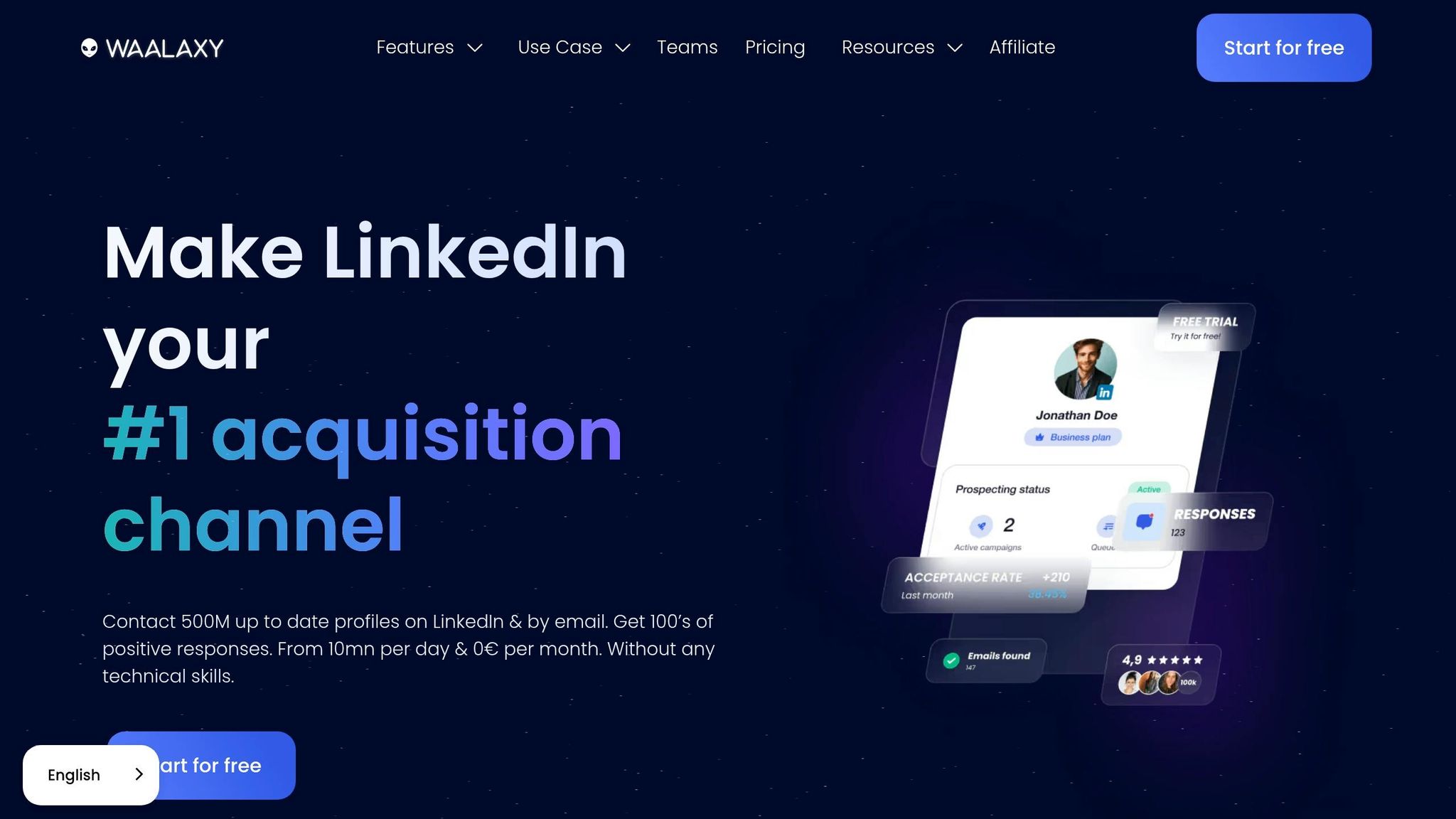
Waalaxy is a Chrome extension designed to simplify multi-channel LinkedIn outreach. It allows users to set up sequences that blend LinkedIn messages with cold emails, all managed from a single dashboard. When paired with Sales Navigator, it enhances targeting capabilities, even for users with free LinkedIn accounts. By automating repetitive tasks and improving lead management, Waalaxy addresses the limitations of LinkedIn’s native inbox.
Messaging Productivity
Waalaxy helps streamline messaging by organizing conversations with lists, labels, and tags to focus on high-value prospects. Its smart reply detection feature automatically halts messaging sequences when a prospect replies, avoiding duplicate outreach. Users can quickly respond using pre-built templates or let Waami AI craft messages based on prior interactions. As Alexandre, a Google reviewer, shared:
An excellent prospecting tool that simplifies outreach for beginners.
These tools have reportedly saved users up to 4 hours per week, with access to over 99 pre-made sequence templates tailored to different outreach strategies.
CRM Integration
Waalaxy integrates seamlessly with popular CRMs like HubSpot, Salesforce, and Pipedrive, automatically syncing new leads and contact details – eliminating the need for manual data entry. Its built-in Email Finder pulls professional email addresses from LinkedIn profiles, enriching prospect data. For custom reporting, users can also export leads to Google Sheets [20,22]. These integrations ensure smooth data management and keep outreach efforts efficient and timely.
Automation Features
Waalaxy automates key LinkedIn actions, such as profile visits, connection requests, follow-ups, and sending emails if a prospect remains unresponsive. Antony, a Capterra reviewer, noted achieving a 39% response rate to his email outreach by using Waalaxy’s multichannel approach. To comply with LinkedIn’s guidelines and reduce account restriction risks, Waalaxy enforces daily and weekly safety limits. However, one drawback is that, as a browser extension, it requires your computer and browser to remain active for sequences to run – unlike cloud-based tools that operate continuously. Even with this limitation, its automation features simplify workflows and ensure consistency as campaigns grow.
Pricing
Waalaxy offers flexible pricing to accommodate various outreach requirements:
- Free: Includes 80 LinkedIn invitations per month and basic sequences.
- Pro: Starts at around $49/month, offering unlimited campaigns, 300 invitations per month, and CRM synchronization.
- Advanced: Costs approximately $99/month, providing 800 invitations, A/B testing capabilities, and live chat support.
- Business: Priced at roughly $139/month, it includes cold email sequences, 500 Email Finder credits, and support for multiple sender accounts.
Annual plans may include discounts of up to 50% [20,22].
4. Hiver
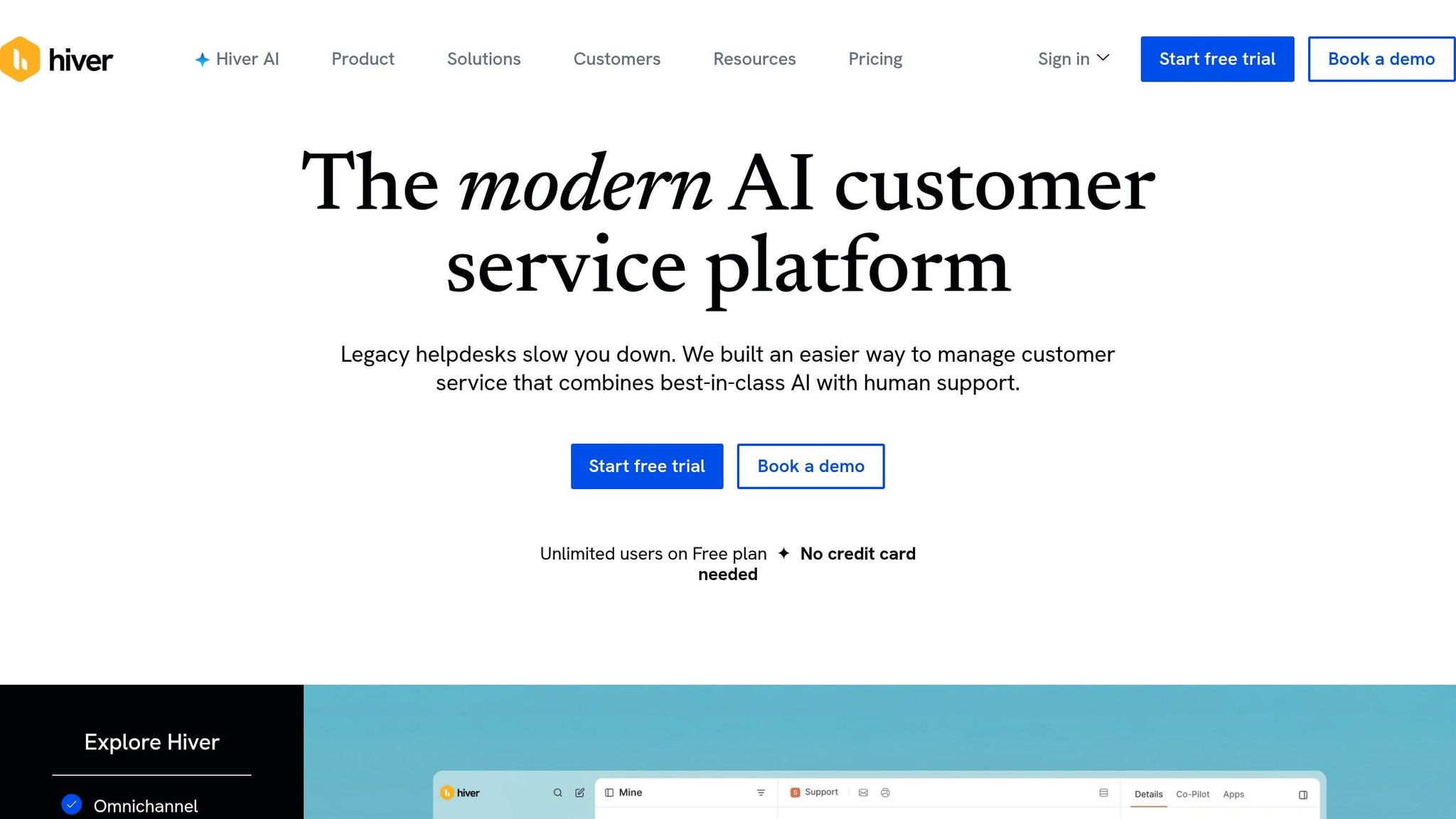
Hiver transforms Gmail or Outlook into a single, unified inbox that handles email, live chat, WhatsApp, and social media messages. Unlike LinkedIn’s limited native inbox, Hiver consolidates these communication channels into one platform, simplifying workflows for professionals managing high message volumes. With features like internal notes and @mentions, teams can collaborate without jumping between tools. This eliminates the hassle of switching tabs, saving time and keeping sales and recruitment workflows smooth.
Messaging Productivity
Hiver’s unified interface is designed to boost productivity, and its smart AI tools take this even further. The AI Copilot can draft replies, suggest next steps, and refine the tone of messages. A collision detection feature alerts team members in real time if multiple people are viewing the same conversation, helping avoid duplicate responses. For long email threads, the AI Summarizer provides concise overviews, making team handoffs easier. Nathan Strang, Ocean Freight Operations Manager, shared:
Hiver is essentially an ‘additional person’ on my team. We have visibility into every issue’s resolution path and that’s cut down resolution times by 50%.
Teams using Hiver’s collaborative tools have reduced tracking efforts by 90% and improved response times by 60%.
CRM Integration
Hiver integrates directly with popular CRMs like Salesforce, HubSpot, Pipedrive, and Copper, allowing users to manage CRM records straight from their inbox. It identifies keywords in conversations to suggest relevant CRM records, such as Deals or Leads. For example, Pattern Life, an insurance firm, used Hiver’s Salesforce integration to automate over 50 processes, cutting conversation assignment time by 60% and saving hundreds of hours annually. Nathan Bellet, Director of Information Technology, remarked:
Integrating Salesforce with Hiver bridges our communication and relationship data. The team don’t have to guess who’s writing in – they can focus on responding meaningfully.
The integration ensures a two-way data sync, so conversation history and customer sentiment automatically update the CRM, triggering external workflows as needed.
Automation Features
Hiver’s automation tools are designed to make inbox management effortless. Its AI triage system analyzes message intent and routes them to the most suitable team member. The AI Extract feature captures key details for smoother automation, while rule-based workflows and the AI Thank You Detector help keep inboxes organized and efficient. Dana Madlem, CEO, noted:
Hiver’s AI Copilot is helping our team respond faster without sacrificing tone or quality.
Companies using these automation features have reported saving over 130 hours each month and achieving a 50% faster first-response time.
Pricing
Hiver offers a Free Plan with basic features, while its paid plans include: Growth at $25 per user/month, Pro at $45 per user/month (which includes SLA tracking), and Elite at $75 per user/month. All AI features are included in the paid plans, and there’s a 7-day trial available for the Elite plan.
Pros and Cons
Each solution aims to tackle LinkedIn’s inbox limitations by improving productivity, ensuring security, and simplifying workflows. The table below highlights the strengths and weaknesses of these alternatives for managing LinkedIn messaging more effectively.
| Alternative | Pros | Cons |
|---|---|---|
| Cesar.chat | Offers fast manual workflows with shortcuts, snippets, and snooze functions; integrates deeply with CRMs like HubSpot, Salesforce, Notion, Clay, and Slack; uses official-style API interactions, making it completely safe from account flags | Focused solely on productivity – does not support automated sequences or bulk messaging |
| HubSpot CRM | Ideal for sales teams with its native environment; includes official Sales Navigator integration (typically $99–$149/month) for enhanced features; familiar for existing users | Limited thread synchronization, often requiring manual effort; integration capabilities are less advanced |
| Waalaxy | Easy for beginners with automatic LinkedIn-to-email fallback; budget-friendly with a free plan; simple setup for new users exploring outreach | Browser extension architecture increases detection risk compared to cloud solutions; less effective for high-volume manual outreach |
| Hiver | Consolidates team outreach across email, live chat, WhatsApp, and social media; supports shared access with internal notes and @mentions for collaboration | Does not include LinkedIn-specific productivity tools like keyboard shortcuts; primarily designed for email and multi-channel communication |
These comparisons complement the detailed feature breakdowns provided earlier. For example, HubSpot CRM works well for teams already using its ecosystem, though its thread synchronization can be a hassle. Waalaxy is a good entry point for users new to automation, but it comes with a higher risk of account restrictions. Meanwhile, Hiver shines in managing multi-channel communication, though it lacks tools tailored for LinkedIn messaging.
In 2025, LinkedIn flagged over 15 million accounts for bot-related activity. Cloud-based tools like Cesar.chat significantly lower detection risks compared to browser extensions. While browser extensions cost between $7–$30 per month, they carry a 20–40% chance of account restrictions within 90 days.
Conclusion
When it comes to balancing productivity, security, and workflow efficiency, selecting the right messaging solution is about finding what works best for your unique needs.
For recruiters aiming to streamline candidate conversations and integrate communications seamlessly into a CRM without risking account flags, Cesar.chat ($24–$40/month) is an excellent choice. It offers the speed and deep CRM synchronization necessary for managing LinkedIn outreach effectively. Its user-friendly interface makes it a solid option for those looking to simplify manual workflows.
For teams managing multiple communication channels, Hiver provides a unified inbox experience. While it’s not specifically tailored for LinkedIn workflows, it’s a good fit for those juggling various platforms. And if response speed is your priority, keep in mind that responding within five minutes can boost booking rates by 2–3x compared to the typical 4–8 hour response window.
Solutions like Cesar.chat, which rely on official-style API interactions, not only enhance productivity but also help keep your account secure. Ultimately, the best tool is one that aligns with your workflow, keeps your account safe, and drives real results in your outreach efforts. Focus on tools that strike the perfect balance between safety and efficiency.
FAQs
Which inbox alternative is safest for my LinkedIn account?
Cesar.chat is the go-to solution for a safer LinkedIn inbox. It streamlines your messaging processes while keeping your account secure by syncing messages directly from LinkedIn’s internal APIs to your CRM and other tools. Designed with LinkedIn’s policies in mind, Cesar.chat provides features like labels, snooze reminders, and live CRM syncing – all geared toward boosting productivity without compromising your account’s safety.
Do I need LinkedIn Sales Navigator for CRM syncing?
You don’t always need LinkedIn Sales Navigator to sync with your CRM. There are other tools available that integrate with CRMs and offer relationship management features. These alternatives can simplify your workflow while delivering comparable functionality.
Should I use manual messaging or automated sequences?
In 2026, your approach should align with your goals and the scale of your outreach. Manual messaging brings a personal touch and helps bypass spam filters, making it perfect for focused, one-on-one interactions – though it can be time-consuming. On the other hand, automated sequences are great for managing larger outreach efforts, streamlining repetitive tasks, and ensuring consistent follow-ups.
For optimal results, consider blending both methods. Use automation to handle the initial outreach efficiently, then switch to manual follow-ups for high-priority prospects. This way, you can strike a balance between efficiency and personalization, keeping your communications effective without feeling overly mechanical.