Speed matters on LinkedIn. Quick replies can mean the difference between landing a deal or losing it. Managing dozens of conversations daily can feel overwhelming, but the right tools can help you stay organized, save time, and respond faster. Here are seven tools designed to optimize your LinkedIn messaging:
- Cesar.chat: Organize your inbox with labels, snooze messages, and use shortcuts for faster replies. Starts at $24/month.
- Jetwriter AI: AI-powered reply drafting with tone and length customization. Free plan available; paid plans unlock unlimited replies.
- Kondo: Achieve inbox clarity with labels, snooze options, and CRM sync. Improves response speed and saves hours weekly.
- Dux-Soup: Automate outreach with drip campaigns and reply detection. Cloud plan available at $99/month.
- Reply.io: Combines LinkedIn, email, and SMS messaging into one workflow. Pricing starts at $89/month per user.
- Meet Alfred: Manage LinkedIn, email, and X outreach in one dashboard. Unified inbox and team collaboration features included.
- Linked Helper: Desktop-based tool for secure LinkedIn automation with CRM integrations. Pricing starts at $15/month.
These tools address common pain points like inbox clutter, repetitive tasks, and CRM updates. Whether you need better inbox management or advanced automation, there’s a tool to fit your workflow.
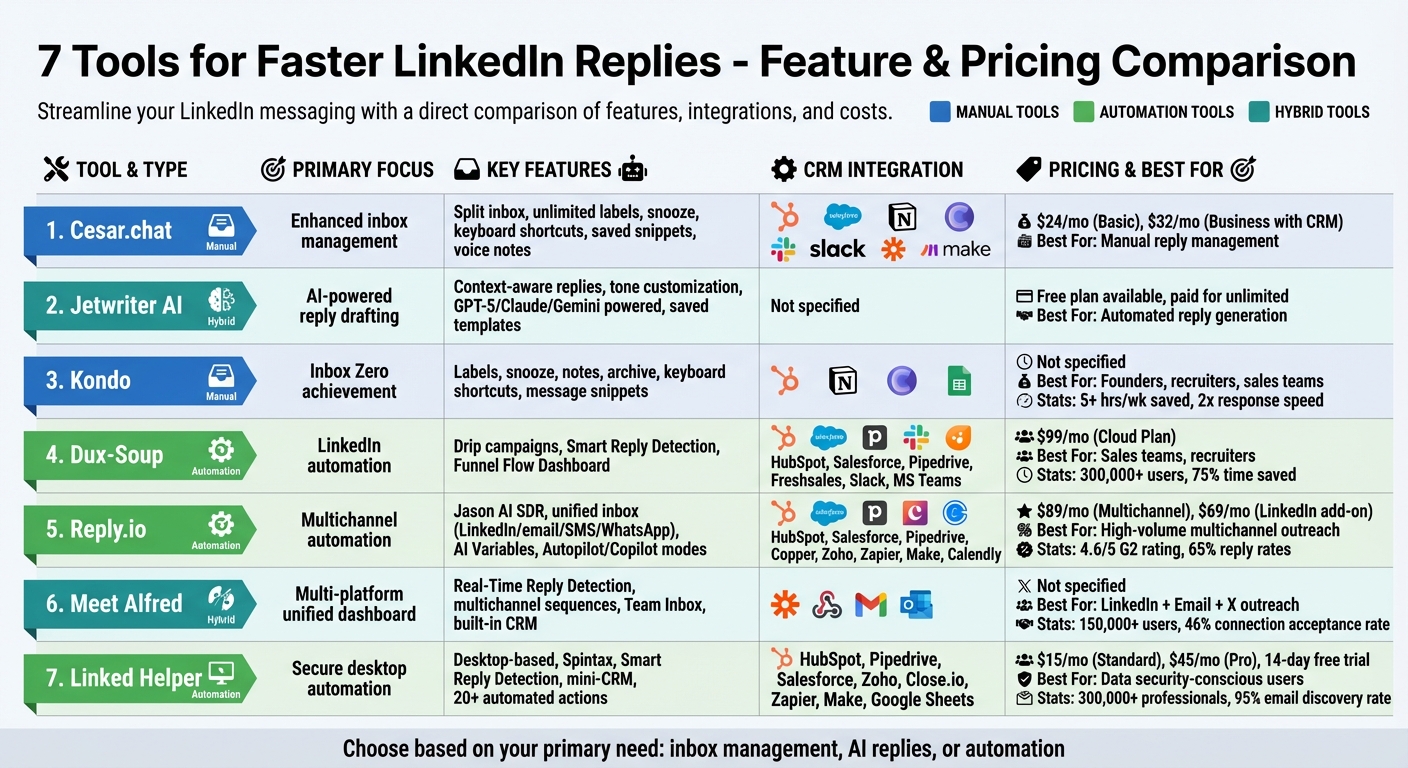
LinkedIn Reply Tools Comparison: Features and Pricing
Auto-Reply to LinkedIn DMs with Human Review
sbb-itb-3e8f5dc
1. Cesar.chat – Enhanced LinkedIn Messenger
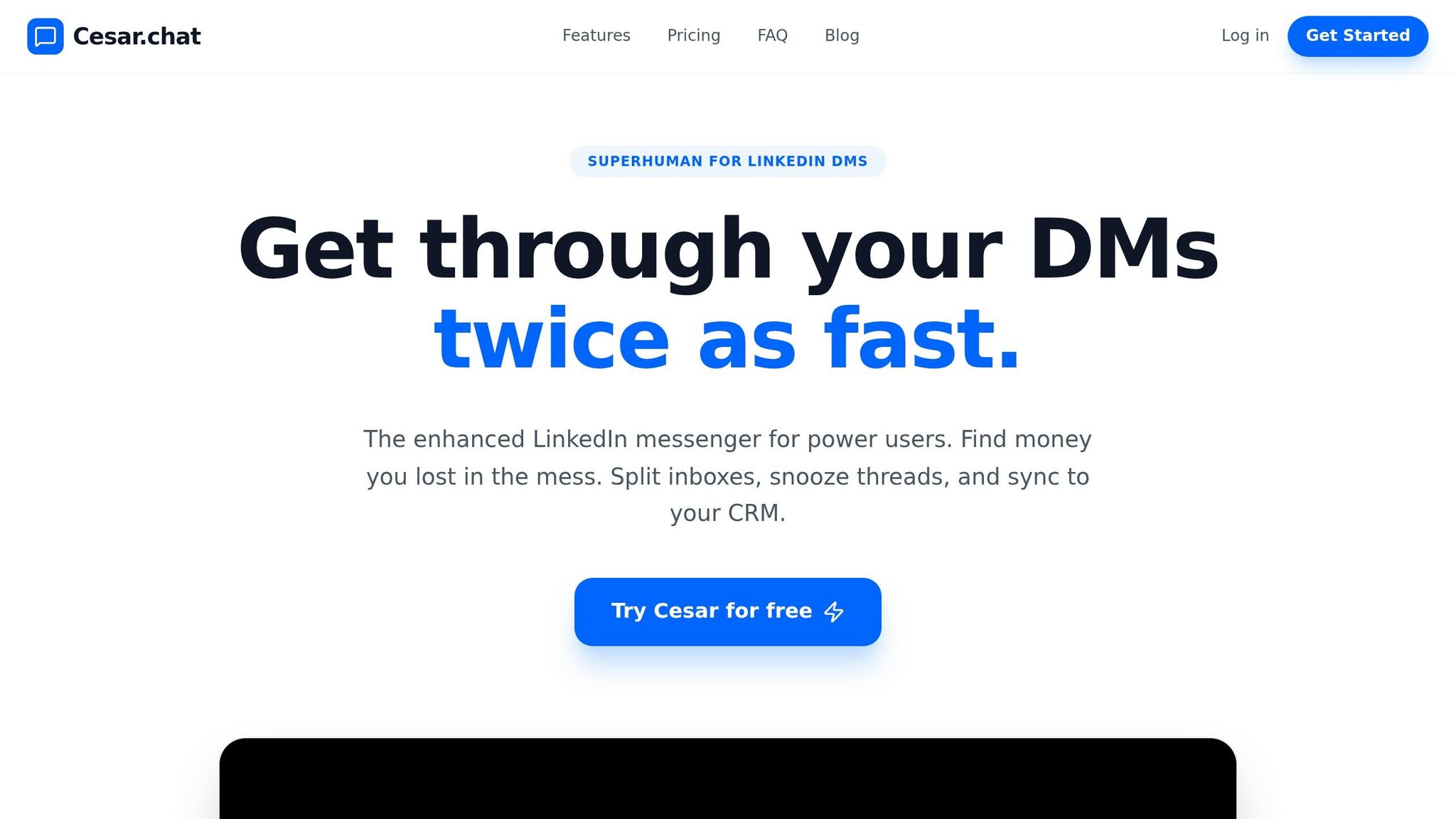
Cesar.chat is like having a turbocharged tool for LinkedIn DMs. It doesn’t rely on bots to send messages for you. Instead, it offers a faster, more efficient way to manage your own conversations manually.
Inbox Management Features
Cesar.chat’s split inbox system helps you stay organized by letting you categorize conversations with unlimited custom labels. This way, you can easily separate high-priority leads from casual networking or recruiter messages. If you need to focus on something else, the snooze feature can temporarily hide threads and bring them back at a specific time – perfect for staying on top of follow-ups. These features ensure you can respond quickly and efficiently.
Time-Saving Features
The tool goes beyond just organizing your messages. It’s packed with features that save time on routine tasks. Keyboard shortcuts streamline navigation, while saved snippets let you quickly reuse pre-written message templates, cutting out the hassle of repetitive typing. Plus, you can even send voice notes directly from your desktop – a feature typically limited to mobile devices.
Integration with CRMs and Productivity Tools
Cesar.chat integrates seamlessly with popular tools like HubSpot, Salesforce, Notion, Clay, Slack, Zapier, and Make. It syncs conversation data, labels, and notes automatically, ensuring your CRM stays updated. Since it uses official APIs, your LinkedIn account remains secure. Pricing starts at $24/month for the Basic plan, while the Business plan, which includes CRM integrations, is available for $32/month.
2. Jetwriter AI
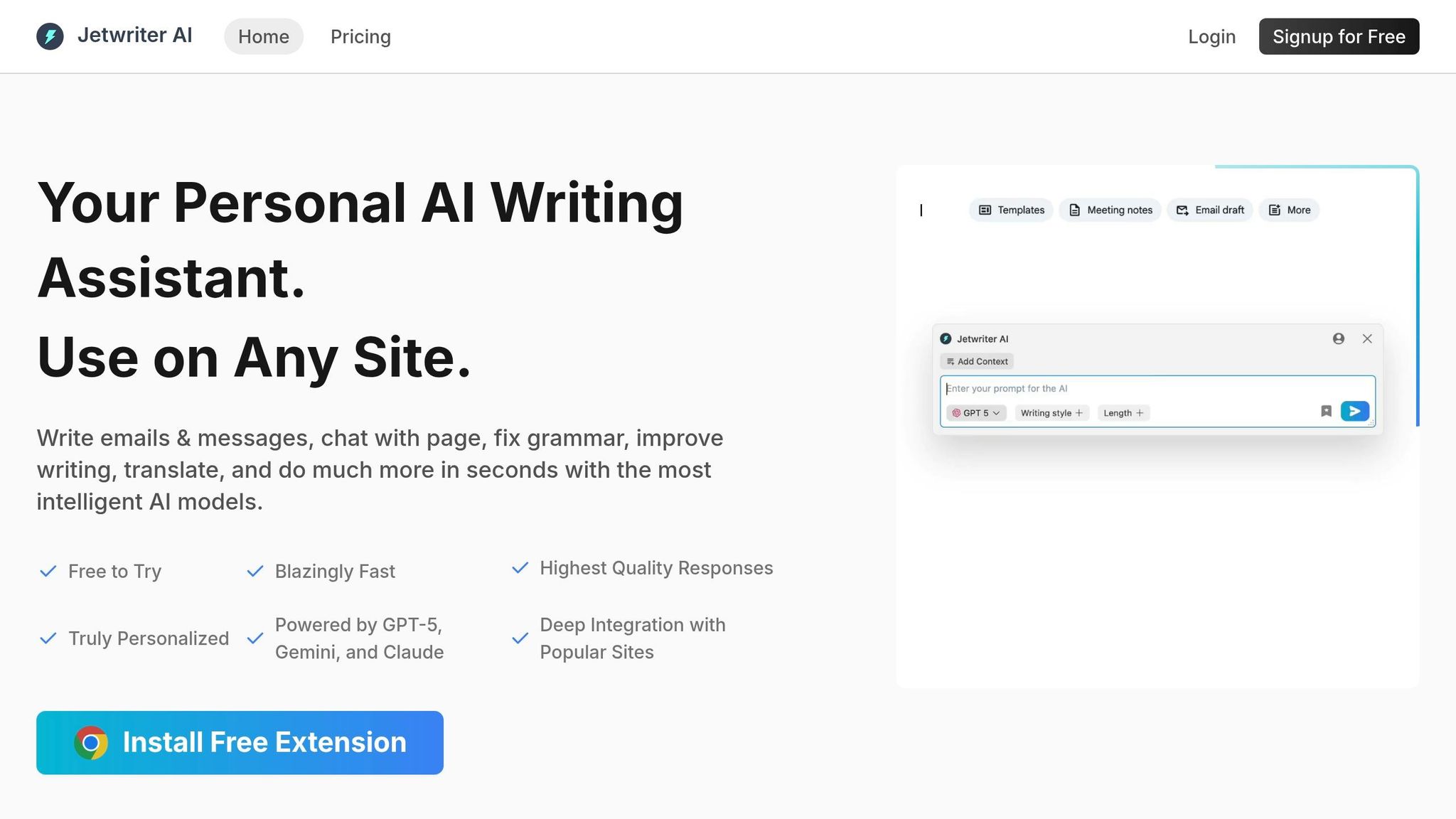
Jetwriter AI simplifies LinkedIn messaging by automating reply drafting. Trusted by over 700,000 users and boasting more than 500 five-star reviews, this browser extension integrates directly into LinkedIn’s message composer with a blue lightning bolt icon.
Automation Capabilities
Jetwriter AI uses your LinkedIn chat history to craft replies that fit the context of your conversations seamlessly. You can adjust the tone – choosing between Professional, Casual, or Straightforward – and decide on the length (Short or Long) with just one click. For repetitive tasks, saved prompt templates allow for quick, consistent responses. Powered by advanced models like GPT-5, Claude, and Gemini, the tool ensures your replies feel natural and engaging. Its smooth integration into LinkedIn makes it a practical addition to your daily workflow.
Time-Saving Features
Jetwriter AI goes beyond automation to help you save even more time. With the Personalize AI feature, you can tailor responses by providing details about your job role, industry, and networking goals, ensuring your messages reflect your professional persona. You can also define custom writing styles – such as "Confident & Authoritative" or "Friendly & Inquisitive" – to match different situations. Plus, a handy keyboard shortcut (Ctrl+Shift+K) allows you to activate the tool instantly for quick replies.
"Jetwriter AI is like a smart friend that saves you from awkward replies. It reads the entire conversation to understand the context, helping you draft the perfect response in seconds." – Jetwriter Team
Jetwriter AI offers a free plan with a limited number of replies each month. Paid plans unlock unlimited message generation, and you can also use your own API keys for added flexibility.
3. Kondo
Kondo turns LinkedIn messaging into a streamlined, high-speed platform designed for founders, recruiters, and sales teams overwhelmed by DMs. Its goal? To help you achieve an Inbox Zero experience – minus the chaos of automated bulk messages.
Inbox Management Features
Kondo simplifies inbox organization with tools like custom labels (think "Follow Up" or "Networking"), a snooze feature to bring messages back when you need them, and options to add internal notes or archive threads. These features make managing your inbox feel less like a chore and more like a breeze.
"With Kondo, I can finally make sense of inbox clutter with labels and reminders. Game changer for anyone with a very busy inbox!"
– Lorraine K. Lee, LinkedIn Learning Instructor
Integration with CRMs and Productivity Tools
Kondo doesn’t just organize your inbox – it connects it to your broader workflow. It integrates seamlessly with top CRMs and productivity tools like HubSpot, Notion, Clay, and Google Sheets. Conversation data, labels, and notes sync in real time, meaning no more manual updates. Your sales tools stay current, automatically.
Time-Saving Features
Efficiency is where Kondo really shines. It offers smart keyboard shortcuts to help you navigate, archive, snooze, and label messages quickly – bringing a Gmail-like ease to LinkedIn. Plus, pre-saved message snippets let you respond faster. You can even personalize these snippets with variables like {firstName} to keep things professional yet quick. Users report saving over 5 hours a week and doubling their response speed. As Amos Bar-Joseph, CEO of Swan.ai, puts it, "Kondo saves me at least 30 mins each day", underscoring its impact on productivity.
4. Dux-Soup
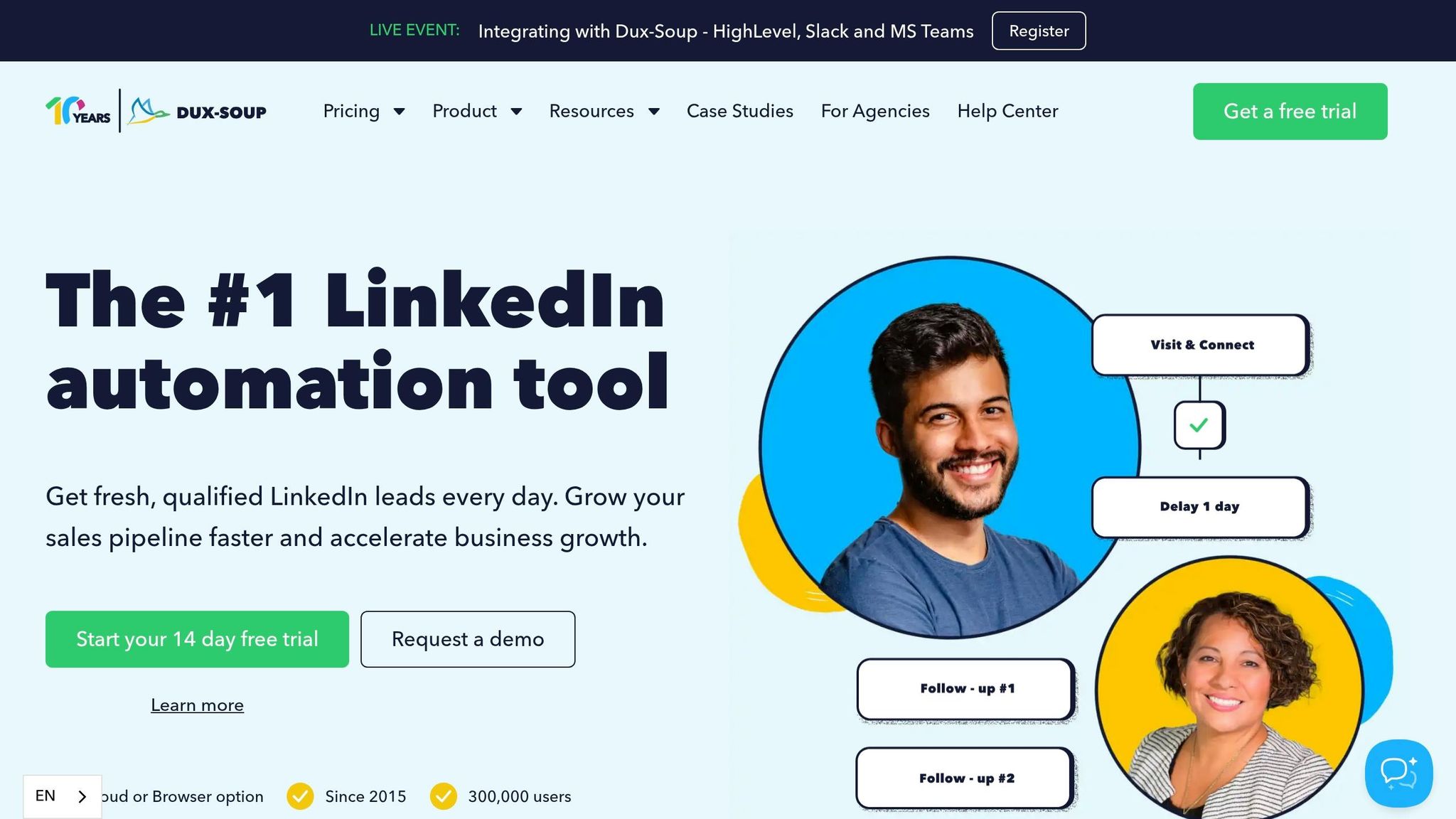
Dux-Soup is a LinkedIn automation tool tailored for sales teams and recruiters looking to scale their outreach while keeping interactions personal. With over 300,000 users worldwide as of 2026 and a spotless record of zero banned accounts since 2015, Dux-Soup stands out by mimicking human behavior and adhering to daily activity limits.
Automation Capabilities
Dux-Soup enables users to create multi-step drip campaigns that include connection requests, profile views, follows, endorsements, and custom-timed follow-ups. Its Smart Reply Detection feature halts automation as soon as a prospect responds, avoiding awkward follow-ups once engagement begins. Users have reported saving 75% of their time on LinkedIn outreach, with some generating up to 1,000 new prospects monthly. For instance, Ashish Janiani from Motivational Diaries used Dux-Soup to land a $12,500 contract within just 30 days of launching his campaign. These tools integrate seamlessly into existing workflows, making LinkedIn outreach more efficient.
Integration with CRMs and Productivity Tools
Dux-Soup doesn’t just automate – it also keeps your systems connected. It offers two-way native integrations with popular CRMs like HubSpot, Salesforce, Pipedrive, HighLevel, and Freshsales, syncing LinkedIn activity, enriched profile data, and conversation histories automatically. For quicker updates, you can integrate Dux-Soup with Slack or Microsoft Teams, allowing you to monitor campaign progress in real time. David Duccini from Silicon Prairie shared that his team consistently generates up to 20 highly qualified inbound leads daily using this setup.
Time-Saving Features
The Funnel Flow Dashboard simplifies LinkedIn outreach by centralizing your messages. You can filter campaigns, respond instantly, and even manage leads – qualifying or disqualifying them, switching campaigns, or unenrolling profiles – all without needing to log into LinkedIn.
"The speed of creating campaigns, and the ability to auto-enroll prospects means that I have uncovered and nurtured leads that I just wouldn’t have had time to otherwise."
– Michael Simpson, Ideas First
For those who need non-stop outreach, the Cloud Plan ($99/month) ensures campaigns run 24/7 from dedicated infrastructure, even when your computer is off.
5. Reply.io
Reply.io takes LinkedIn messaging to the next level by combining it with multichannel automation. It integrates LinkedIn messaging, email, WhatsApp, SMS, and calls into a single streamlined workflow. With over 3,000 businesses relying on it and a 4.6/5 rating on G2 from 1,480 reviews, it’s designed for sales teams managing high-volume outreach while keeping messages personal.
Automation Capabilities
Jason AI SDR works around the clock, leveraging a database of over 1 billion contacts to find leads, create personalized messages, and schedule meetings automatically. For example, Jarod Smith, VP/AI Specialist at RiskX, achieved success with Jason AI even as a first-time email campaigner. Within his initial 40 emails in 2026, he secured a demo with a potential client valued between $15,000 and $20,000.
"Jason AI is amazing! I had never run an email campaign before, but with Jason AI, I launched my first campaign – and booked a meeting within the first 40 emails!" – Jarod Smith, VP/AI Specialist, RiskX
The platform also uses AI Variables to pull LinkedIn data for crafting tailored messages. Users have reported impressive results, including reply rates of up to 65% and open rates as high as 92%. You can opt for Autopilot Mode for fully automated responses or Copilot Mode to review and tweak AI-generated drafts before they’re sent.
Integration with CRMs and Productivity Tools
Reply.io integrates seamlessly with popular CRMs like HubSpot, Salesforce, Pipedrive, Copper, and Zoho, ensuring all contact data and communication histories stay up to date. Its browser extension allows users to extract verified emails from LinkedIn and save them directly to their CRM with a single click. Additionally, Zapier and Make integrations enable automated workflows – for instance, generating AI-powered drafts or creating project tasks the moment a LinkedIn message is received. Calendar tools like Calendly are also built into sequences, making it easy for prospects to book meetings directly.
Time-Saving Features
Reply.io significantly reduces response times by consolidating all messages into one place and automating repetitive tasks. The Unified Inbox merges LinkedIn messages, emails, and texts into a single interface, eliminating the need to juggle multiple tabs. Yannis Moati, CEO of HotelsByDay, shared that each salesperson on his team saves 7 hours weekly thanks to Reply.io, and half of all closed deals now originate from Reply campaigns.
For LinkedIn-specific tasks, the LinkedIn Automation Add-on ($69/month per account) manages connection requests, messages, InMails, and even mimics "human-like" actions, such as liking posts, following profiles, and endorsing skills. Pricing for Jason AI SDR starts at $500/month for full automation, while the Multichannel All-Inclusive plan costs $89/month per user (billed annually).
6. Meet Alfred
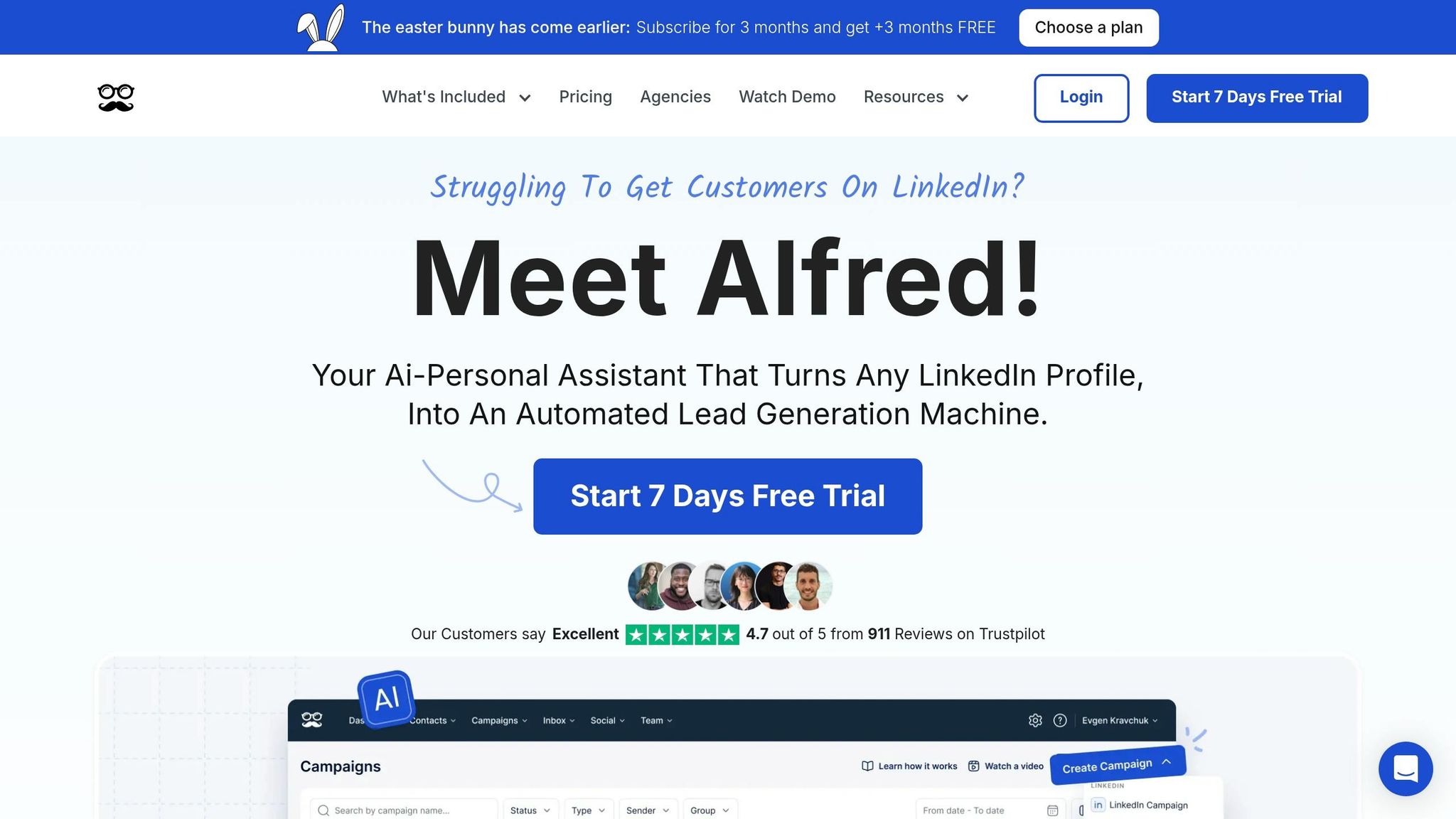
Meet Alfred brings LinkedIn, email, and X (formerly Twitter) together in one dashboard, making it easier to track and respond to messages. Since its launch in 2016, the platform has gained over 150,000 users across 92 countries.
Automation Capabilities
One of Meet Alfred’s standout features is its Real-Time Reply Detection. This tool automatically pauses your campaign the moment a prospect replies, allowing you to step in with a personal response. This ensures automated messages don’t continue once engagement starts.
The platform also supports multichannel sequences, seamlessly transitioning between LinkedIn, email, and X based on how prospects interact. For instance, in 2025, a Toronto-based design firm, SLD, used Meet Alfred to scale their LinkedIn outreach while staying compliant. Within weeks, they grew their connections from 5,000 to nearly 12,000, achieved a 46% connection acceptance rate, and generated 2,542 replies.
"Meet Alfred makes absolute sense for an early-stage founder like myself. It gives me the reach I would only be able to get with multiple SDRs." – Leonardo Torres, Founder
Integration with CRMs and Productivity Tools
Meet Alfred enhances productivity by integrating with external CRMs through Zapier and Webhooks, ensuring lead data and conversation history sync automatically. It also connects directly with email providers like Gmail and Outlook via SMTP/IMAP. Guillaume, a manager who uses the platform, explained: "The main reason we chose Meet Alfred is that we can automate almost everything. The two features we use the most are webhooks and API connections".
The platform includes a built-in LinkedIn CRM, letting users tag, add notes, and organize contacts without additional software. Its Team Inbox feature allows multiple team members to manage replies together, with role-based task assignments and account impersonation for smooth handoffs.
Time-Saving Features
Meet Alfred also reduces manual work by consolidating messages from LinkedIn, InMail, and Sales Navigator into a Unified Smart Inbox, so users no longer need to check multiple tabs. It supports message templates that can be saved and shared within a team library.
"The Alfred CRM lets us organize LinkedIn candidates effortlessly and target campaigns precisely." – Beth, Brand Manager
7. Linked Helper
When it comes to automating LinkedIn outreach while keeping your data secure, Linked Helper stands out. This desktop app, trusted by over 300,000 professionals across 180 countries, ensures your LinkedIn credentials stay safe by operating locally on your computer. Unlike cloud-based tools, it avoids injecting code into your browser, offering an added layer of security.
Automation Capabilities
Linked Helper allows you to create detailed, multi-step drip campaigns for actions like profile visits, follows, and skill endorsements. These steps help "warm up" leads before sending out connection requests, potentially increasing acceptance rates by 15-25%. The tool also features Smart Reply Detection, which halts automation for any contact who responds, preventing awkward, robotic follow-ups.
To avoid LinkedIn’s spam filters, Linked Helper uses Spintax, a method that randomizes message segments so each recipient gets a slightly different version of your outreach. The tool supports up to 150 messages per day (or 1,050 per week). While it doesn’t include a built-in AI writer, it integrates with OpenAI via Google Sheets, enabling you to craft personalized messages based on a prospect’s profile and job history.
"I’ve generated over 800 super great leads so far in a few weeks." – Mattias K.
All these automation features seamlessly connect with your CRM, making follow-ups more efficient.
Integration with CRMs and Productivity Tools
Linked Helper ensures smooth data management by integrating with popular CRMs like HubSpot, Pipedrive, Salesforce, Zoho, and Close.io. It also supports webhooks for tools like Zapier, Make, and Google Sheets. After specific campaign steps or when a lead replies, the platform transfers lead data and conversation history directly into your CRM. For those who don’t use external software, Linked Helper includes a mini-CRM for tagging and organizing contacts.
The tool can scrape detailed profile information, such as emails and phone numbers, which you can download as CSV files or send directly to your productivity tools. Its "Find Profile Emails" feature boasts an impressive success rate, uncovering up to 95% of emails for 2nd and 3rd-degree connections.
Time-Saving Features
Repetitive tasks are a thing of the past with Linked Helper. It uses custom variables (like {firstName} or {jobTitle}) and conditional logic to personalize messages. You can automate outreach to 1st-degree connections, members of shared LinkedIn groups, and even attendees of specific events. Plus, it can attach personalized images, videos, and link previews to your messages.
With over 20 automated LinkedIn actions, Linked Helper can handle tasks like endorsements, group invites, and even sending free InMails to "Open Link" profiles without using your InMail credits. It also includes a Sent Invites Canceller to automatically withdraw old, unaccepted requests, protecting your account’s reputation.
"This tool is like a robotic vacuum cleaner. Set it up once and it just does all the monotonous, time-consuming, dirty work…" – Taras D.
Linked Helper offers a 14-day free trial with full access to all features. After that, pricing starts at $15/month for the Standard plan and $45/month for the Pro plan, which includes advanced features. The platform has earned a 4.8/5 rating from over 100 testimonials, with users often highlighting its 24/7 customer support.
Conclusion
Choose a tool that addresses your biggest time drain. For example, if managing replies and keeping hot leads visible in your inbox feels overwhelming, a tool like Cesar.chat can be a game-changer. It offers split inboxes, snooze functions, and keyboard shortcuts to help you process DMs twice as fast. These features speed up manual responses while ensuring your account remains secure.
While manual tools improve response times, automating repetitive tasks is key to scaling. Automation can handle bulk outreach, while efficient inbox management ensures personalized replies are quicker and more organized. Focus on solving the specific bottleneck in your workflow.
Integration is another critical factor. If you rely on a CRM like HubSpot or Salesforce, look for tools with live sync capabilities. This can save hours of manual data entry each week and keep your CRM updated effortlessly. Adopting an Inbox Zero mindset, with features like snippets, labels, and reminders, can save you significant time and keep your workflow running smoothly.
Take a close look at your daily routine. Do you need keyboard shortcuts to manage dozens of conversations or voice notes for faster replies? Identify the features that will make the biggest impact on your workflow – whether that’s prioritization, automation, or CRM integration – and select a tool that aligns with your outreach needs to maximize your LinkedIn engagement.
FAQs
What’s the best tool for faster replies without automating messages?
Cesar.chat is perfect for speeding up your LinkedIn replies without relying on automation. It offers features like split inboxes to help you prioritize messages, snoozing threads for timely follow-ups, keyboard shortcuts for quicker navigation, and saved snippets to simplify repetitive responses. These tools make it easier to stay on top of your messages and respond more efficiently.
How do these tools keep my CRM updated from LinkedIn conversations?
These tools connect LinkedIn conversation data, labels, and notes directly to your CRM and productivity platforms. For instance, Cesar.chat works seamlessly with tools like HubSpot, Slack, and Notion, ensuring updates are handled automatically. This real-time syncing keeps communication in one place, tracks leads efficiently, and makes follow-ups easier – no more tedious manual data entry.
What’s the safest way to use LinkedIn automation without risking my account?
To navigate LinkedIn automation without running into trouble, stick to moderation, personalization, and respecting LinkedIn’s rules. Avoid practices that feel spammy – keep your interactions genuine and human-like. Look for tools that offer helpful features like split inboxes, snoozing threads, and CRM integration to make your workflow smoother.
Using controlled automation, such as saved message templates or keyboard shortcuts, can help you reply faster while minimizing risks. Always make sure your messages feel personal, steer clear of sending identical bulk messages, and tweak your settings regularly to ensure you’re operating within LinkedIn’s guidelines.