
Managing LinkedIn messages in 2026 is tougher than ever, with professionals receiving an average of 121 messages daily – 76% of which are irrelevant. Tools like Kondo help, but they still require manual effort, which disrupts focus and productivity. The solution? Smarter automation tools that reduce decision-making and streamline communication.
Top Picks for LinkedIn Messaging Automation:
- Cesar.chat: Organizes messages with split inboxes, labels, and AI tools, offering strategies and insights for LinkedIn power users. Starts at $24/month.
- Agorapulse: Consolidates company page interactions with automation and sentiment analysis. Pricing begins at $99/user/month.
- NapoleonCat: Combines global moderation with AI auto-moderation and multilingual support. Plans start at $79/month.
- Sprout Social Employee Advocacy: Turns employees into LinkedIn brand ambassadors with curated content and gamification. Pricing starts at $199/month per seat.
- HeyReach: Automates LinkedIn outreach with multi-account rotation and AI integrations. Starts at $79/month per sender.
Quick Comparison:
| Tool | Key Features | Starting Price | Free Plan |
|---|---|---|---|
| Cesar.chat | Split inbox, CRM integration, snippets | $24/month | No |
| Agorapulse | Sentiment analysis, bulk actions | $99/user/month | Yes |
| NapoleonCat | AI auto-moderation, multilingual support | $79/month | No |
| Sprout Social Advocacy | Employee advocacy, gamification | $199/seat/month | No |
| HeyReach | Unified Inbox, AI-powered outreach | $79/sender/month | Yes |
These tools simplify LinkedIn communication by automating repetitive tasks, reducing distractions, and improving efficiency. Whether you’re managing personal messages, company interactions, or outreach campaigns, there’s an option tailored to your needs.
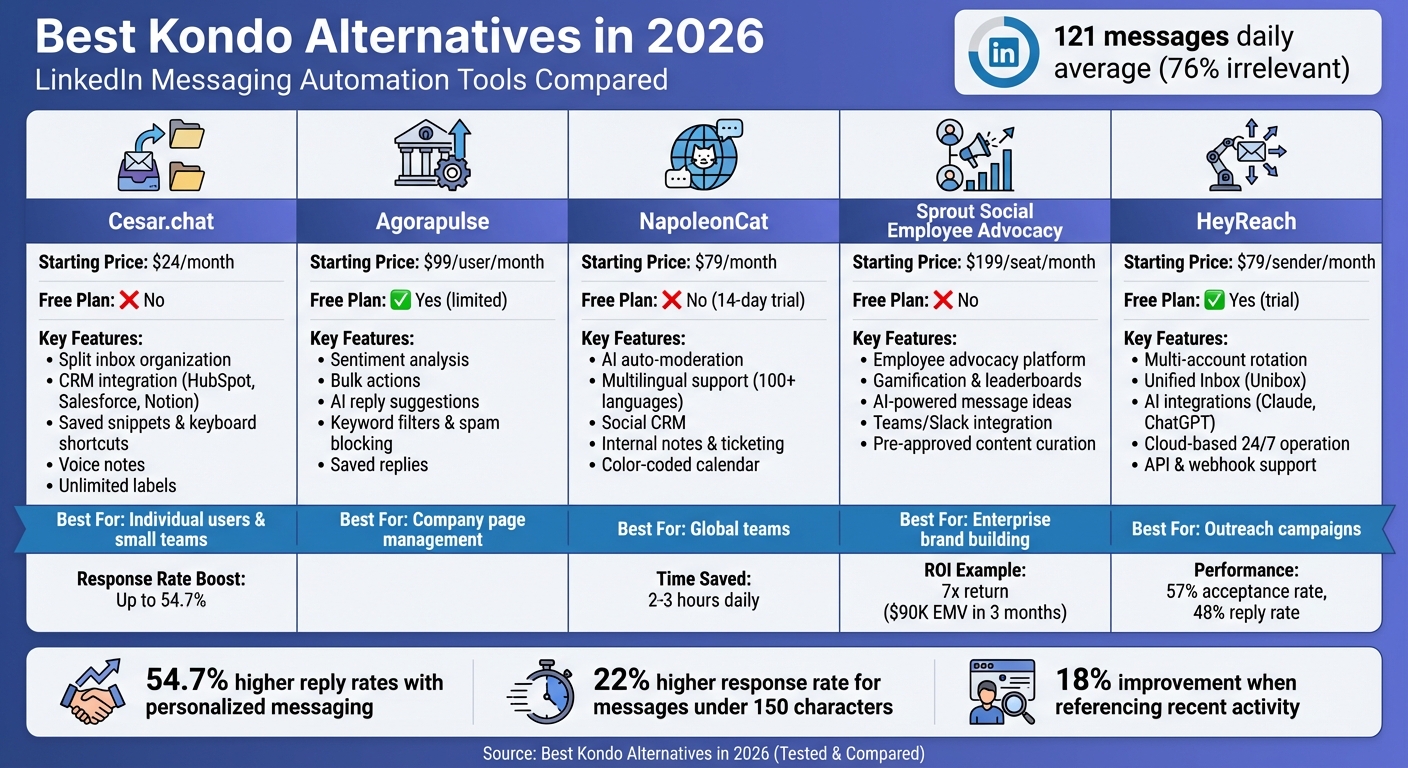
Best Kondo Alternatives for LinkedIn Messaging Automation 2026 – Features and Pricing Comparison
Auto-Reply to LinkedIn DMs with Human Review
sbb-itb-3e8f5dc
1. Cesar.chat
Cesar.chat is a LinkedIn messaging tool designed to make communication more efficient. It features a split inbox that separates high-priority conversations from less urgent ones, helping users stay focused and organized. Here’s a closer look at how Cesar.chat improves messaging and fits seamlessly into your workflow.
LinkedIn Optimization
Cesar.chat makes it easy to personalize messages at scale while keeping them genuine. According to research, tailoring messages to an Ideal Customer Profile can boost reply rates by up to 54.7%. Shorter messages – under 150 characters – see a 22% higher response rate, and referencing a prospect’s recent activity can improve replies by 18%. With features like saved snippets, Cesar.chat allows you to create pre-written, personal responses, cutting down on repetitive typing and saving time.
Features for Productivity
This tool is packed with features to simplify your daily messaging tasks. It offers:
- Keyboard shortcuts for faster navigation.
- A snooze function to help you stay on top of follow-ups.
- Voice notes for quick, streamlined replies.
Additionally, unlimited labels let you organize conversations by project, client type, or urgency, making it easier to manage your inbox efficiently.
Integration Capabilities
Cesar.chat integrates smoothly with popular CRM systems like HubSpot, Salesforce, and Notion, syncing your LinkedIn conversations directly into your existing workflow. Here’s how the plans handle integrations:
- Business plan: Supports up to three integrations.
- Enterprise plan: Offers unlimited sync options along with white glove setup.
The platform also integrates with Slack, enabling team collaboration on responses without leaving your primary communication tool. For those using Sales Navigator, both the Business and Enterprise plans include support to enhance prospecting efforts.
Pricing and Plans
Cesar.chat offers three pricing tiers to suit various needs:
- Basic plan: $24/month, includes features like unlimited labels, snippets, reminders, and voice notes – perfect for individual users.
- Business plan: $32/month, adds integrations, Sales Navigator support, and analytics.
- Enterprise plan: $40/month, tailored for teams, with VIP support and unlimited integrations.
All plans provide full access to the platform’s core features without usage limits, ensuring consistent costs. However, there is no free version available.
2. Agorapulse
Agorapulse simplifies managing LinkedIn company page interactions by consolidating them into a single inbox. Its AI-powered reply suggestions ensure responses are both quick and consistent with your brand’s tone. By streamlining communication, it eliminates the hassle of switching between platforms.
Features for Productivity
The Inbox Assistant is packed with automation tools like keyword filters, spam blocking, and message assignment rules. These features help organize your inbox, while saved replies provide one-click solutions for frequently asked questions. Bulk actions let you manage multiple messages at once – whether you’re labeling, reviewing, or dismissing them. Sentiment analysis adds another layer by flagging messages based on tone, so you can prioritize the most pressing ones. Together, these tools are designed to keep workflows smooth and efficient.
Jamie Mendelsohn, Director of Customer Happiness at Lovepop, shared:
"Agorapulse has really changed our ability to follow up with customers and make sure we’re being responsive and interacting with them when they want".
Integration Capabilities
Agorapulse connects seamlessly with platforms like Salesforce, HubSpot, Slack, Microsoft Teams, Canva, and Google Drive. Plus, with Zapier, you can automate workflows involving tools like Asana and Trello, adding even more flexibility.
Pricing and Plans
Agorapulse pricing is based on the number of users, so costs rise as your team grows. The Standard plan starts at $99 per user per month and covers basic scheduling and inbox management. For $149 per user per month, the Professional plan includes features like approval workflows and ad comment monitoring. The Advanced plan, priced at $199 per user per month, adds bulk publishing and in-depth reporting tools. Opting for annual billing can save you around 20% compared to monthly payments. There’s also a free plan, but it’s limited to one user, three social profiles, and 10 scheduled posts.
3. NapoleonCat
NapoleonCat brings all LinkedIn Company Page comments and direct messages into a single, easy-to-navigate dashboard. With its AI-driven auto-moderation, the platform can automatically hide spam and hate speech by using keyword-based replies. Plus, its integration with Google Translate – supporting over 100 languages – makes it a practical tool for managing global audiences. This setup simplifies workflows and boosts efficiency by combining key automation tools.
Features for Productivity
The Social Inbox is a standout feature, enabling teams to assign messages as tickets, add internal notes, and organize content approvals with a color-coded calendar. Meanwhile, the Social CRM automatically builds profiles for LinkedIn contacts, saving conversation histories and important details for future reference. By automating repetitive tasks, teams free up time to focus on more strategic work. In fact, users of these tools report saving 2–3 hours daily when managing high-volume accounts.
Kamil Policht from New Balance shared how this tool has transformed their operations:
"NapoleonCat saves up to one-third of a full-time position. That’s time we would otherwise spend manually moderating thousands of comments each month… Time we can now use for growth."
Integration Capabilities
NapoleonCat’s centralized communication tools reduce the hassle of switching between platforms. It supports interactions across Facebook, Instagram, TikTok, YouTube, X (Twitter), and Google My Business. While its translation and collaboration tools streamline workflows, the platform’s third-party integrations are somewhat limited compared to larger enterprise solutions. Even so, its features are robust enough to meet the needs of most users, as reflected in its tiered pricing.
Pricing and Plans
NapoleonCat offers three pricing tiers:
- Standard Plan: $79/month, covering scheduling and analytics.
- Pro Plan: $89/month, which includes the Social Inbox and saved replies.
- Expert Plan: $119/month, adding AI auto-moderation and sentiment analysis.
Each plan includes two users and five social profiles by default. Annual billing offers an 11% discount, and users can test the platform with a 14-day free trial – no credit card required.
4. Sprout Social Employee Advocacy
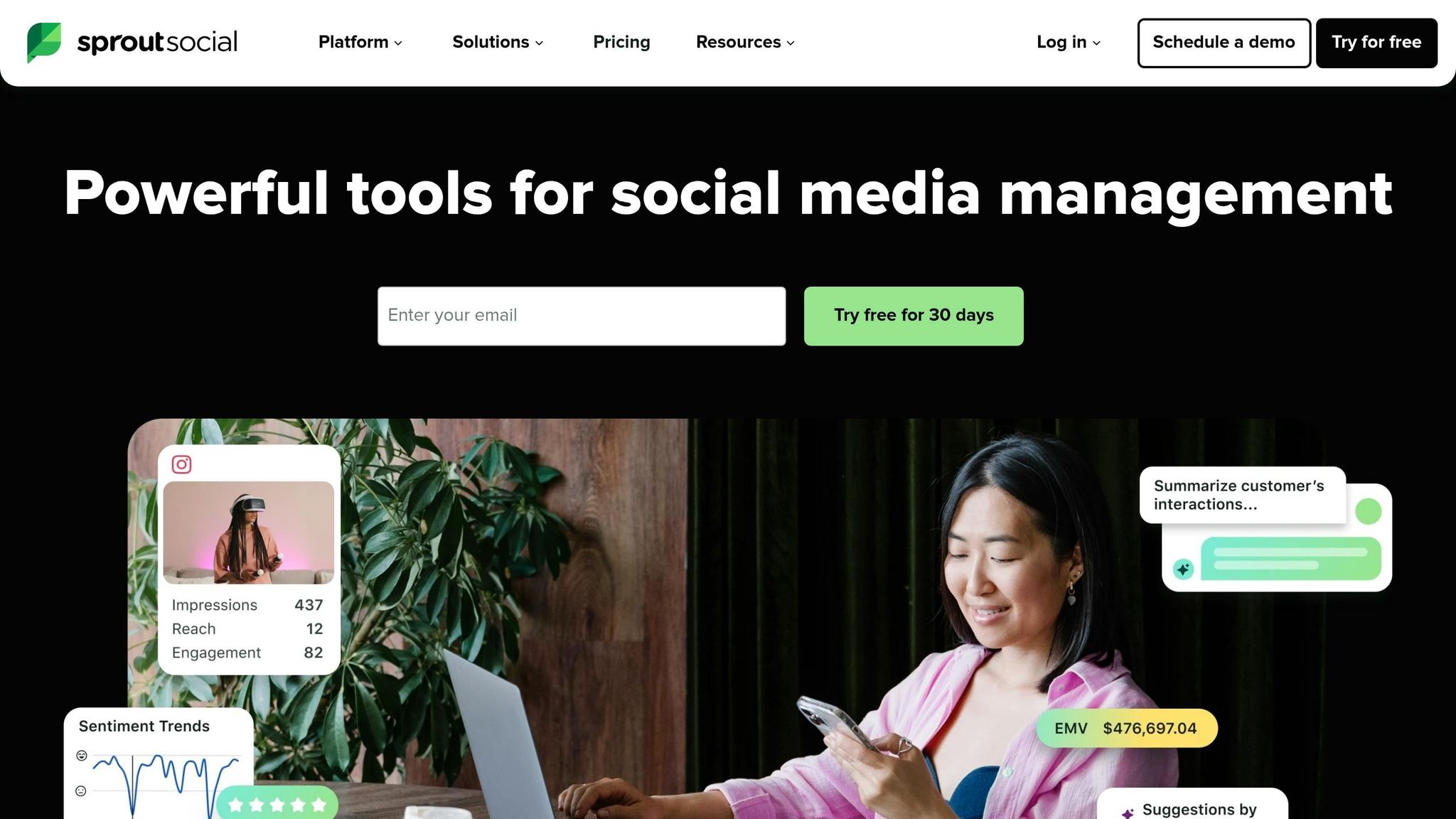
Sprout Social Employee Advocacy helps boost your LinkedIn presence by turning employees into brand ambassadors. It provides a centralized hub where teams can curate pre-approved posts, making it easy for employees to share content on LinkedIn while keeping everything consistent with the brand’s voice [32, 34].
Features for Productivity
The platform’s AI tools are designed to save time and improve efficiency. For example, the AI-powered Message Ideas feature generates multiple caption options for posts, allowing employees to personalize their LinkedIn shares without straying off-brand. Sprout Social also integrates with Microsoft Teams and Slack, making it simple to notify employees about new shareable content. To keep participation high, the platform includes gamification elements like leaderboards and point systems [32, 34].
The results speak for themselves. Simpli.fi, for instance, launched its advocacy program in April 2023, three months before a major rebranding effort. Under the leadership of Director of Content Spencer Traver, the program delivered impressive results, generating nearly $90,000 in estimated Earned Media Value (EMV) within the first three months – a 7x return on investment. As Traver explained:
"Our employee advocacy has returned nearly $90,000 in Earned Media Value in just three months. That means we’re already 7x our ROI."
Other companies have seen similar success. Ivanti used gift card giveaways and contests to drive social shares from 1,000 to 17,000 in one quarter, marking a staggering 16,000% increase. During a 2024 global rebranding, Superhuman’s social team coordinated employee sharing efforts that resulted in over 330,000 LinkedIn impressions from a single post on launch day, along with a 205% boost in overall social shares.
These features not only enhance productivity but also help teams achieve measurable success.
Pricing and Plans
Sprout Social’s Employee Advocacy is available as an add-on to its Standard ($199/month per seat), Professional ($299/month per seat), and Advanced ($399/month per seat) plans, all of which are billed annually. The cost of the advocacy module requires a custom quote and may increase your annual contract value by 20–40%. While the features are powerful, the pricing structure can become expensive for growing teams, as each additional user adds to the monthly cost.
5. HeyReach
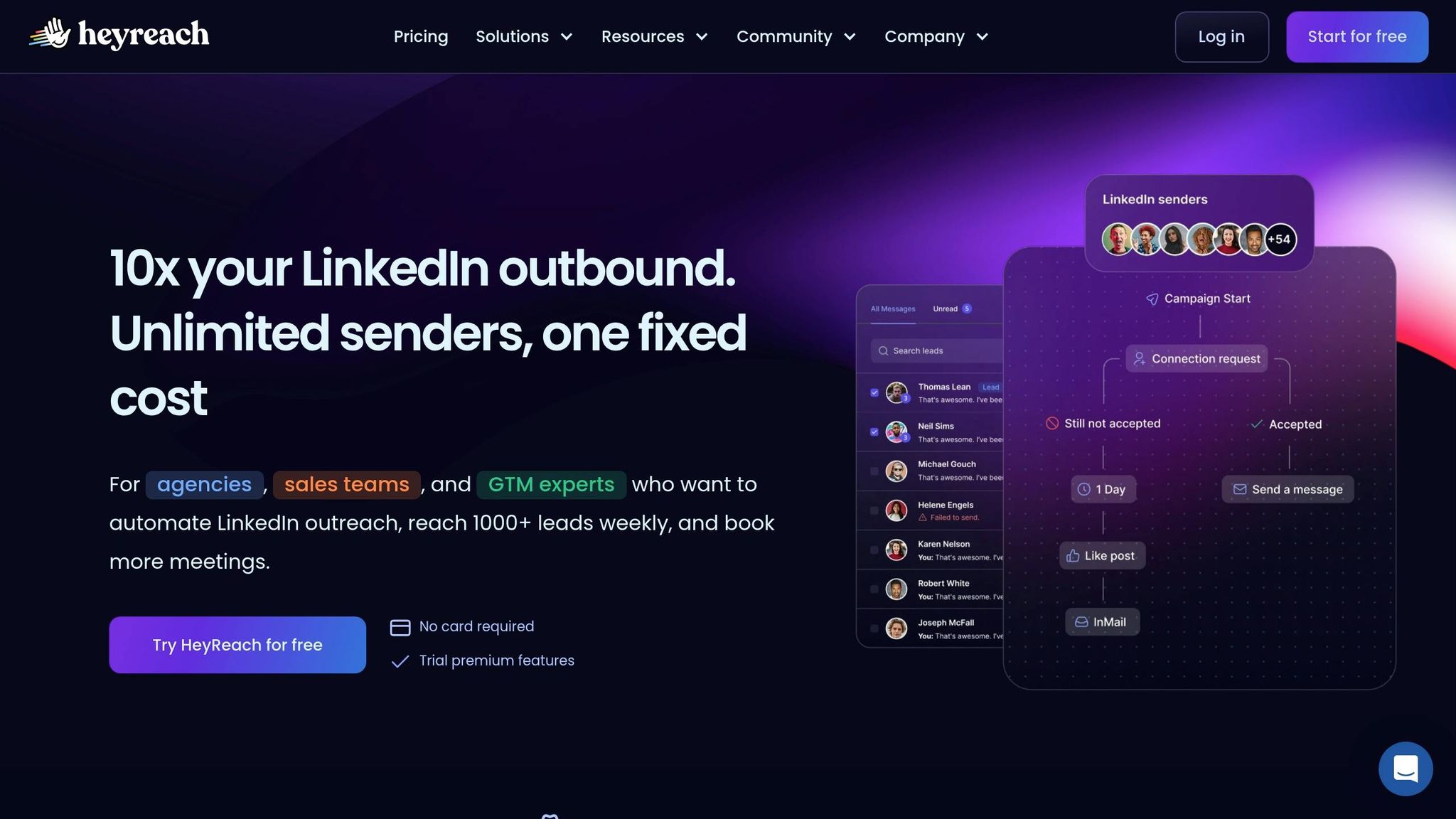
HeyReach is a cloud-based platform designed to automate LinkedIn outreach, making it particularly useful for teams managing several accounts. Unlike browser-based tools that rely on your computer staying on, HeyReach operates on dedicated servers around the clock. This means your campaigns continue running even when you’re offline. One standout feature is its multi-account rotation, which allows multiple LinkedIn profiles to work on a single campaign. By automatically rotating senders, it ensures compliance with LinkedIn’s daily limits of 20–40 invites while still scaling outreach efforts effectively.
Features to Boost Efficiency
HeyReach’s Unified Inbox (Unibox) is a game-changer for managing communication. It brings messages from all linked LinkedIn accounts into a single dashboard. From there, teams can reply, tag leads, and assign conversations without the hassle of switching profiles. The platform also connects to AI tools like Claude or ChatGPT through its MCP Server. This integration automates tasks like campaign audits, lead filtering, and drafting personalized messages, cutting down on manual work and streamlining processes.
The results speak for themselves. For example, in 2025, Sönke Venjacob, Founder of Platinum Agency, used HeyReach to manage both agency and client accounts, achieving a 57% connection acceptance rate and a 48% reply rate. Similarly, Tim Yakubson from B2B Boosted paired HeyReach with Clay for signal-based outreach, resulting in a 45% connection acceptance rate and a 26% reply rate. In another case, a recruiting campaign using the same combination yielded 571 replies from just 800 connection requests in two weeks.
Seamless Integration Options
HeyReach doesn’t just simplify outreach – it also integrates with other tools to enhance functionality. It works natively with platforms like HubSpot, Pipedrive, Clay, RB2B, Trigify, Instantly, and Smartlead. Additionally, its integration with Make (formerly Integromat) provides access to over 1,000 apps without requiring any coding skills. For those with custom needs, HeyReach offers API and webhook support, enabling users to push leads directly from tools like Airtable, Google Sheets, or web forms into their LinkedIn campaigns. Ebru Abaz, Head of Experience at HeyReach, summed it up well:
"HeyReach now has a native integration [with Make]. That means you can plug HeyReach into your automation stack without any technical gymnastics".
Pricing and Plans
HeyReach offers flexible pricing options to suit different needs:
- Starter Plan: $79 per month per sender, which includes one account, access to the Unified Inbox, all LinkedIn actions, and integrations. For teams with 10 or more accounts, the price drops to $59 per sender.
- Agency Plan: $999 per month for up to 50 accounts. This plan includes white-label branding, premium support, and custom proxy options.
- Unlimited Plan: $1,999 per month for unlimited accounts. It also covers team onboarding, data migration, and advanced white-labeling features.
A free trial is available, and there’s no need to provide a credit card to get started.
Pros and Cons Comparison
Cesar.chat – Enhanced LinkedIn Messenger aims to streamline LinkedIn communication. Here’s a breakdown of its strengths and drawbacks:
Pros:
- Includes features like split inboxes, custom labels, and snooze threads to help organize conversations effectively.
- Offers keyboard shortcuts and saved snippets, making it easier to reply quickly.
- Works well with popular CRMs and productivity tools, including Salesforce, Notion, HubSpot, and Slack.
Cons:
- Full CRM integration is restricted to higher-tier plans, such as the Business plan ($32/month) or the Enterprise plan ($40/month).
- Access is limited to a web-based platform, with no dedicated mobile app available.
Cesar.chat provides an efficient way to manage LinkedIn messaging by focusing on organization, automation, and integration with other tools. This overview highlights both the benefits and limitations of the platform.
Conclusion
Improving LinkedIn messaging starts with using tools that deliver targeted results, and Cesar.chat stands out as a platform designed to do just that. If your goal is to boost productivity and response rates on LinkedIn, Cesar.chat provides a streamlined, results-oriented approach. Research highlights that campaigns with messaging tailored to an ideal customer profile can increase reply rates by up to 54.7%. Additionally, LinkedIn InMails under 400 characters enjoy a 22% higher response rate.
Cesar.chat’s Business plan, priced at $32/month, includes CRM integrations, Sales Navigator access, and analytics. It offers professional-grade tools without the hefty price tag, making enterprise-level features accessible to smaller teams and individuals.
"Relevance earns response. Personalization earns trust." – Mark Hui
Looking ahead to 2026, success will favor professionals who reduce unnecessary mental effort and create workflows that seamlessly combine human intuition with smart automation. Cesar.chat embodies this principle by using automation and user-friendly design to simplify LinkedIn messaging. Features like split inboxes, saved snippets, and keyboard shortcuts reduce the mental load of managing conversations, all while maintaining the personal touch that fosters trust and engagement.
Whether you’re a founder, recruiter, or sales professional, Cesar.chat is purpose-built to refine LinkedIn outreach and strengthen relationship management.
FAQs
How do I choose the right plan for my LinkedIn message volume?
When deciding on the best plan, consider how many messages you typically send. Are you sending just a handful each day, or handling large-scale outreach? Pick a plan that fits your actual usage so you’re not paying for features you don’t need. Also, check if the platform offers tiered options – this can help you match your plan to your expected activity, keeping things both efficient and budget-friendly.
Will automating LinkedIn messaging get my account restricted?
Automating LinkedIn messaging can lead to account restrictions, especially if it involves repetitive actions, high message volumes, or anything that resembles spam. To minimize this risk, consider incorporating safety measures like behavior randomization. Most importantly, always stick to LinkedIn’s guidelines to keep your account secure.
What setup is needed to sync LinkedIn messages into my CRM?
To integrate LinkedIn messages with your CRM using Cesar.chat, start by signing up for the platform. Next, link your LinkedIn account and configure your CRM through Cesar.chat’s interface. Once everything is set up, the system will automatically sync your LinkedIn messages, labels, and notes in real time. This makes it easier to manage conversations, stay on top of follow-ups, and ensure nothing slips through the cracks.