Looking to simplify your LinkedIn recruiting process? Check out these LinkedIn power user tips to optimize your workflow. Here’s a quick rundown of the 7 best CRMs that integrate with LinkedIn, saving you time and effort by automating tasks like profile syncing, InMail tracking, and candidate outreach. These tools leverage LinkedIn’s APIs (like Recruiter System Connect) to eliminate manual data entry and enhance efficiency.
Key CRMs for LinkedIn Recruiting Integration:
- HubSpot CRM: Offers LinkedIn Sales Navigator and Recruiter integrations for streamlined outreach and profile syncing. Plans start at $720/month (Sales Hub Professional).
- Zoho CRM: Cost-effective with tools like 1-Click Export and In-CRM Indicators. Plans start at $14/user/month.
- Pipedrive: Requires third-party tools like LinkMatch for LinkedIn integration. Plans start at $19/month.
- Salesforce: Advanced LinkedIn CRM Connect integration with automation features. Pricing starts at $25/user/month, but implementation can exceed $25,000.
- Recruit CRM: Chrome extension for profile imports and multi-channel outreach. Pricing varies, with an unlimited free trial available.
- Loxo: Combines LinkedIn integration, AI-powered matching, and outreach tools. Paid plans start at $169/user/month.
- Folk CRM: Simple Chrome extension for LinkedIn and other platform imports. Pricing starts at $25/month.
Quick Comparison
| CRM | LinkedIn Integration Type | Starting Price | Key Features |
|---|---|---|---|
| HubSpot CRM | Sales Navigator & Recruiter API | $720/month (Pro Plan) | Profile syncing, InMail tracking, automation |
| Zoho CRM | LinkedIn Recruiter integration | $14/user/month | 1-Click Export, automation, GDPR compliance |
| Pipedrive | Third-party tools (e.g., LinkMatch) | $19/month | Visual pipeline, basic ATS features |
| Salesforce | CRM Connect & Recruiter System Connect | $25/user/month | Advanced automation, custom workflows |
| Recruit CRM | Chrome extension, AI sourcing | Varies | Multi-channel outreach, data enrichment |
| Loxo | LinkedIn integration, AI matching | $169/user/month | Self-updating CRM, outreach automation |
| Folk CRM | Chrome extension | $25/month | Bulk email campaigns, tagging, reminders |
Why It Matters
Integrating LinkedIn with your CRM reduces manual tasks, improves candidate tracking, and increases outreach efficiency. Whether you’re a small team or a large enterprise, these CRMs offer tailored solutions to fit your needs. Test free trials to find the best fit for your recruiting goals.
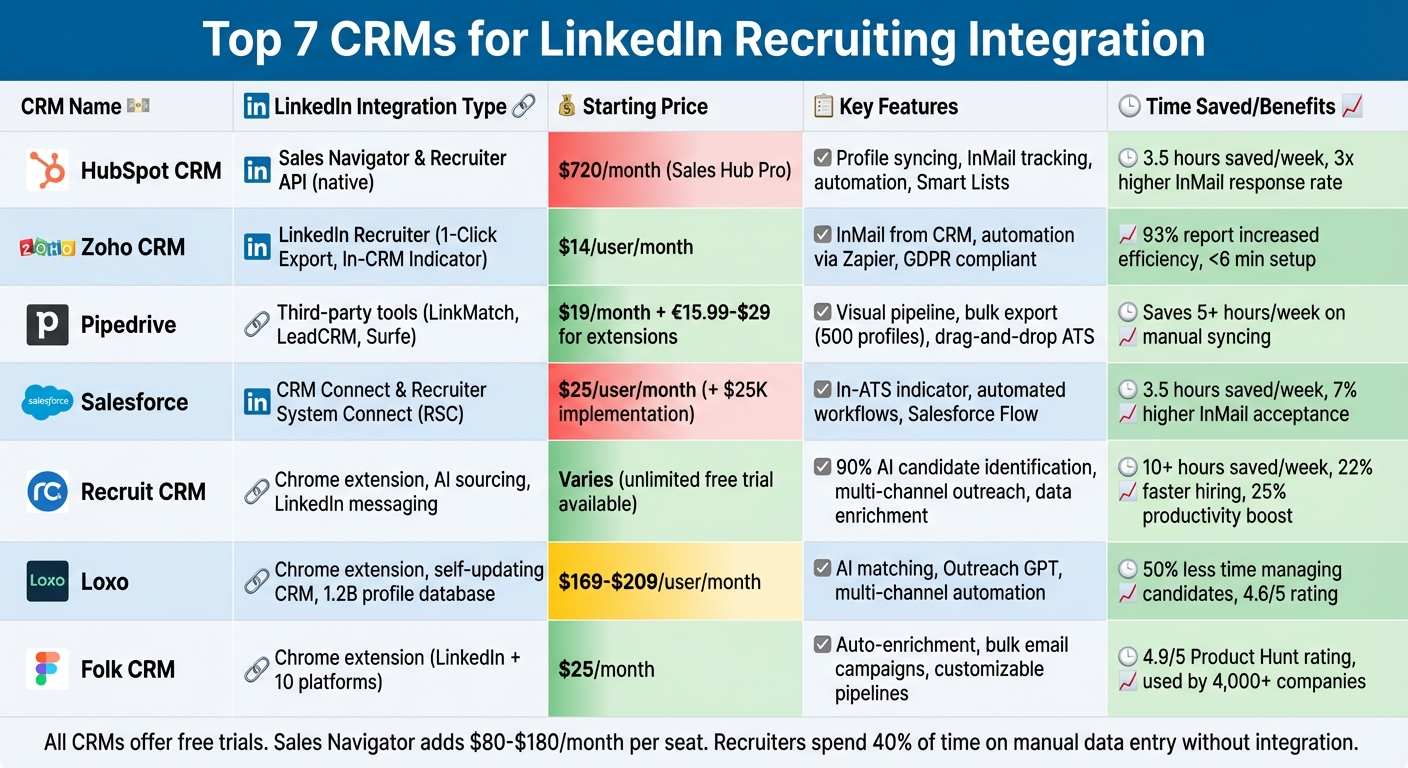
LinkedIn CRM Integration Comparison: Features and Pricing for 7 Top Recruiting Platforms
LinkedIn to HubSpot CRM Automation for Recruitment Agencies
sbb-itb-3e8f5dc
1. HubSpot CRM
HubSpot CRM integrates with LinkedIn through two key tools: LinkedIn Sales Navigator and LinkedIn Recruiter. With the Sales Navigator integration, recruiters can access detailed candidate insights – like job titles, companies, role durations, and industries – directly on contact records. Plus, recruiters can write and send InMails without leaving HubSpot. The LinkedIn CRM Sync automatically logs LinkedIn activities such as InMails, connection requests, and messages into the HubSpot timeline.
The LinkedIn Recruiter integration takes things further by offering features like 1-Click Export, which allows recruiters to export candidate profiles effortlessly. It also marks LinkedIn profiles with "In-CRM" indicators to avoid duplicate outreach. The CRM Sync ensures records stay updated by flagging outdated data and enabling quick updates with a single click. Notably, InMails sent using this integration have a response rate three times higher than traditional emails.
This functionality delivers measurable results. For instance, Reed, a staffing firm, achieved 8-figure net income and over 13,000 marketing-qualified leads in just one year by using HubSpot’s Smart CRM to centralize their recruitment data.
"We’ve never had this level of data on our leads before. With HubSpot, we’re getting rich insights, sharing them seamlessly between marketing and sales, and seeing great results."
- James Adams, Marketing Director at Reed
Although the basic HubSpot CRM is free and includes some recruiting tools, the advanced LinkedIn integrations require either the Sales Hub Professional plan ($720/month) or the Enterprise plan ($2,000/month). These also require a LinkedIn Sales Navigator Advanced Plus or a standard LinkedIn Recruiter license. For teams on smaller budgets, third-party tools like Hublead can work with any HubSpot plan, though they come with additional costs.
On average, recruiting teams save 3.5 hours per week using HubSpot’s LinkedIn integrations. Features like automated sequences and Smart Lists help recruiters segment candidates by skills or location and launch personalized outreach campaigns without needing to follow up manually.
2. Zoho CRM
Zoho CRM connects seamlessly with LinkedIn Recruiter through features like 1-Click Export and an In-CRM Indicator, which flags existing candidates to help avoid duplicate entries. It also includes an In-CRM LinkedIn Tab that displays LinkedIn profiles and recruiting activity directly within the CRM interface, keeping everything organized in one place.
These integrations pave the way for automation and smoother communication. For instance, recruiters can send LinkedIn InMails directly from Zoho CRM, maintaining a complete audit trail. The platform also integrates with tools like Zapier to automate workflows, such as posting LinkedIn updates automatically when new recruiting records are created. According to Zapier data, 93% of users report increased efficiency, with setup taking less than 6 minutes.
Zoho CRM’s pricing works for teams of all sizes. The Free Plan supports up to three users with basic CRM features, while paid plans start at $14 per user/month (billed annually). For recruiting teams, the Professional Plan at $23 per user/month is a popular choice, offering advanced automation and social media tools essential for LinkedIn engagement. Notably, LinkedIn does not charge extra for this integration – it’s included with a standard Recruiter license.
"Seamless LinkedIn-to-CRM Sync with Strong Lead Enrichment"
- Scott Fehr, as noted on G2.
While Zoho offers powerful features, some users find its interface more complex compared to simpler alternatives. The platform’s extensive customization options contribute to a steeper learning curve. Additionally, the mobile app provides fewer features than the web version.
Zoho CRM prioritizes security, being SOC 2 and GDPR compliant, ensuring that LinkedIn-synced candidate data is handled safely. For teams with unique needs, the platform also includes an open API for custom integrations. Overall, Zoho CRM serves as a comprehensive tool to streamline LinkedIn recruiting workflows.
3. Pipedrive
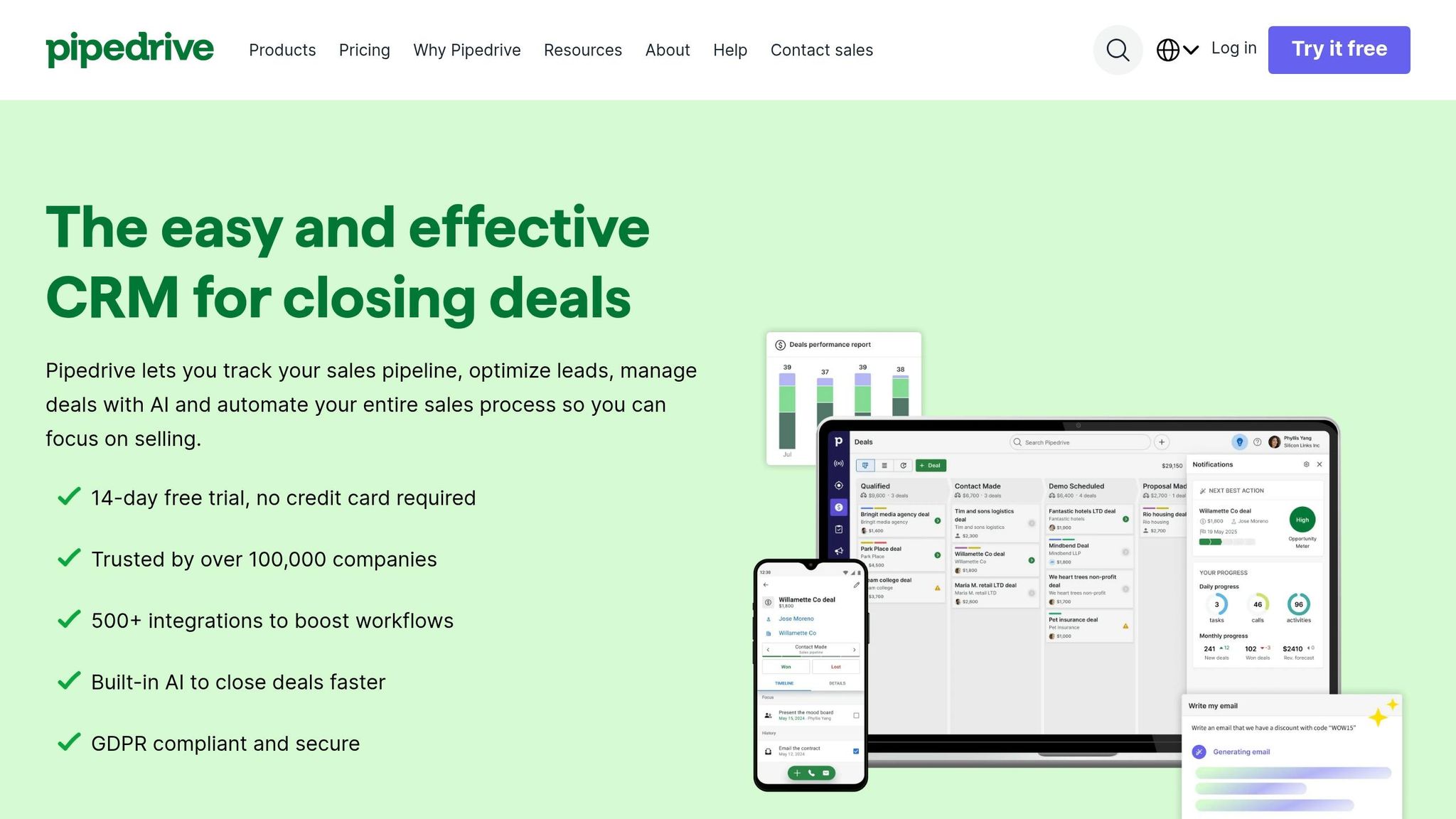
Pipedrive doesn’t come with built-in LinkedIn integration, which means recruiters have to use third-party Chrome extensions like LinkMatch, LeadCRM, Surfe, or Kondo to close the gap and make their workflows smoother. These tools bring automation into the mix, making recruiting tasks much more efficient.
For example, LinkMatch allows bulk exporting of up to 500 LinkedIn profiles, complete with visual cues to identify existing candidates. Meanwhile, LeadCRM takes things further by logging LinkedIn messages, InMails, and notes in real-time. It also enriches profiles with verified contact details from a massive database of over 700 million contacts. These tools effectively expand Pipedrive’s capabilities, delivering automation perks similar to those found in other CRMs.
"Makes Pipedrive LinkedIn workflow actually smooth. We use Pipedrive and previously we had to copy LinkedIn profiles manually which sucked."
- Jonathan R., Verified User on G2
Beyond LinkedIn integrations, Pipedrive’s applicant tracking system (ATS) features help recruiters manage candidates more efficiently. Its drag-and-drop pipeline view makes it easy to track candidates through various stages, while the option to set up separate pipelines adds flexibility. For those on the Premium Plan ($79 per seat/month), recruiters also gain access to AI-powered email drafting. The cost of third-party integration tools ranges from €15.99 to $29 per user/month.
On average, teams spend over 5 hours a week manually syncing data without these integrations. However, it’s worth noting that many third-party LinkedIn extensions might breach LinkedIn’s Terms of Service concerning data scraping.
4. Salesforce
Salesforce integrates seamlessly with LinkedIn through LinkedIn CRM Connect and Recruiter System Connect (RSC). These tools let recruiters export candidates directly from LinkedIn Recruiter into Salesforce and view up-to-date LinkedIn profiles within the CRM. With RSC, recruiters can see an "In-ATS" indicator on LinkedIn, which flags candidates already in the system, while syncing InMails and notes automatically.
"CRM Connect integrates LinkedIn Recruiter and candidate relationship management (CRM) systems, giving Recruiter seat holders a simpler and more efficient way to work across systems."
- Hari Srinivasan, Chief Product Officer, LinkedIn Ecosystem
For Salesforce users, activating RSC can save recruiters an impressive 3.5 hours each week, while also boosting InMail acceptance rates by 7%. Salesforce also supports Sales Navigator Integration, allowing recruiters to identify prospects, send InMails, and log these interactions as tasks directly within Salesforce records. These tools are designed to improve efficiency and come with pricing options tailored to teams of various sizes.
Salesforce Flow adds another layer of convenience by automating repetitive tasks like scheduling interviews, updating candidate statuses, and generating offer letters, all through customizable workflows. For example, triggers can be set to create follow-up tasks when candidates update their LinkedIn profiles or change jobs. Additionally, integrations with Slack and Chatter keep recruiting teams aligned by enabling real-time discussions and feedback on candidates.
Pricing for Salesforce’s recruiting solutions starts at $25 per user/month for the Starter Suite, $100 for the Pro Suite, $175 for the Enterprise tier, and $350 for the Unlimited tier. LinkedIn CRM Connect and RSC are included with a LinkedIn Recruiter license at no extra cost. However, implementation costs for Salesforce start at $25,000, with annual expenses ranging from $5,000–$10,000 for small teams and exceeding $1,000,000 for larger enterprises.
5. Recruit CRM
Recruit CRM is a tool designed by recruiters, offering advanced LinkedIn integration that does more than just importing profiles. With its Chrome Sourcing Extension, users can pull candidate profiles with a single click, transforming them into organized CRM records. It also centralizes LinkedIn messaging, enabling teams to manage conversations, review histories, and download files – all without leaving the platform.
Its AI-powered sourcing tool takes care of about 90% of candidate identification through natural language prompts. The platform also supports automated sequencing for multi-channel outreach via LinkedIn, email, and SMS. Plus, its data enrichment tools provide verified contact details instantly, making the recruiting process much smoother. These tools lead to major time savings and efficiency improvements in hiring.
For example, MMI Industries expanded its candidate database by 35%, increased revenue tenfold in just one year, and saved two hours per week on administrative tasks. Similarly, Cura Recruiting reduced hiring time by 22% and saw a 25% boost in productivity.
"If you’re using Bullhorn or a Salesforce, you’re just wasting money, in my opinion. You can use Recruit CRM and probably get a lot more bang for your buck."
- Cam Green, President, Cura Recruiting
Recruit CRM offers multiple pricing options, including Pro, Business, and Enterprise plans. The Enterprise plan, in particular, includes LinkedIn Messaging Integration, which is billed on a per-user basis. The platform provides an unlimited free trial to test all features, and customer support is known for responding in under two minutes. Users frequently report saving more than 10 hours per week, thanks to automation tools like GPT-powered candidate summaries, resume parsing for over 100 resumes at once, and job multiposting to more than 2,000 job boards.
6. Loxo
Loxo brings together sourcing, CRM, and outreach in one platform, complete with a Chrome extension that integrates directly with LinkedIn. With just a click on a LinkedIn profile, recruiters can capture candidate data, enrich it with contact details, and seamlessly add it to an automated outreach sequence – all without leaving their browser. The platform also features a self-updating CRM agent that automatically refreshes candidate records when changes occur on LinkedIn, such as updates to job titles, skills, or locations. This tackles what Loxo identifies as the "data graveyard" problem.
In addition to LinkedIn, Loxo provides access to a proprietary database containing over 1.2 billion professional profiles and verified contact details for more than 800 million individuals. This means recruiters don’t have to start from scratch with every search. The platform’s AI-powered matching system leverages advanced machine learning to rank candidates based on job requirements and historical patterns. Multi-channel outreach tools integrate LinkedIn, email, SMS, and voice calling, while Outreach GPT generates personalized messages automatically.
The results speak for themselves. Isabel Cosby, VP of Operations at Protis Global, shared that consolidating multiple tools into Loxo cut candidate management time by 50%. Dante Nino’s team reported making a placement in just 39 days using automated workflows, and another recruiter achieved four placements within 90 days.
"Before Loxo, we were using three or four different tools just to keep things moving. Now, everything is in one place and it’s cut our time spent managing candidates by half." – Isabel Cosby, VP of Operations, Protis Global
Loxo offers a free version tailored for solo recruiters, which includes the ATS, basic CRM, and Chrome extension. For larger teams, paid plans start at $169–$209 per user per month (billed annually) for the Basic tier, with Professional and Enterprise options available through custom quotes. A 7-day free trial is also available. The platform earns high marks from users, with a 4.6 out of 5 rating on G2, Capterra, and GetApp, thanks to its unified functionality and responsive customer support.
7. Folk CRM
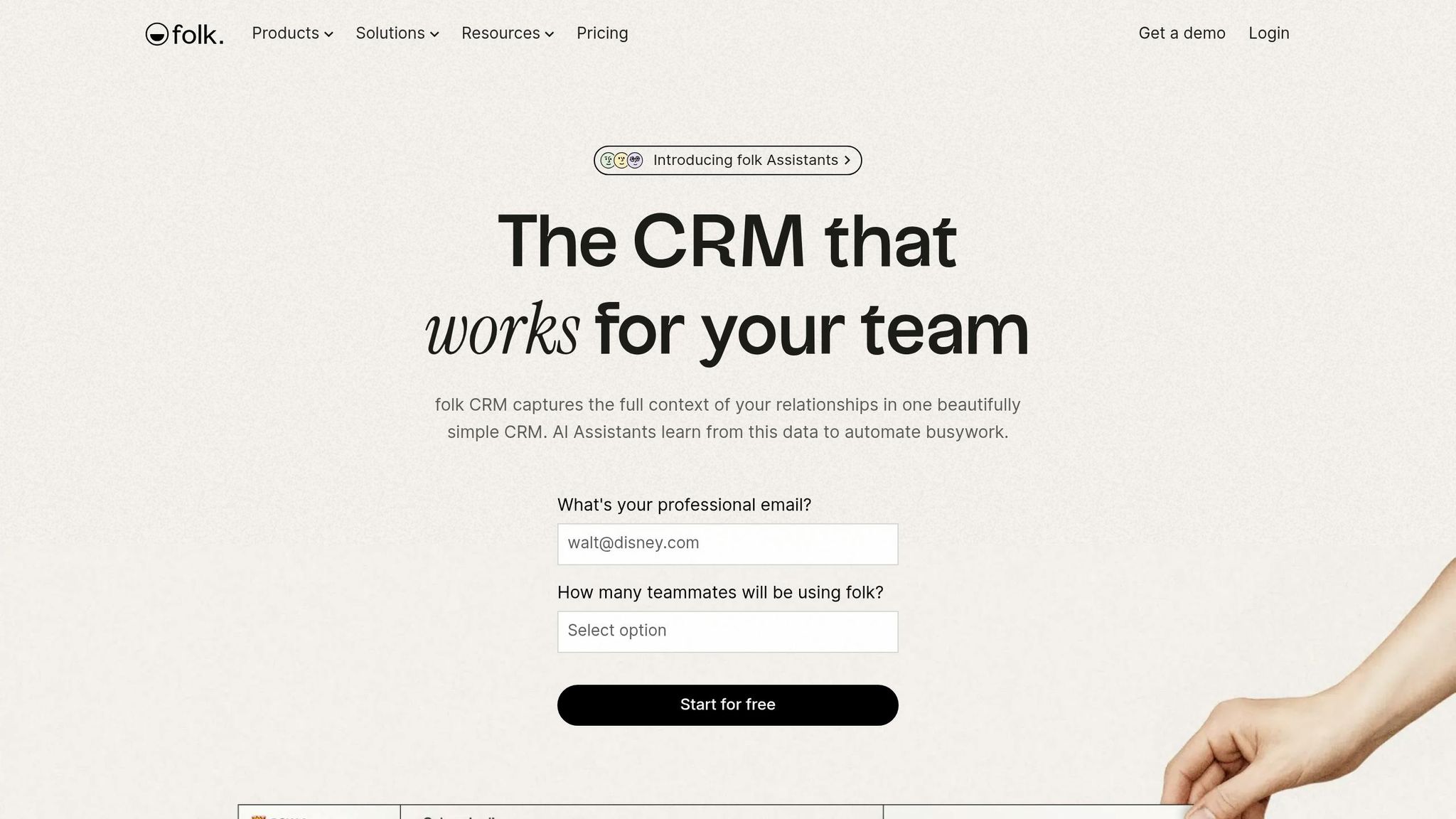
Folk CRM stands out as a straightforward yet effective tool for LinkedIn recruiting. Its Chrome extension makes capturing candidate profiles a breeze – just one click pulls information directly from LinkedIn, Twitter, and over 10 other platforms, removing the hassle of manual data entry. On top of that, it automatically enriches profiles with email addresses and phone numbers, giving recruiters ready-to-use outreach lists without extra effort.
What makes Folk CRM shine is its ability to adapt to the needs of its users. The platform offers customizable pipeline views, allowing teams to monitor hiring progress, share notes, and set reminders – all within a user-friendly workspace [69, 71]. It also supports personalized bulk email campaigns with built-in tracking for opens and replies, making it easier to connect with passive candidates.
User feedback reflects its appeal. Folk CRM has earned high ratings across platforms: 4.9 out of 5 on Product Hunt, 4.8 out of 5 on the Chrome Store, and 4.5 out of 5 on G2. With over 4,000 companies worldwide relying on it for recruiting and sales workflows, its popularity speaks volumes.
"folk helped us simplify our whole sales flow. Sometimes you get overwhelmed by all the tasks you need to do. Having folk just reminding us what leads to prioritize is a game-changer." – Catherine, Partnerships Manager, Eugeniuses
Folk CRM offers a free trial, giving teams a chance to explore its features before committing to a paid plan. Its straightforward pricing and practical features make it a compelling choice for recruiters looking to streamline their workflows.
Feature and Pricing Comparison
Finding the right CRM for your recruiting workflow is all about balancing features with cost. These CRMs start at $15–$25 per month, with Sales Navigator adding an extra $80–$180 per month per seat for deeper LinkedIn integration.
- HubSpot CRM: Starts at $15/month per seat and includes native integration with Sales Navigator.
- Zoho CRM: Priced at $16/month, it stands out for its customization options.
- Pipedrive: Costs $19/month and offers a visual pipeline, making it ideal for small to medium-sized teams.
- Salesforce: Starts at $25/month per user, but keep in mind that implementation fees can begin at $25,000.
- Folk CRM: Also priced at $25/month, it emphasizes relationship management through features like notes and tags.
For platforms like Recruit CRM and Loxo, standard pricing isn’t publicly listed. These tools focus on AI-driven sourcing and candidate intelligence, catering specifically to staffing agencies and executive search firms. They also utilize LinkedIn data to assess transferable skills, moving beyond basic keyword matches.
Why does this matter? These differences in features and pricing directly impact efficiency. For example, recruiters using LinkedIn’s Recruiter System Connect (RSC) can save up to 3.5 hours per week and see a 7% increase in InMail acceptance rates. Plus, InMails achieve a 300% higher response rate compared to regular emails with the same content.
"HubSpot stands out as having the simplest layout to navigate and easiest learning curve." – Verified Sales Executive
Most of these CRMs offer free trials, so take advantage of them to see which one fits seamlessly into your workflow.
Conclusion
Integrating LinkedIn into your recruiting process can be a game-changer. It eliminates the hassle of manual copy-pasting – something that eats up about 40% of recruiters’ time. By automatically syncing LinkedIn DMs, connection requests, and profile updates, your CRM centralizes all candidate interactions, allowing you to dedicate more time to building genuine connections.
Choosing the right CRM depends on your team’s unique needs. Larger teams with complex reporting demands might lean toward platforms like Salesforce or HubSpot, which offer extensive customization and advanced revenue operations tools. On the other hand, small to medium-sized teams may prefer simpler options like Pipedrive or Folk, known for their visual pipelines and easy-to-use relationship management features. If your focus is on high-touch recruiting, where maintaining long-term relationships is a priority, look for a platform that prioritizes detailed notes and tagging capabilities.
Make sure to check whether the integration provides real-time syncing. This feature lets you view live job updates and mutual connections directly within candidate records. Also, verify if the CRM supports native LinkedIn integration or requires a Sales Navigator Advanced license, which costs $135–$149 per month. Keep in mind that some CRMs only work with Sales Navigator, which could add to your overall expenses.
"Manual LinkedIn outreach is brutal. You hit daily limits, forget follow-ups, and waste hours switching between accounts." – HeyReach Blog
Understanding these integration features can help you pick a CRM that aligns with your recruiting goals. Take advantage of free trials to ensure the platform reduces tab switching and prevents duplicate outreach efforts across your team.
FAQs
Do I need a LinkedIn Recruiter or Sales Navigator license for CRM syncing?
No, you don’t need a LinkedIn Recruiter or Sales Navigator license to sync with a CRM. Tools like CRM Connect allow you to sync candidate data with LinkedIn Recruiter without incurring extra licensing costs.
What LinkedIn data can a CRM automatically sync into candidate records?
A CRM can pull in LinkedIn data like profile views, messages, and buying signals directly into candidate records. This makes it easier to manage recruiting workflows by keeping important LinkedIn interactions accessible within the CRM itself.
How can I avoid duplicate outreach when multiple recruiters use LinkedIn?
To avoid duplicate outreach on LinkedIn, leverage tools that highlight candidates who have already been contacted. Many CRM integrations include an indicator that flags engaged candidates, helping recruiters stay coordinated and avoid redundant efforts. Features like live sync with CRMs consolidate candidate data, ensuring everyone on the team has access to the same information. Platforms like Cesar.chat simplify communication by syncing outreach activities, making it easier to track interactions and maintain a consistent strategy.