Managing LinkedIn DMs effectively can be the difference between closing deals and losing leads. If you’re handling 50–200+ messages daily, LinkedIn’s default inbox won’t cut it. Missed messages can lead to lost revenue, like a $50,000 deal or a 15% drop in recruiter placements. Timing is critical – reply within 5 minutes, or your response rate drops from 30% to under 10%.
Here’s how Cesar.chat can help you manage LinkedIn DMs faster and more efficiently:
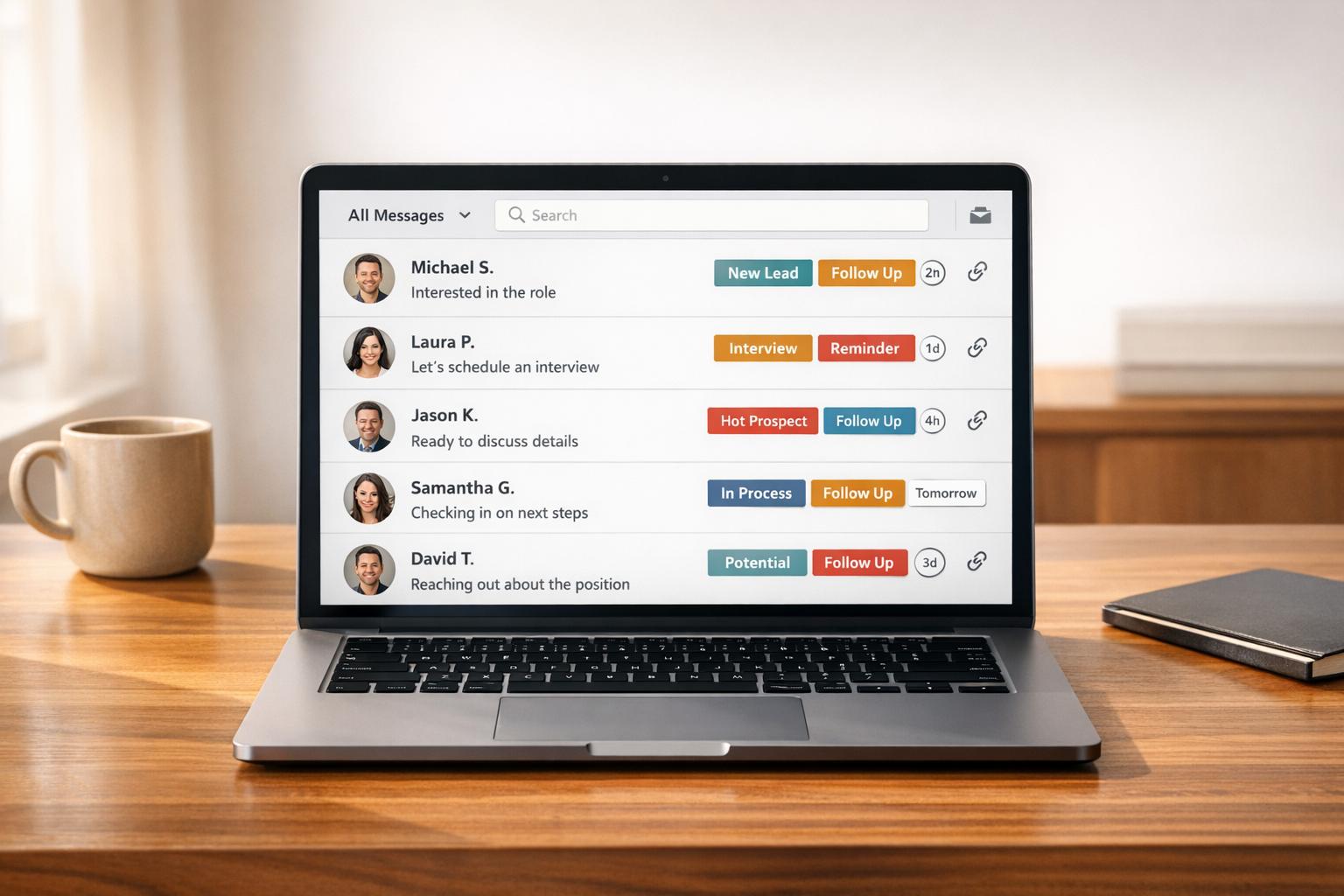
- Organize Messages: Use split inboxes and custom labels to sort high-priority leads from spam.
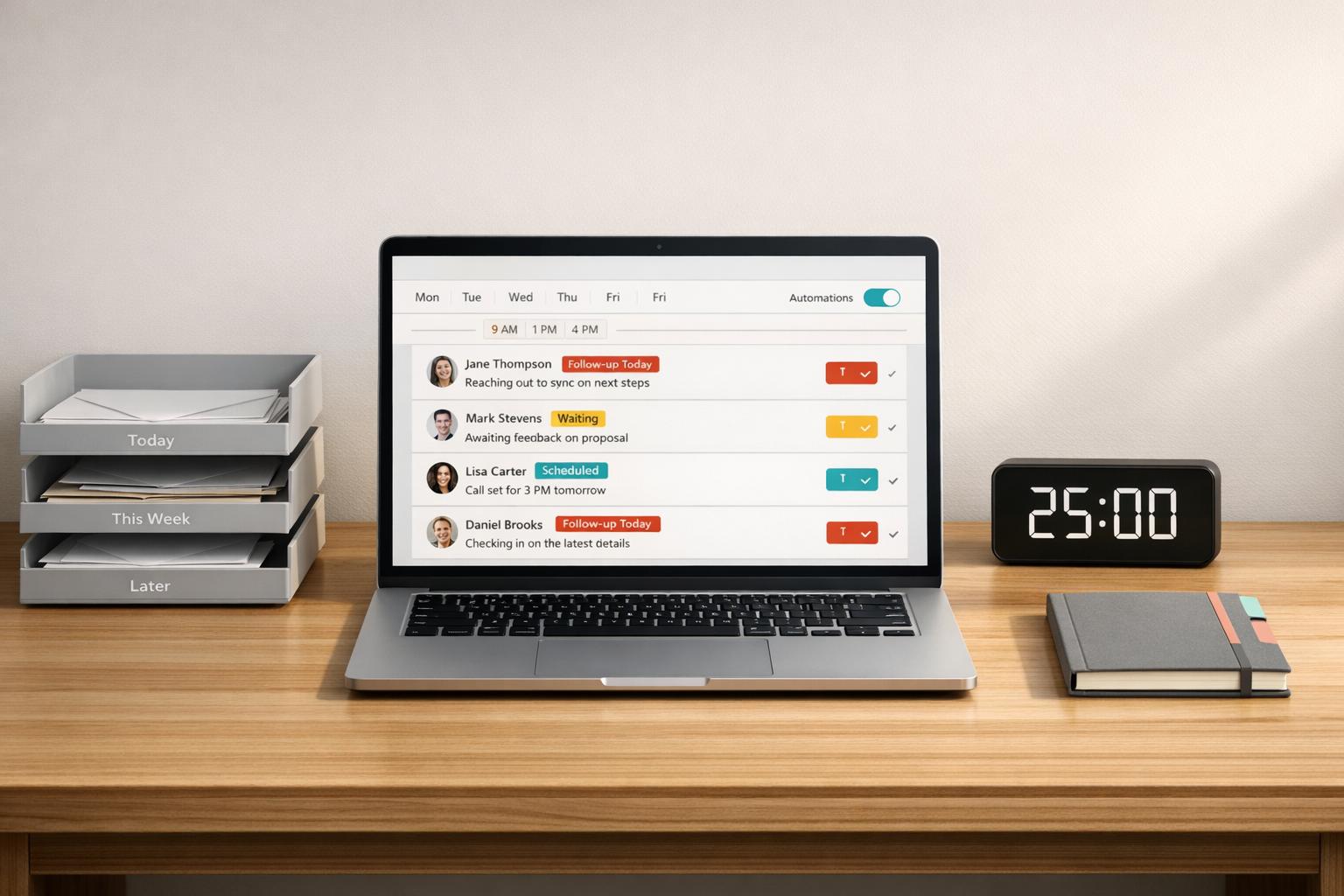
- Automate Follow-Ups: Features like snooze and reminders ensure no lead is forgotten.
- Boost Productivity: Save time with keyboard shortcuts, message templates, and CRM integrations.
- Track Results: Analytics help you measure response rates and improve engagement.
Plans start at $24/month, with tools to handle DMs twice as fast. Whether you’re a founder, recruiter, or sales professional, Cesar.chat ensures you never miss an opportunity.
Why LinkedIn’s Default Inbox Can’t Handle High Message Volumes
LinkedIn’s built-in inbox is tailored more for casual networking than for handling a flood of professional messages. Its design – centered around a simple chronological feed – lacks essential organization tools like folders, custom labels, or advanced filters. Beyond marking messages as read or unread, there’s little to help users manage an overwhelming number of threads. According to HubSpot‘s 2025 State of Sales report, 78% of salespeople admit they’ve missed leads due to the disorganized nature of LinkedIn’s inbox. This lack of structure makes it all too easy for important opportunities to slip through the cracks.
The platform also doesn’t offer tools like star ratings, urgency flags, or AI-powered sorting to highlight high-priority messages. For instance, a message from a Fortune 500 executive requesting a demo could easily get buried under connection requests and spam. Even LinkedIn’s premium features fall short, offering no bulk actions or automation to streamline message management. Without these capabilities, critical messages get lost in the noise.
How Important Leads Get Lost in Your Inbox
When high-value messages aren’t flagged or organized, they tend to fade into the background. For example, a message expressing interest in a demo could be overlooked amid dozens of other conversations. With only basic keyword search available, users are left sifting through threads manually – a process that often results in missed opportunities.
Research backs this up: Sales professionals managing 50+ DMs daily see response rates drop by 45% if they don’t use external tools, according to LinkedIn’s 2024 B2B Marketing Benchmark. The absence of follow-up features like snooze functions or automated reminders makes things worse. Archived conversations disappear from immediate view, and leads often go cold. Outreach.io‘s 2025 Messaging Trends study found that 62% of B2B leads are lost due to poor follow-up tracking. Over a 30-day nurturing cycle, as many as 40% of prospects can fall through the cracks simply because check-ins are missed.
The Time Cost of Manual Message Processing
Sorting through LinkedIn messages manually can eat up 4–6 hours a day for users managing 100+ messages. Tasks like scrolling through threads, opening profiles, copying and pasting responses, and tracking follow-ups can easily add up to 20–30 hours a week. That’s time that could be better spent on selling, recruiting, or client work.
This repetitive manual work isn’t just time-consuming – it’s exhausting. Many growth hackers report spending up to half their day sorting messages, which directly impacts their performance. Teams relying solely on LinkedIn’s inbox often miss their quotas by 25% compared to teams using workflow tools. Sales trainers and LinkedIn power users agree: the platform’s inbox lacks the features needed for efficient B2B communication, such as CRM syncing or bulk actions. They recommend its use only for those receiving fewer than 50 DMs weekly, as productivity can drop by 40% when volumes exceed that threshold. This inefficiency makes it harder to engage with high-value leads promptly and effectively.
sbb-itb-3e8f5dc
Organize and Prioritize Messages with Cesar.chat‘s Inbox Features
Cesar.chat takes LinkedIn DMs to the next level by introducing advanced tools that go beyond the basic messenger. It helps you categorize and prioritize your messages, making it easier to handle them systematically and efficiently.
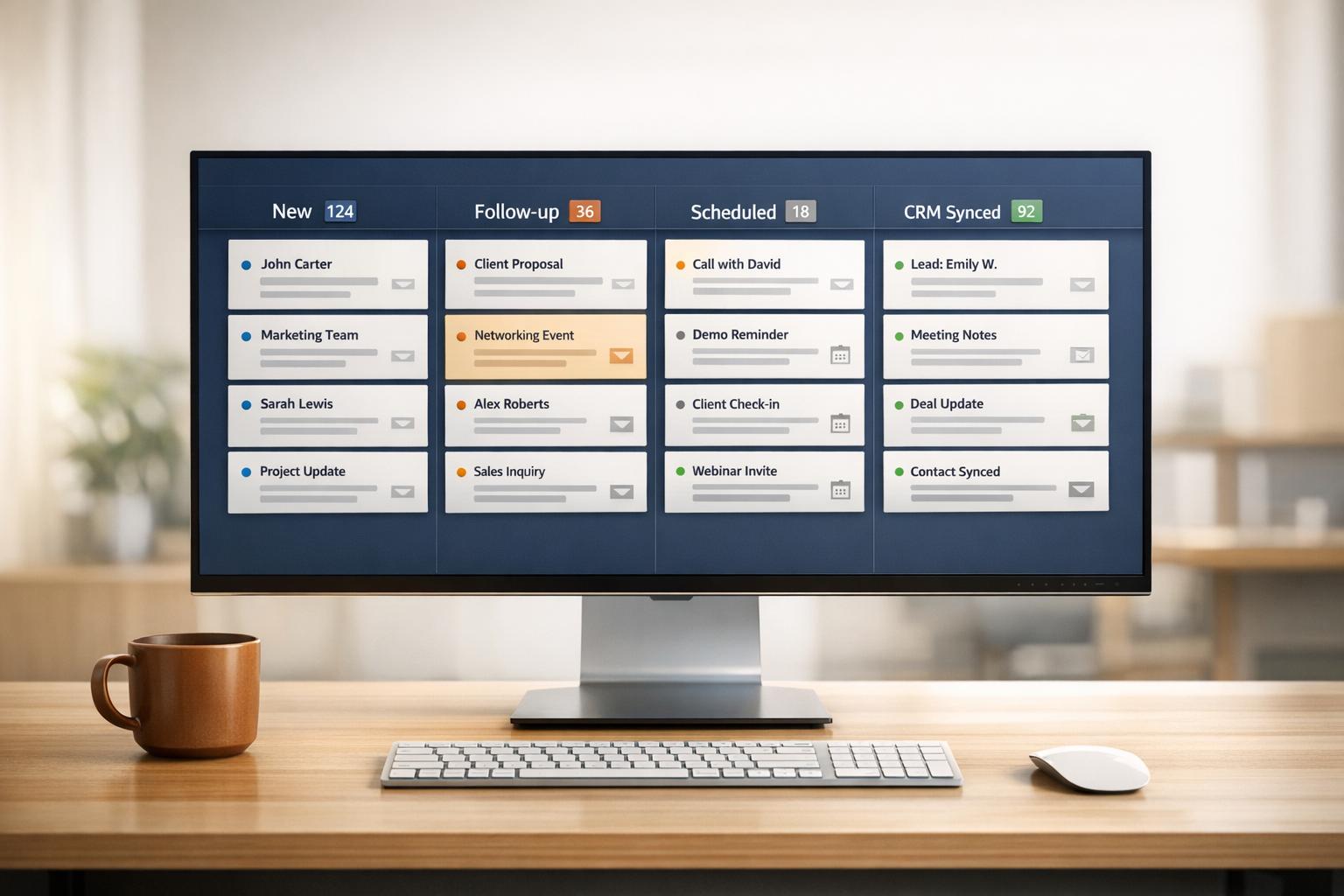
At the heart of this system are two standout features: split inboxes and unlimited custom labels. Split inboxes allow you to organize messages into separate tabs – like "Hot Leads", "Follow-Ups", or "Networking" – so you can focus on one type of conversation at a time. Custom labels let you tag threads manually or automatically, helping you track status and priority with ease. These tools simplify your workflow, ensuring you can dedicate your time to the most important interactions.
Split Inboxes for Clearer Message Management
Split inboxes give you the ability to create tailored views for your messages based on custom labels. Cesar.chat can automatically sort messages into the right tab. For instance, you could set up a "Hot Leads" inbox to capture messages containing keywords like "pricing", "demo", or "interested." A "Follow-Ups" inbox might track threads that have been inactive for 3–7 days, while a "Spam" inbox filters out low-priority connection requests.
This approach reduces mental clutter by showing only the messages you need to address at any given time. Teams that use similar inbox segmentation strategies report processing messages 40–70% faster. Plus, this system ensures critical leads are handled promptly – often within the first hour – so they don’t get lost in the shuffle.
Custom Labels for Streamlined Workflows
Custom labels take organization a step further by allowing you to categorize conversations in detail. With Cesar.chat, these labels are fully customizable to fit your sales or recruiting process. For example, you might use labels like "Awareness", "Consideration," and "Decision" to track funnel stages, or create tags based on urgency and status updates.
The real advantage comes when you combine labels with automation and bulk actions. For example, you can set up rules to automatically apply a "Demo-Requested" label when a message includes phrases like "schedule call." Then, use keyboard shortcuts to manage these messages in bulk. Marketing teams might label messages with tags like "Event-Lead" or "Content-Download" to track lead sources, while sales teams can use tags like "Objection-Price" to prepare tailored responses. This system scales seamlessly, allowing you to manage 500+ DMs a day without losing track of conversations.
Automate Follow-Ups to Increase Response Rates
Once your inbox is neatly organized, the next step is automating follow-ups to make sure no opportunity slips through the cracks. Manually managing follow-ups can quickly become overwhelming, especially when juggling hundreds of conversations. That’s where Cesar.chat steps in with two standout features: snooze threads and reminders. These tools take the hassle out of follow-up scheduling, eliminating the need for spreadsheets or calendar juggling, so you can focus entirely on nurturing leads.
Automating follow-ups can increase response rates from 15% to 40% by ensuring every lead gets the attention it deserves. With snooze threads for short-term delays and reminders for long-term engagement, you can automate up to 80% of your follow-up process – all while maintaining that personal touch.
Snooze Threads to Schedule Follow-Ups
The snooze feature is perfect for pausing conversations that don’t require immediate attention. If a lead isn’t ready to move forward, you can temporarily hide the thread from your inbox and set it to reappear at a specific time. You have options like 1 hour, 24 hours, 3 days, 1 week, or even custom dates and times, such as April 20, 2026, at 9:00 AM. Once snoozed, the thread disappears from view, reducing inbox clutter, and automatically resurfaces with a notification when it’s time to act.
"Snooze conversations to automatically reappear when it’s time for a follow-up."
– Cesar.chat
For instance, if a prospect says, “Follow up in two weeks,” you can snooze the thread for exactly 14 days. When it reappears, you’re ready to send a timely, personalized message without needing to track it manually. This feature ensures that important leads don’t get lost in the shuffle, with sales reps reporting response rate improvements of up to 30%.
Set Reminders for Ongoing Conversations
While snoozing is great for short-term follow-ups, reminders are designed for ongoing engagement. Unlike snoozing, reminders don’t hide conversations from your inbox. Instead, they attach alerts to active threads, making them ideal for tracking long-term nurturing efforts. You can set one-time reminders (like “Follow up in 7 days with a case study”) or recurring alerts (daily, weekly, or monthly) to keep your outreach consistent.
Setting a reminder is straightforward: select the conversation, click "Set Reminder", choose one-time or recurring, input the date and time using MM/DD/YYYY format, add a note, and save. Cesar.chat ensures you never miss a beat with notifications via the app, email, or Slack. For example, you could schedule a one-time reminder for a top-of-funnel lead in 7 days, weekly reminders for mid-funnel follow-ups, or daily alerts for bottom-funnel deals. This method has been shown to boost engagement by roughly 25%, keeping your pipeline active and your leads engaged.
Speed Up Your Workflow with Cesar.chat’s Productivity Tools
Handling hundreds of LinkedIn conversations every day isn’t just about staying organized – it’s about moving fast. That’s where Cesar.chat steps in. Dubbed "Superhuman for LinkedIn DMs", it’s built for users who need to power through their inbox efficiently. With features like keyboard shortcuts and saved snippets, it eliminates repetitive tasks like endless clicking and copy-pasting. The result? You can process messages twice as fast compared to LinkedIn’s default interface.
When you’re managing high volumes of messages, every second matters. Streamlining your workflow means more time to focus on what really counts – closing deals and building relationships.
Keyboard Shortcuts for Faster Navigation
Cesar.chat offers a full suite of keyboard shortcuts, letting you navigate your inbox, archive conversations, and even snooze threads – all without touching your mouse. It’s a keyboard-first approach designed specifically for LinkedIn’s messaging system.
The time savings are immediate. With just one keystroke, you can jump between your "Hot Leads" and "Follow-Ups" inboxes. Tasks like archiving or snoozing threads take only seconds, making it easier to stay on top of your messages. These small efficiencies add up, keeping you on track for an "inbox zero" workflow without the usual mental drain.
And that’s just the beginning. Let’s look at how saved snippets can take your productivity even further.
Saved Snippets with Personalization Variables
Rewriting the same responses over and over wastes time. Cesar.chat’s saved snippets solve this problem by letting you store commonly used messages and insert them instantly with a quick command. Even the Basic plan includes unlimited snippets, so you can create templates for every stage of your sales process – whether it’s an initial outreach, handling objections, or confirming a meeting.
What sets these snippets apart is their ability to include personalization variables like {firstName}. This means you can send messages that are both fast and personal. For instance, a snippet like "Hi {firstName}, thanks for connecting! I’d love to share how we’ve helped companies like yours…" automatically adds the recipient’s name, making your outreach feel genuine rather than robotic. This balance of speed and personalization helps you engage leads efficiently while staying within LinkedIn’s guidelines.
Connect Cesar.chat with Your CRM and Track Performance
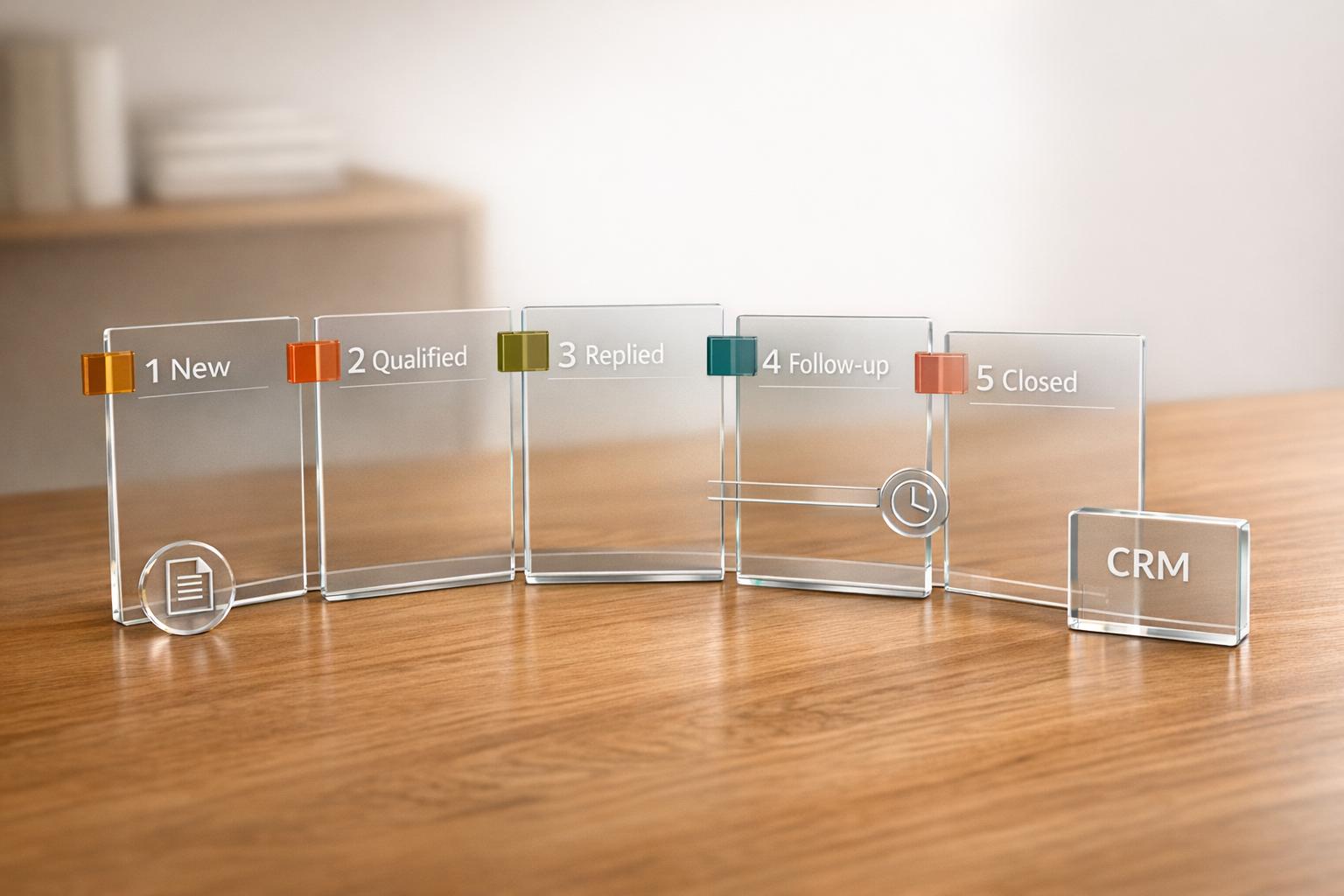
Integrating Cesar.chat with your CRM does more than streamline workflows – it ensures every interaction is captured. Managing a flood of LinkedIn conversations can be overwhelming, and without proper tracking, potential leads might slip away. Manual data entry often becomes a bottleneck, but Cesar.chat eliminates this issue by syncing your LinkedIn DMs directly with your CRM. This means every conversation is automatically logged, saving time and reducing errors.
Cesar.chat works with major CRMs like HubSpot, Salesforce, and Notion, as well as productivity tools such as Clay, Zapier, Make, and Slack. These integrations keep your sales tools updated in real time, giving your team instant access to conversation histories, contact details, and timestamps.
Live Sync with CRMs for Automatic Data Logging
The live sync feature in Cesar.chat ensures data flows seamlessly between LinkedIn and your CRM. For example, when a prospect sends you a message, the platform automatically updates or creates a CRM entry, complete with the entire conversation history. This automation can also trigger workflows, like assigning tasks, so no lead gets overlooked.
Setting up live sync is quick – just head to Settings > Integrations, choose your CRM, authenticate using your API key, map fields, and enable auto-logging. The Business plan allows up to three integrations, while the Enterprise plan supports unlimited sync destinations and includes hands-on setup assistance.
Here’s a real-world example: A B2B sales team using Cesar.chat with HubSpot saw a 35% increase in lead capture rates and responded 28% faster, while manual data entry dropped by 80%.
While live sync ensures no conversation detail is missed, the platform’s analytics tools take things a step further by helping you refine your outreach strategies.
Analytics to Track Response Rates and Engagement
Cesar.chat’s analytics dashboard, included in the Business and Enterprise plans, provides insights into critical metrics like response rates, engagement trends, and conversion rates to meetings or calls. You can customize dashboards to track details such as the percentage of messages replied to within 24 hours, peak response times, and the length of conversation threads.
These insights help teams identify what’s working. For example, if personalized message templates show a 40% response rate compared to 15% for generic ones, you’ll know where to focus your efforts. By examining engagement trends and testing follow-up timing, some sales teams have boosted conversion rates by 25–30%.
To get the most out of these analytics, set specific goals like increasing response rates by 20% within 90 days. Review your metrics weekly to refine your strategies and keep improving. With these tools, Cesar.chat becomes more than just a messaging platform – it’s a way to elevate your sales performance.
Cesar.chat Pricing Plans Comparison
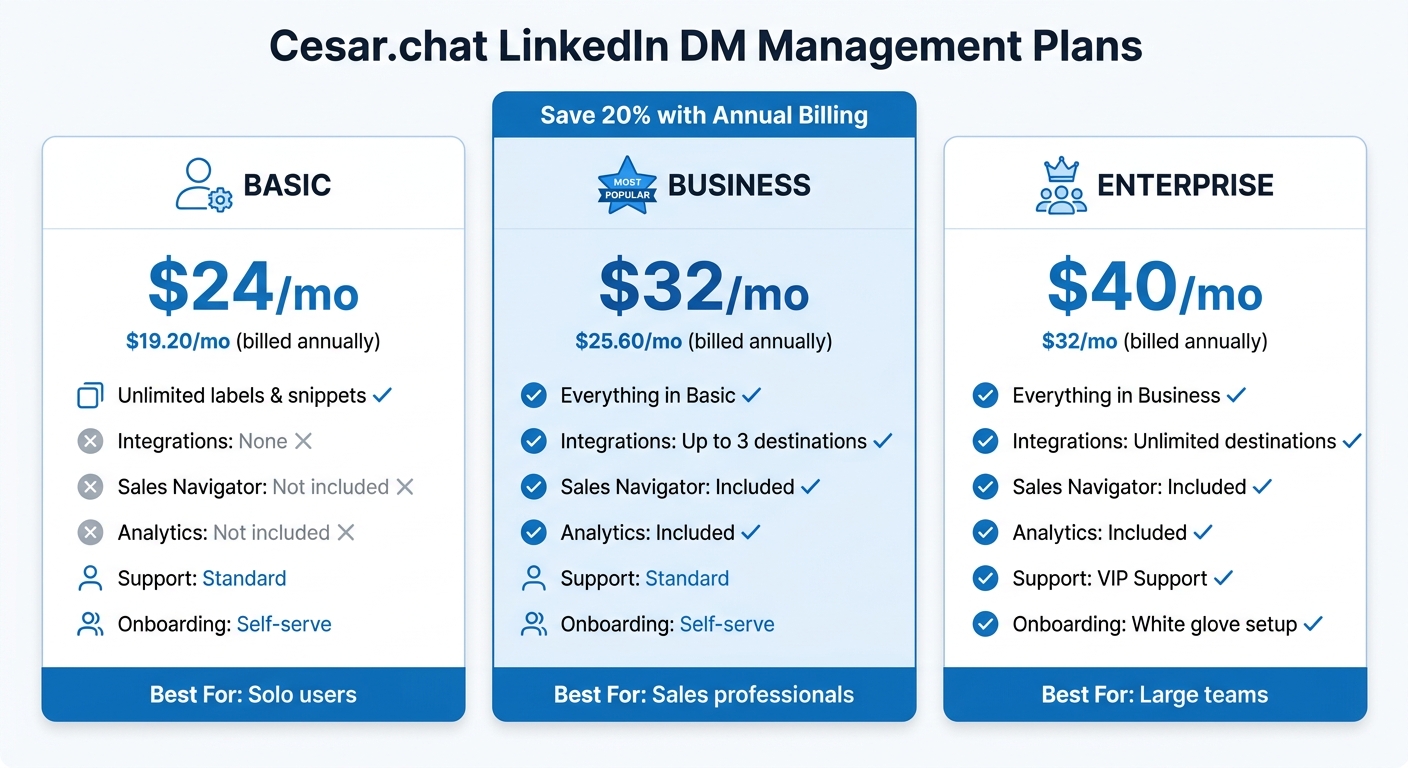
Cesar.chat Pricing Plans Comparison: Basic vs Business vs Enterprise
Cesar.chat offers three pricing plans – Basic, Business, and Enterprise – designed to fit different user needs based on messaging volume, Sales Navigator usage, and CRM integrations. Plus, if you choose annual billing, you’ll get a 20% discount on all plans.
- Basic Plan: Starting at $24/month ($19.20/month when billed annually), this plan is perfect for individual users who want to streamline their inbox without needing CRM integration. It includes unlimited labels, snippets, reminders, and voice notes to keep your messaging organized.
- Business Plan: Priced at $32/month ($25.60/month annually), this is the most popular choice. It supports Sales Navigator messaging, provides analytics to track engagement, and allows up to three CRM integrations with platforms like HubSpot, Salesforce, or Notion.
- Enterprise Plan: At $40/month ($32/month annually), this plan is designed for larger teams handling complex workflows. It offers unlimited CRM syncs, white-glove onboarding, and VIP support for a seamless experience.
All plans leverage official API interactions, ensuring secure and reliable message syncing. Cesar.chat claims to help users process LinkedIn DMs twice as quickly, which is crucial when 35–50% of sales are won by the first business to respond.
Feature and Pricing Comparison Table
| Feature | Basic | Business | Enterprise |
|---|---|---|---|
| Monthly Price | $24/mo | $32/mo | $40/mo |
| Annual Price | $19.20/mo | $25.60/mo | $32/mo |
| Core Tools | Unlimited labels & snippets | Everything in Basic | Everything in Business |
| Productivity | Reminders & Voice notes | Included | Included |
| Integrations | None | Up to 3 destinations | Unlimited destinations |
| Sales Navigator | Not included | Included | Included |
| Analytics | Not included | Included | Included |
| Support | Standard | Standard | VIP Support |
| Onboarding | Self-serve | Self-serve | White glove setup |
| Best For | Solo users | Sales professionals | Large teams |
Whether you’re an individual needing better inbox organization or a team managing complex workflows, Cesar.chat has a plan to match your needs.
Conclusion
Managing LinkedIn DMs at scale can feel overwhelming, especially when the platform’s default messenger isn’t designed for high-volume conversations. Important leads might get missed, follow-ups could be forgotten, and manual sorting eats up hours of your time.
That’s where Cesar.chat steps in. It transforms your LinkedIn inbox into a streamlined workflow. With features like automated follow-ups, message organization, and quick response tools, it ensures no lead is overlooked. Plus, connecting your CRM means all conversations sync automatically – no more wasting time on manual data entry.
Users have shared that these tools help them handle DMs twice as fast. Whether you’re juggling a moderate number of messages or managing a flood of inquiries, Cesar.chat minimizes the risk of losing leads due to manual processes.
Pricing starts at $24/month (or $19.20/month with an annual plan). For sales professionals, the Business plan at $32/month includes Sales Navigator support and CRM integrations, making it the perfect solution for those who need to stay on top of their pipeline.
Ready to simplify your LinkedIn DM management? Start your Cesar.chat trial today at cesar.chat and see how effortless it can be.
FAQs
What’s a simple workflow to keep LinkedIn leads from slipping through?
Losing track of LinkedIn leads can be costly, but staying organized and automating your message management can make all the difference. Here’s how you can keep everything on track:
- Split Your Inboxes: Organize messages into categories like "Hot Leads" or "Follow Up Later" to ensure you’re focusing on the most promising prospects first. This makes it easier to prioritize your time and energy.
- Set Follow-Up Reminders: Use snooze features or scheduling tools to remind yourself to revisit conversations. This way, no lead slips through the cracks.
- Integrate with Your CRM: Sync LinkedIn messages with your CRM system so you can automatically track and manage leads without juggling multiple platforms.
- Save Message Templates: Create and use pre-written snippets for quick, professional, and consistent replies. This saves time and ensures you maintain a polished tone.
- Regularly Review Your Inbox: Dedicate time each week to sort through your messages, update lead statuses, and ensure nothing is overlooked.
By following these steps, you’ll stay on top of your LinkedIn leads and ensure every opportunity gets the attention it deserves.
How can I follow up automatically without sounding spammy?
To follow up automatically while keeping it genuine, prioritize personalization, adjust the timing of your messages, and stay in line with LinkedIn’s guidelines. Tools like Cesar.chat can help craft natural, customized message sequences that feel conversational rather than pushy. Avoid repetitive or overly promotional language, keep your activity levels reasonable, and track response rates to fine-tune your strategy. This way, you can maintain an authentic and engaging tone.
Which Cesar.chat plan should I choose for my message volume?
The Cesar.chat Enterprise plan is designed for handling large volumes of messages with ease. It offers features like unlimited sync destinations, VIP support, and a white-glove setup to simplify extensive outreach efforts and keep everything running smoothly.