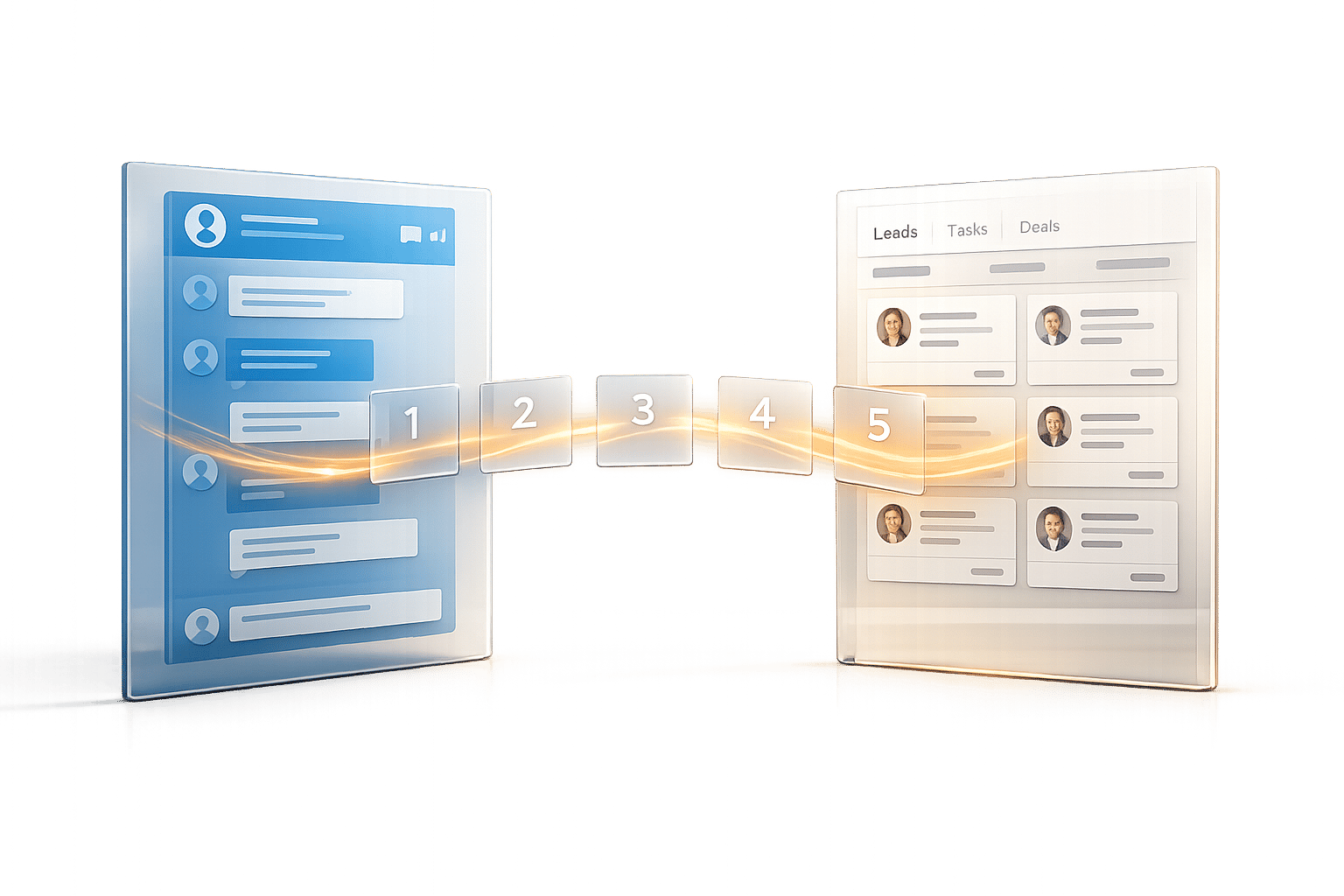
Managing LinkedIn messages manually eats up hours every month, especially for sales and recruitment professionals. CRM tools often fail to sync LinkedIn conversations, creating data gaps and inefficiencies. To solve this, several third-party tools now automate LinkedIn-to-CRM syncing, saving time and reducing errors. Here’s a quick look at five options:
- Cesar.chat: Syncs LinkedIn messages, notes, and tags with CRMs like Salesforce, HubSpot, and Zoho. Starts at $24/month.
- Kondo: Offers real-time syncing, smart labeling, and automation for platforms like HubSpot and Salesforce. Pricing begins at $28/month.
- LeadDelta: Acts as a standalone CRM for LinkedIn, organizing connections and messages. Costs $16.66/month (annual plan).
- Hublead: Tailored for HubSpot users, automatically syncs LinkedIn messages and enriches contact data. Free plan available; paid plans start at $32/month.
- LeadCRM: Supports multiple CRMs and enriches LinkedIn data with verified emails and phone numbers. Includes a free plan.
These tools eliminate manual data entry, improve workflow, and ensure no LinkedIn message is overlooked. Below is a quick comparison to help you choose the right one.
Quick Comparison
| Tool | CRM Compatibility | Key Features | Starting Price |
|---|---|---|---|
| Cesar.chat | Salesforce, HubSpot, Zoho, Notion | Message sync, tags, reminders | $24/month |
| Kondo | HubSpot, Salesforce, Google Sheets | Real-time sync, smart labeling | $28/month |
| LeadDelta | Standalone LinkedIn CRM | Connection and message organization | $16.66/month |
| Hublead | HubSpot | Auto-sync, data enrichment | Free/$32/month |
| LeadCRM | HubSpot, Salesforce, Zoho, Pipedrive, others | Bulk data enrichment, native threading | Free plan |
These tools can save you hours each month while keeping your CRM updated effortlessly.
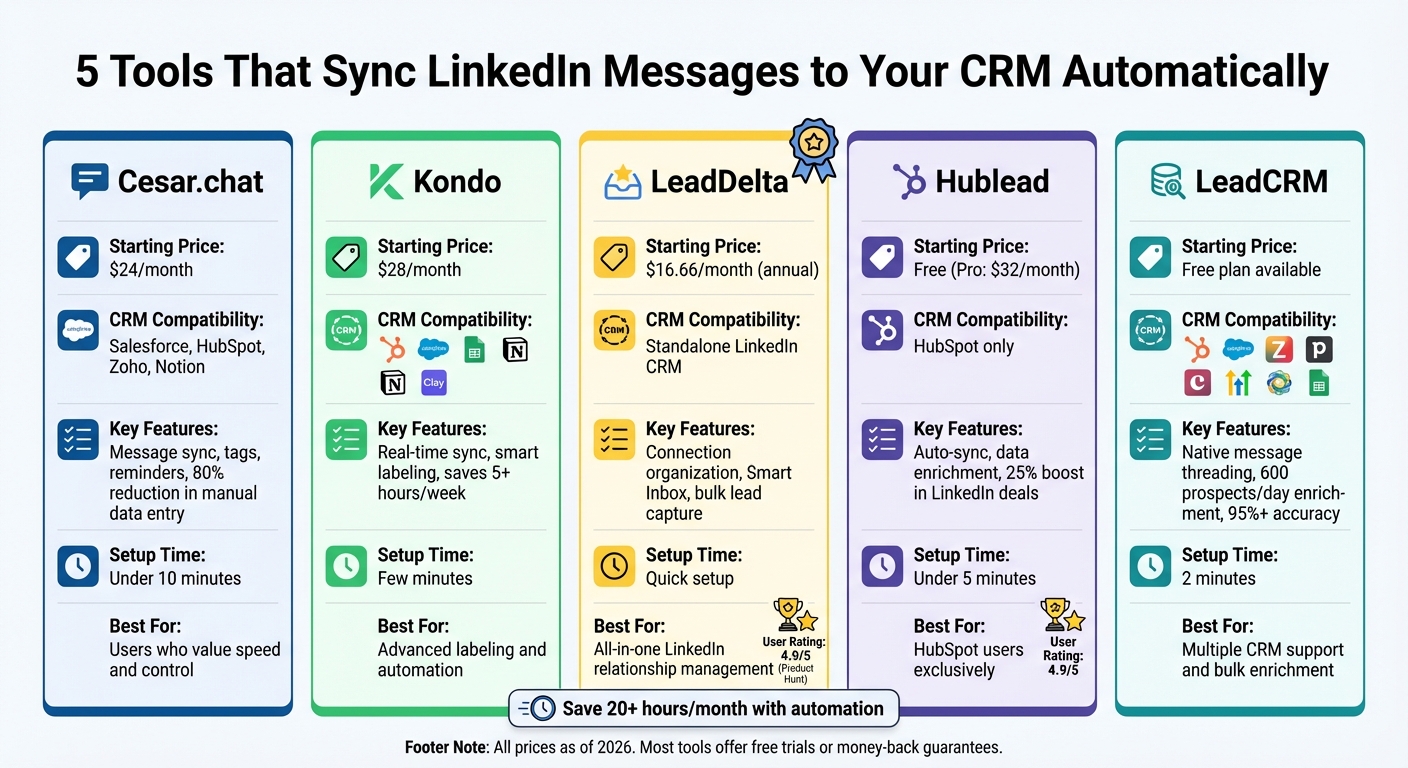
LinkedIn to CRM Sync Tools Comparison: Features and Pricing
Automate Your LinkedIn Prospecting with LeadCRM
1. Cesar.chat
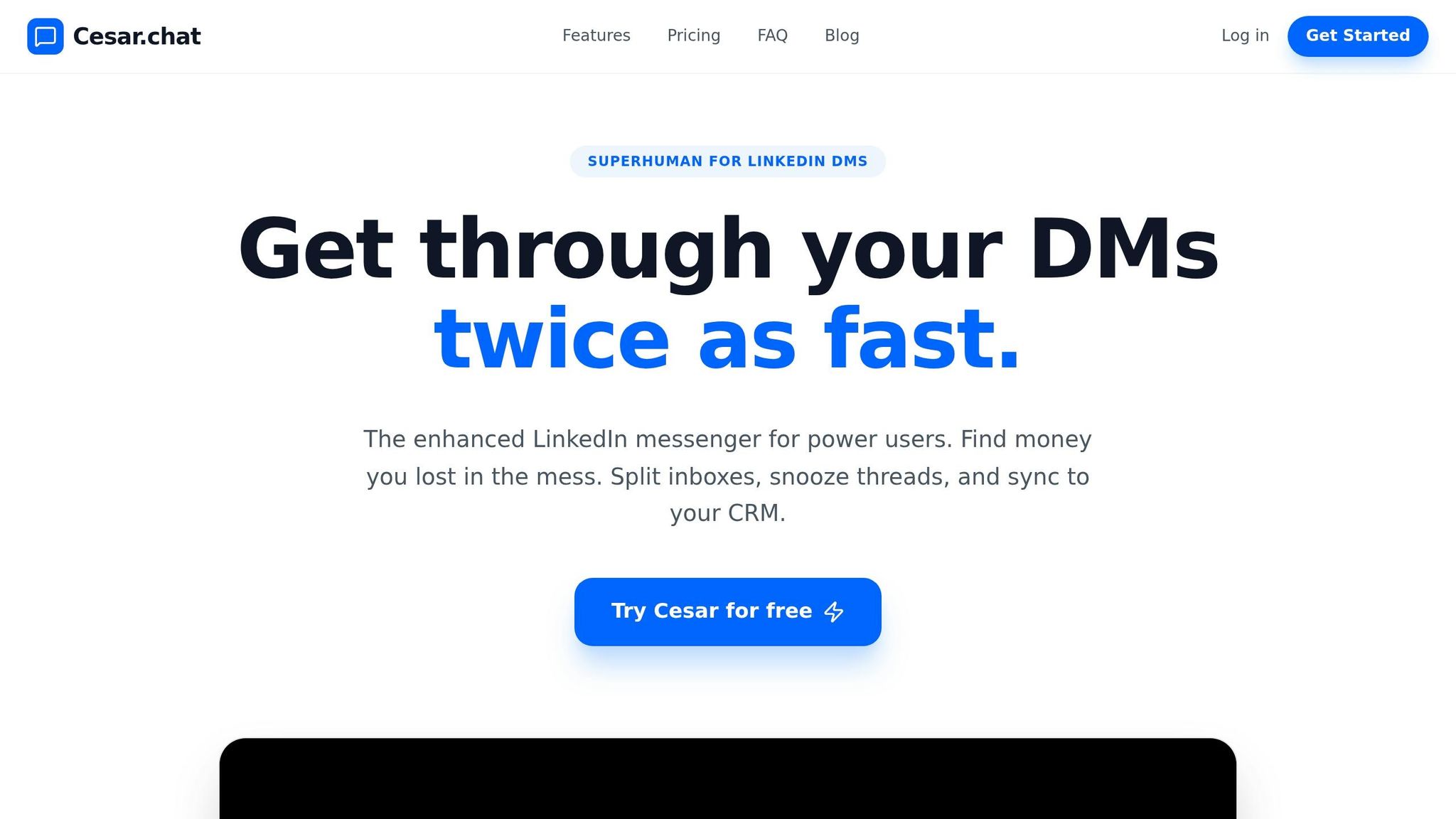
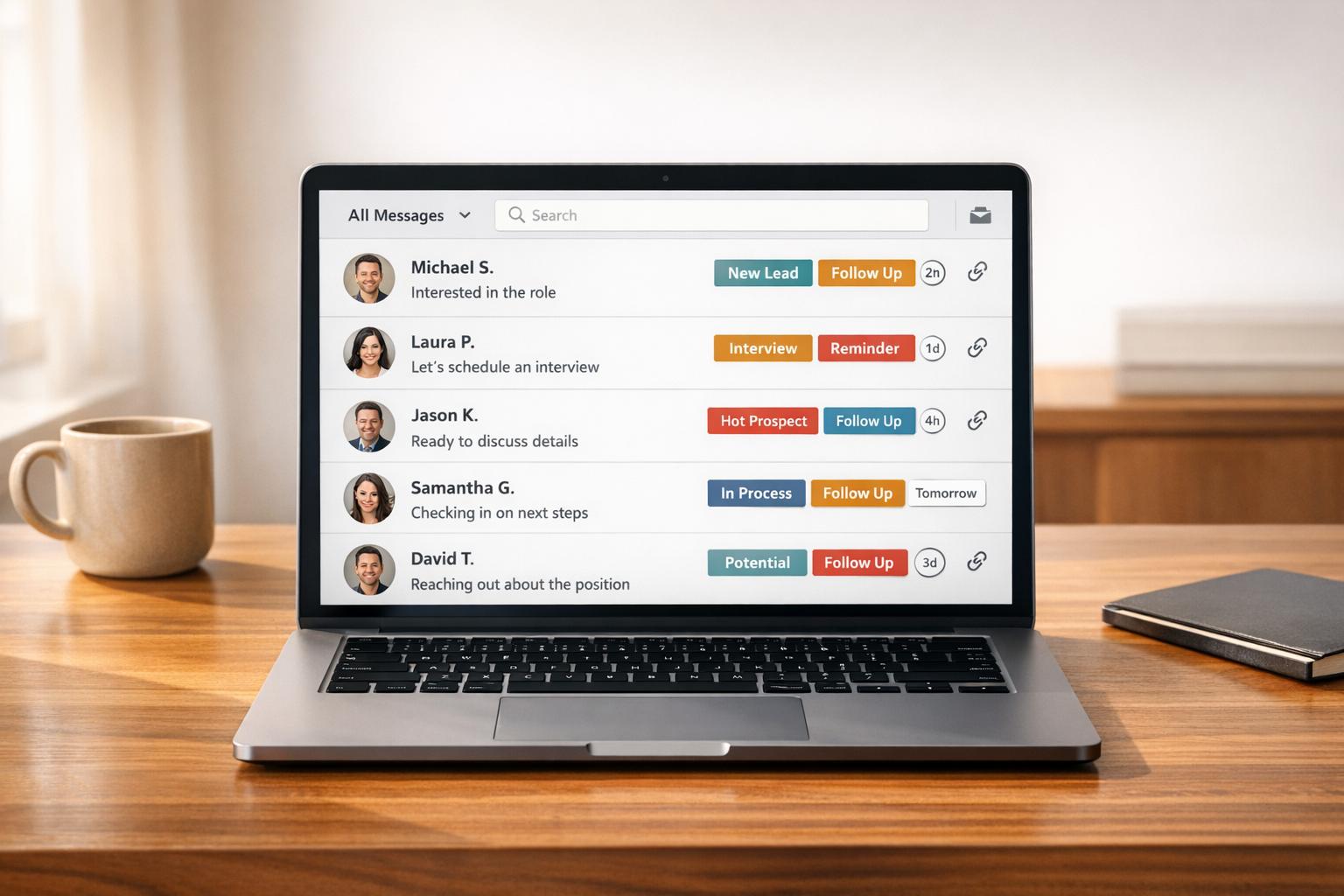
Cesar.chat brings a streamlined messaging experience to LinkedIn, making it more than just a tool for pushing messages to your CRM. Think of it as a Gmail-like interface for managing LinkedIn conversations – fast, intuitive, and efficient. Plus, it syncs everything automatically with your existing tech stack to keep your workflow smooth and organized.
CRM Compatibility
Cesar.chat doesn’t stop at messaging – it integrates seamlessly with major CRMs like Salesforce, HubSpot, Pipedrive, and Zoho CRM, ensuring compatibility with the tools most sales teams rely on. Beyond CRMs, it also connects with Notion, Clay, Slack, Zapier, and Make, broadening its integration capabilities for diverse workflows. The Business plan allows up to three integrations for $32/month, while the Enterprise plan at $40/month supports unlimited sync destinations.
Automation Capabilities
This tool takes care of the tedious tasks by automatically logging LinkedIn messages, InMail replies, connection requests, and profile notes directly to your CRM in real time. It even syncs labels and tags alongside conversations, helping you categorize leads effortlessly. While Cesar.chat focuses on manual outreach (no automated messaging here), it saves you significant time by cutting manual data entry by up to 80%. Features like Split Inboxes help you prioritize high-value leads, and the Snooze function ensures follow-ups don’t slip through the cracks by resurfacing conversations at the right moment.
Ease of Setup
Getting started with Cesar.chat is quick and painless – it takes under 10 minutes. Simply grant LinkedIn access via OAuth, connect your CRM using API keys, map fields (like LinkedIn profiles to CRM contact IDs), and enable auto-sync. No coding is required, and the process is guided by a setup wizard and onboarding videos. For Enterprise users, white-glove integration setup is available for those needing extra assistance with their tech stack.
Pricing and Plans
Cesar.chat offers flexible pricing to suit different needs. The Basic plan starts at $24/month, providing unlimited labels, snippets, reminders, and voice notes but no CRM integrations. The Business plan, priced at $32/month, adds up to three integrations, support for Sales Navigator messages, and analytics. At $40/month, the Enterprise plan includes everything, plus unlimited integrations and VIP support. Opting for annual billing saves you 20%, and all plans come with a 14-day trial so you can test its syncing capabilities before committing.
2. Kondo
Kondo takes inbox management to the next level with advanced labeling and automation, offering a Gmail-inspired interface tailored for LinkedIn users. It’s perfect for professionals who want to keep their inbox organized and integrate seamlessly with CRMs – without the hassle of manual data entry. Let’s dive into how Kondo helps streamline CRM syncing and inbox organization.
CRM Compatibility
Kondo works effortlessly with platforms like HubSpot, Salesforce, Notion, Google Sheets, Clay, and Clarify. For other systems, it supports integrations via webhook, Zapier, or Make.com. It ensures that all your LinkedIn activity is logged, automatically syncing DMs, notes, and custom labels to your chosen CRM. You can opt for manual syncing or a real-time "streaming" sync, which updates records as conversations unfold.
Automation Capabilities
Kondo shines in automating data workflows. It syncs either the latest message or the full conversation history to your CRM, skipping automated messaging but excelling in streamlining data processes. Its Smart Lead Labeling feature allows you to tag conversations with custom labels like "Hot Lead" or "Client" directly in your inbox. These labels sync with your CRM and can trigger specific automation rules, saving users over 5 hours a week by cutting out manual data entry.
"If Kondo went away, I would genuinely be sad".
– Gaurav Vohra, Head of Growth at Superhuman
Ease of Setup
Setting up Kondo is quick and straightforward. Simply link your LinkedIn account, pick your CRM integration, and choose between real-time or manual sync options – all in just a few minutes. Efficiency is further boosted with handy keyboard shortcuts like E (archive), H (snooze), and L (label). The Snooze function, triggered with the H key, ensures you never miss a follow-up by bringing conversations back to the top of your inbox at the right time.
Pricing and Plans
Kondo offers three annual subscription tiers:
- Basic Plan: $28 per user/month. Includes unlimited labels, snippets, reminders, and voice notes, but no CRM integrations.
- Business Plan: $36 per user/month. Adds CRM syncing, Sales Navigator inbox support, analytics, and the MCP (Claude connector) – ideal for LinkedIn-to-CRM automation.
- Enterprise Plan: $52 per user/month. Designed for larger teams, it includes unlimited sync destinations, SAML SSO for enhanced security, and VIP support.
Each plan comes with a 14-day money-back guarantee, so you can try Kondo risk-free.
3. LeadDelta
LeadDelta is a Social Capital CRM specifically designed for LinkedIn users. Unlike tools that connect to external CRMs, LeadDelta centralizes your LinkedIn network into one workspace. This means your LinkedIn connections, messages, and interactions are all accessible in a single, organized platform. By 2026, more than 30,000 professionals have adopted LeadDelta to streamline their relationship management without the hassle of juggling multiple systems.
CRM Compatibility
LeadDelta stands out as a standalone CRM, not just an add-on for platforms like Salesforce or HubSpot. It imports your entire LinkedIn network instantly and organizes it using features like tags, notes, tasks, and reminders – eliminating the need for manual spreadsheets. The Smart Inbox feature consolidates all your LinkedIn messages, outreach, and notes into one clean interface, making it easier to manage conversations and achieve inbox zero without switching between tools.
Automation Capabilities
The platform simplifies relationship management with tools like the LinkedIn Sidebar, which allows you to bulk-capture leads directly from LinkedIn searches or profile pages. It also features a credit-based system for enriching contact details, enabling you to find business emails and phone numbers without leaving the app. For teams, Workspaces provide a collaborative environment where members can share relationships and facilitate warm introductions. Additional automation features include bulk tagging, reminders, and even the ability to bulk-delete connections to keep your network organized and relevant.
"LeadDelta is my go-to place for any direct communication on LinkedIn. I’m using it daily, saving me a lot of time and effort. When I say a lot, I mean something that took me an hour, now takes me 5 minutes!" – Ivana Todorovic, Co-Founder, TalentKit
Ease of Setup
Getting started with LeadDelta is simple. Install the browser extension, connect your LinkedIn account, and you can begin organizing your network right away. Users consistently praise its user-friendly interface, reflected in its stellar ratings: 4.9/5 on Product Hunt, 4.8/5 on G2 Crowd, and 4.8/5 on the Chrome Web Store.
Pricing and Plans
LeadDelta offers two subscription plans: $24.99 per month for the monthly option or $16.66 per month when billed annually. New users can take advantage of a free trial to explore the platform. Additionally, contact enrichment operates on a pay-as-you-go credit system, giving users flexibility based on their needs.
4. Hublead
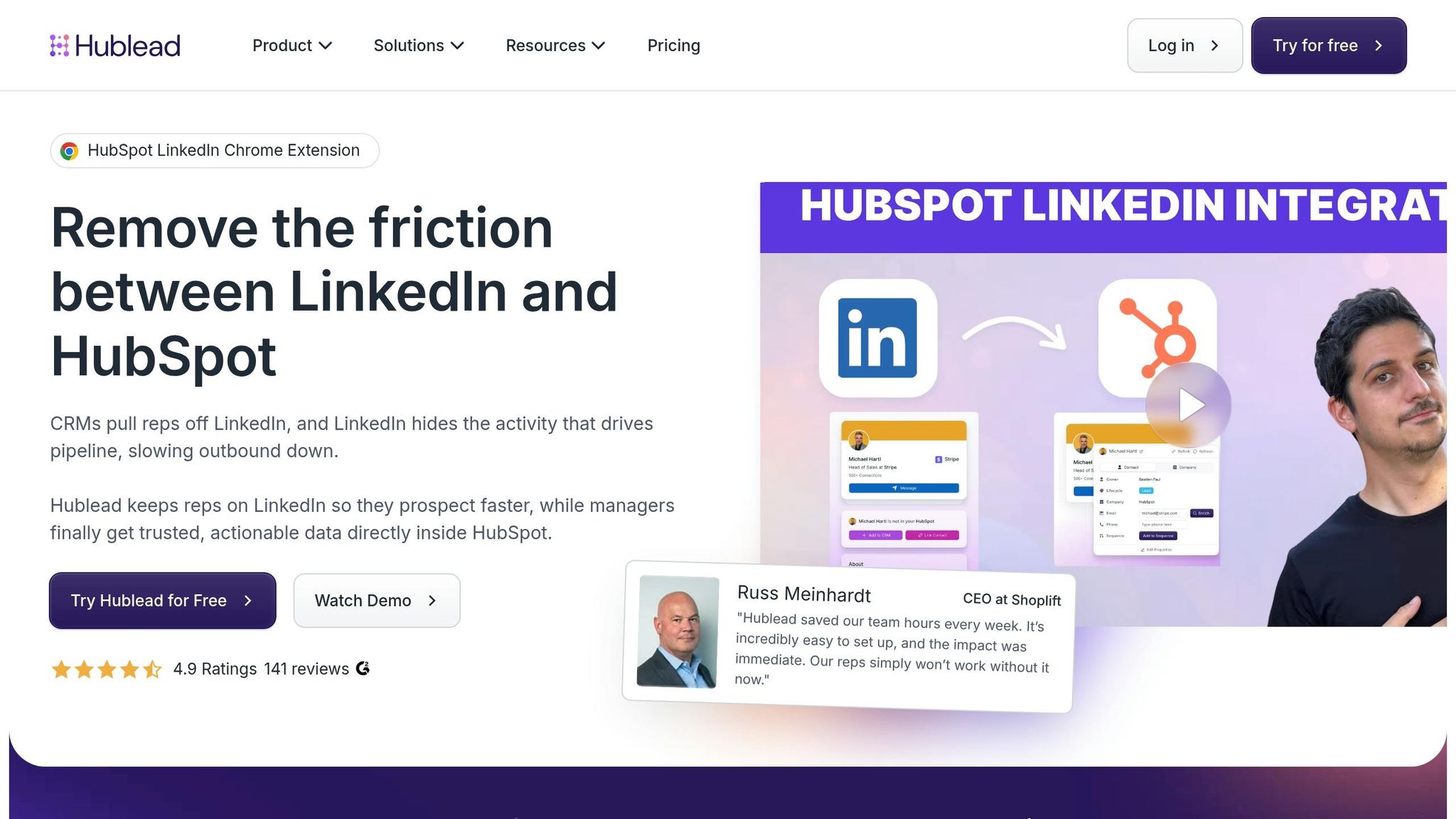
Hublead simplifies LinkedIn prospecting for HubSpot users, offering a Chrome extension that directly connects LinkedIn with HubSpot. Unlike tools that cater to multiple CRMs, Hublead focuses exclusively on HubSpot, making it a go-to choice for sales professionals. By 2026, over 8,000 salespeople rely on Hublead to avoid manual data entry and keep their CRM aligned with LinkedIn conversations.
CRM Compatibility
Hublead is designed exclusively for HubSpot and works across all HubSpot plans, from the free version to Enterprise. On the LinkedIn side, it supports standard LinkedIn accounts as well as all tiers of Sales Navigator (Core, Advanced, and Advanced Plus). However, it does not currently integrate with LinkedIn Recruiter. This tight integration ensures a smooth, automated workflow for LinkedIn messaging.
Automation Capabilities
Hublead offers both one-click and automatic syncing, depending on the plan you choose. Once you connect with someone on LinkedIn, the tool automatically pulls verified emails and phone numbers into HubSpot. To avoid duplicate entries, it checks your CRM for existing contacts using criteria like name, job title, and company before creating new records.
Users report impressive results, including a 25% boost in deals sourced from LinkedIn and a 2.7x return on investment from LinkedIn activities. Sales reps save up to 10 hours a month by skipping the repetitive task of copying and pasting LinkedIn messages into CRM notes. Additionally, LinkedIn interactions – such as connection acceptances and messages – can trigger HubSpot workflows, sequences, and reports, creating a fully automated sales funnel.
"Hublead saved our team hours every week. It’s incredibly easy to set up, and the impact was immediate. Our reps simply won’t work without it now." – Russ Meinhardt, CEO, Shoplift
These automation features make Hublead a time-saving tool that enhances LinkedIn productivity.
Ease of Setup
Getting started with Hublead is quick and straightforward. The setup process takes less than five minutes: install the Chrome extension, authenticate your HubSpot account, and enable syncing. With a 4.9/5 rating from 141 reviews, users praise its simplicity. CEO Bastien Paul even reaches out to new users personally to ensure a smooth onboarding experience, resolving technical issues almost instantly.
Pricing and Plans
Hublead offers a free Starter plan, which includes basic contact import and manual message syncing. For more robust features, the Professional plan starts at $32 per month per seat (billed annually, with monthly pricing about 25% higher). This plan includes one-click message syncing and 50–600 email credits. The Business plan, priced at $64 per month per seat, adds automatic message syncing and 500–6,000 email credits. Finally, the Scale plan, at $112 per month per seat, includes phone number credits and advanced analytics. With these tiered options, Hublead caters to HubSpot users of all sizes and requirements.
5. LeadCRM
LeadCRM shines with its broad CRM integrations and advanced data enrichment capabilities. Its Chrome extension connects LinkedIn directly to eight major platforms – HubSpot, Salesforce, Zoho CRM, Pipedrive, Copper, GoHighLevel, Close, and Google Sheets – while also supporting any CRM with accessible APIs. This adaptability makes it an excellent option for teams using less common CRM systems.
CRM Compatibility
What truly sets LeadCRM apart is its ability to integrate LinkedIn messaging seamlessly into your CRM. Its Native Message Sync feature threads LinkedIn conversations directly into your CRM’s conversation tabs (e.g., GoHighLevel’s Conversations Tab), rather than simply dumping text into a generic notes field. Additionally, the CRM Overlay on LinkedIn profile pages allows you to manage opportunities, tasks, and pipeline stages without leaving LinkedIn.
To ensure compliance with LinkedIn’s policies, LeadCRM uses a one-way sync approach for messages. While full conversation histories are visible in your CRM, replies must be sent manually from LinkedIn. Founder Arpan Shah explains:
"We keep your account 100% compliant by ensuring the ‘Sending’ action always originates manually from LinkedIn, while providing your team with complete visibility in your CRM".
Automation Capabilities
LeadCRM’s Waterfall Enrichment Engine taps into over 20 premium data providers to pull verified emails and phone numbers with an accuracy rate exceeding 95%. From LinkedIn Sales Navigator, you can export and enrich up to 600 prospects daily, with the bulk export feature transferring up to 250 profiles into your CRM or Google Sheets in about 60 seconds. This automation eliminates tedious manual data entry, saving sales reps more than 20 hours each month. The platform also grants access to a database of over 700 million verified profiles for advanced data enrichment.
Users have shared their experiences with LeadCRM’s time-saving features. Olivia M. on Capterra says:
"I use LeadCRM to build qualified leads from LinkedIn and sync them into HubSpot. The platform has saved me hours of manual work every week".
Jonathan R. on G2 shares a similar sentiment:
"Makes Pipedrive LinkedIn workflow actually smooth. We use Pipedrive and previously we had to copy LinkedIn profiles manually which sucked".
Ease of Setup
Getting started with LeadCRM is a breeze, taking only about 2 minutes. Install the Chrome extension, connect your CRM using API keys or direct login, and map LinkedIn fields to the appropriate CRM fields. This one-time setup ensures that future syncs remain organized. LeadCRM also supports nine global languages and complies with GDPR and CCPA by acting as a secure data bridge without storing prospect data on its servers.
Pricing and Plans
LeadCRM’s pricing options make it accessible for a range of users. The Forever Free account requires no credit card, while the Pro tier adds features like priority support and a dedicated account manager. The company frequently offers promotional deals, including Black Friday discounts. Highlighting its benefits, Scott Fehr on G2 remarks:
"The biggest strength of LeadCRM is the seamless sync between LinkedIn and CRM platforms like HubSpot, Pipedrive, and Zoho".
Quick Comparison: Features and Pricing
Picking the right LinkedIn-CRM sync tool comes down to your workflow, budget, and the CRM platform you’re already using. Here’s a side-by-side look at five popular options:
| Tool | CRM Compatibility | Core Sync Features | Ease of Setup | Starting Price |
|---|---|---|---|---|
| Cesar.chat | HubSpot, Salesforce, Notion, Clay | Live sync for conversations, labels, and notes; manual interface with keyboard shortcuts | Easy (white-glove setup for Enterprise) | $24/month |
| Kondo | HubSpot, Notion, Attio, Clarify, Google Sheets; Salesforce via Zapier | Real-time sync, webhooks for custom workflows, snooze feature | Easy (guided setup) | Starts at $28/month with a 14-day money-back guarantee |
| LeadDelta | Inbox and connection manager | Inbox and connection management | Moderate | Varies by plan |
| Hublead | HubSpot (exclusive) | 1-click manual or automatic sync; sends DMs directly from HubSpot | Easy (Chrome extension) | Free trial available |
| LeadCRM | HubSpot, Salesforce, Zoho, Pipedrive, Copper, GoHighLevel, Close, Google Sheets | Native message threading; enriches up to 600 prospects daily from Sales Navigator | Easy (2-minute setup) | Forever Free plan |
Each of these tools offers a unique set of features and pricing, making it easier to find one that matches your specific needs. For instance, Cesar.chat stands out for its quick, manual workflows with shortcuts, ideal for users who need efficient conversation syncing.
Kondo, on the other hand, shines in customization, especially for teams leveraging webhooks to integrate LinkedIn data with other systems in real time. If you’re a HubSpot user, Hublead simplifies syncing by tagging messages as HubSpot activities, which improves reporting. Meanwhile, LeadCRM supports a wide range of CRMs and can enrich up to 600 prospects daily from Sales Navigator.
For those looking for cost-effective solutions, LeadCRM offers a Forever Free plan with no credit card required. However, advanced CRM integrations often require a Sales Navigator Advanced Plus license, which costs over $1,600 annually. If HubSpot is your main CRM, Hublead may be worth the investment, while teams juggling multiple CRMs might prefer the flexibility of LeadCRM or the customization options of Kondo.
This breakdown highlights the strengths of each tool, helping you make an informed choice for optimizing your LinkedIn and CRM integration.
Wrapping Things Up
Syncing LinkedIn with your CRM automatically can save time and prevent revenue loss by ensuring every interaction is recorded accurately. Relying on manual updates not only eats up hours each week but also leaves room for errors and missing data, which can make precise forecasting almost impossible.
Choosing the right tool depends on your CRM setup and how you work daily. For example, HubSpot users who want seamless integration and enriched data might find Hublead ideal, with its 1-click syncing that logs messages as CRM activities. If your team juggles multiple CRMs or needs custom workflows, tools like Kondo and LeadCRM offer webhook support and broader compatibility. On the other hand, Cesar.chat is perfect for those who value speed and control, featuring keyboard shortcuts and real-time syncing with platforms like HubSpot, Salesforce, Notion, and Slack – all starting at just $24/month. This blend of affordability and functionality makes it a compelling choice.
Make sure your chosen tool captures complete conversation histories for tailored follow-ups. Keep in mind that native integrations might require pricey Sales Navigator licenses, so third-party solutions could be a more budget-friendly alternative.
As highlighted earlier, automating LinkedIn-to-CRM syncing is a game-changer for modern sales teams. With LinkedIn now ranked as the second most-used B2B communication channel after email, logging conversations directly into your CRM is no longer optional – it’s a must-have for staying competitive.
Take a look at the comparison table above to find the tool that fits your needs and budget. It’s time to turn your LinkedIn messaging into a powerful driver for your sales success.
FAQs
Will syncing LinkedIn messages to my CRM violate LinkedIn policies?
Syncing LinkedIn messages with your CRM might put you at odds with LinkedIn’s rules if it involves unapproved automation that violates their Professional Community Policies. This could result in penalties like account restrictions or even landing in "LinkedIn jail." To steer clear of such risks, always double-check that your methods align with LinkedIn’s guidelines.
Do these tools sync full LinkedIn message threads or only the latest message?
These tools sync entire LinkedIn message threads, capturing full conversations instead of only the latest message. This allows all communication to be stored in your CRM, making it easier to track interactions and manage follow-ups effectively.
What do I need to set up LinkedIn-to-CRM syncing (Sales Navigator, API keys, Chrome extension)?
To connect your LinkedIn inbox with your CRM, you’ll need a tool like Cesar.chat’s Chrome extension. Here’s how to get started:
- Install the Extension: Add the Cesar.chat Chrome extension to your browser to enable the connection between LinkedIn and your CRM.
- Authorize LinkedIn Access: Within the tool, grant permission for the extension to access your LinkedIn inbox.
- Link Your CRM: Configure the integration settings to connect your CRM (such as HubSpot or Salesforce). This often requires using API keys or OAuth for secure access.
- Test the Connection: Once everything is set up, test the sync to ensure messages are transferring correctly. If you encounter issues like expired tokens or permission errors, troubleshoot to resolve them.
This setup streamlines communication and ensures your LinkedIn messages are captured in your CRM for better management.