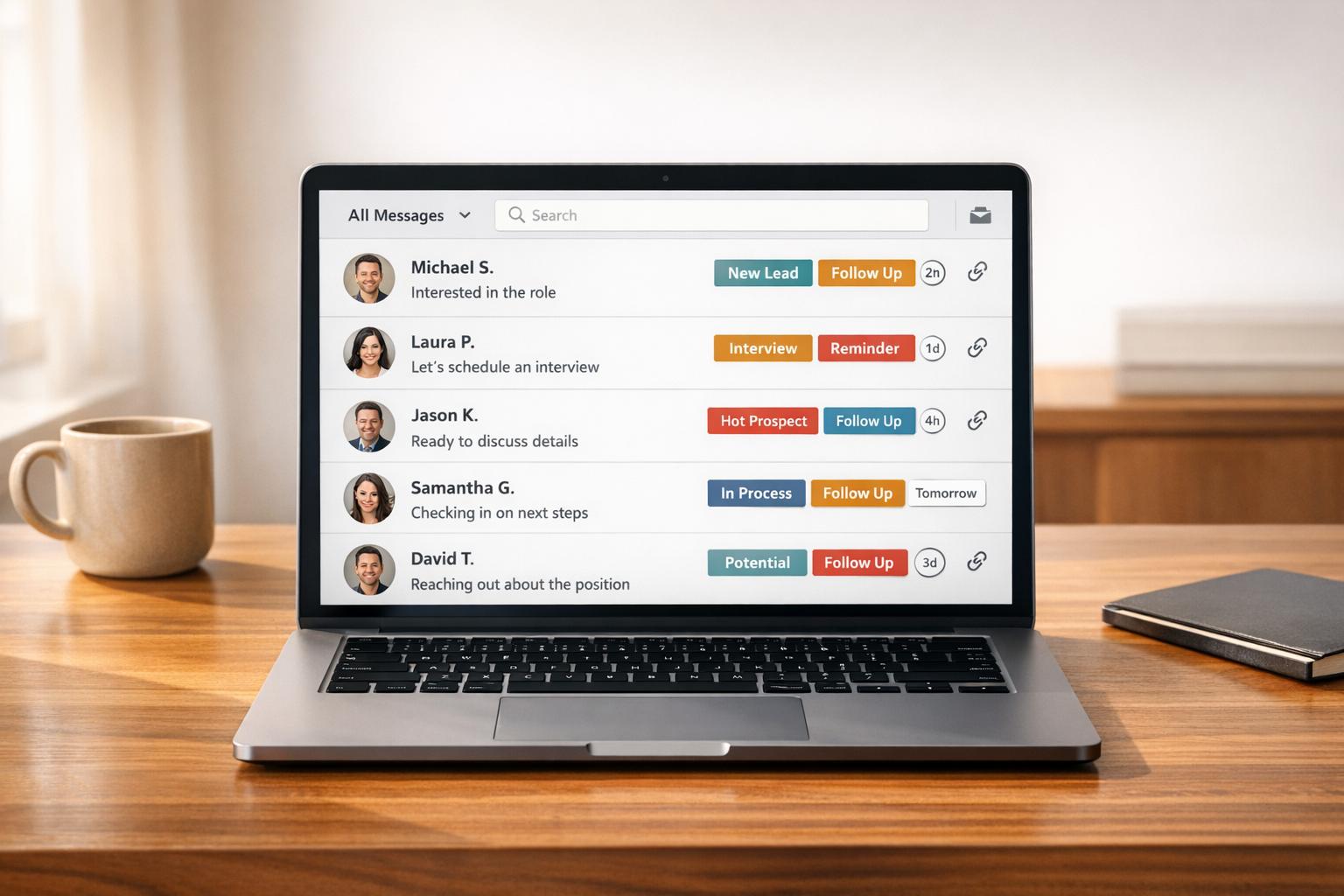

LinkedIn outreach is tough when done manually. Sales teams face strict limits – around 100 connection requests and 150 messages per week per profile – making it hard to scale. But the right tools can save you 10–15 hours per week, help you manage your inbox, and boost response rates. Below are the top LinkedIn DM management tools to streamline outreach and improve results:
- Cesar.chat: Organizes LinkedIn inboxes with split views, snooze options, and CRM sync. Starts at $24/month.
- Kondo: Focused on productivity with keyboard shortcuts, reminders, and CRM syncing. Starts at $28/month.
- Breakcold: Combines LinkedIn, email, and other channels into one inbox, with AI-powered filtering. Starts at $29/month.
- Salesflow: Automates LinkedIn campaigns with smart reply detection and CRM integration. Starts at $99/month.
- Dripify: Offers a visual campaign builder, team management, and analytics. Starts at $39/month.
Quick Comparison
| Tool | Starting Price | Key Features | Best For |
|---|---|---|---|
| Cesar.chat | $24/month | Inbox organization, CRM sync | Founders, recruiters, sales |
| Kondo | $28/month | Productivity tools, CRM integration | Busy professionals |
| Breakcold | $29/month | Unified inbox, AI filtering | Multi-channel outreach |
| Salesflow | $99/month | Campaign automation, sentiment tracking | Large sales teams |
| Dripify | $39/month | Campaign builder, team analytics | Small teams, agencies |
These tools help you go beyond LinkedIn’s limits, manage conversations efficiently, and improve response times. Choose the one that fits your team’s workflow and budget.
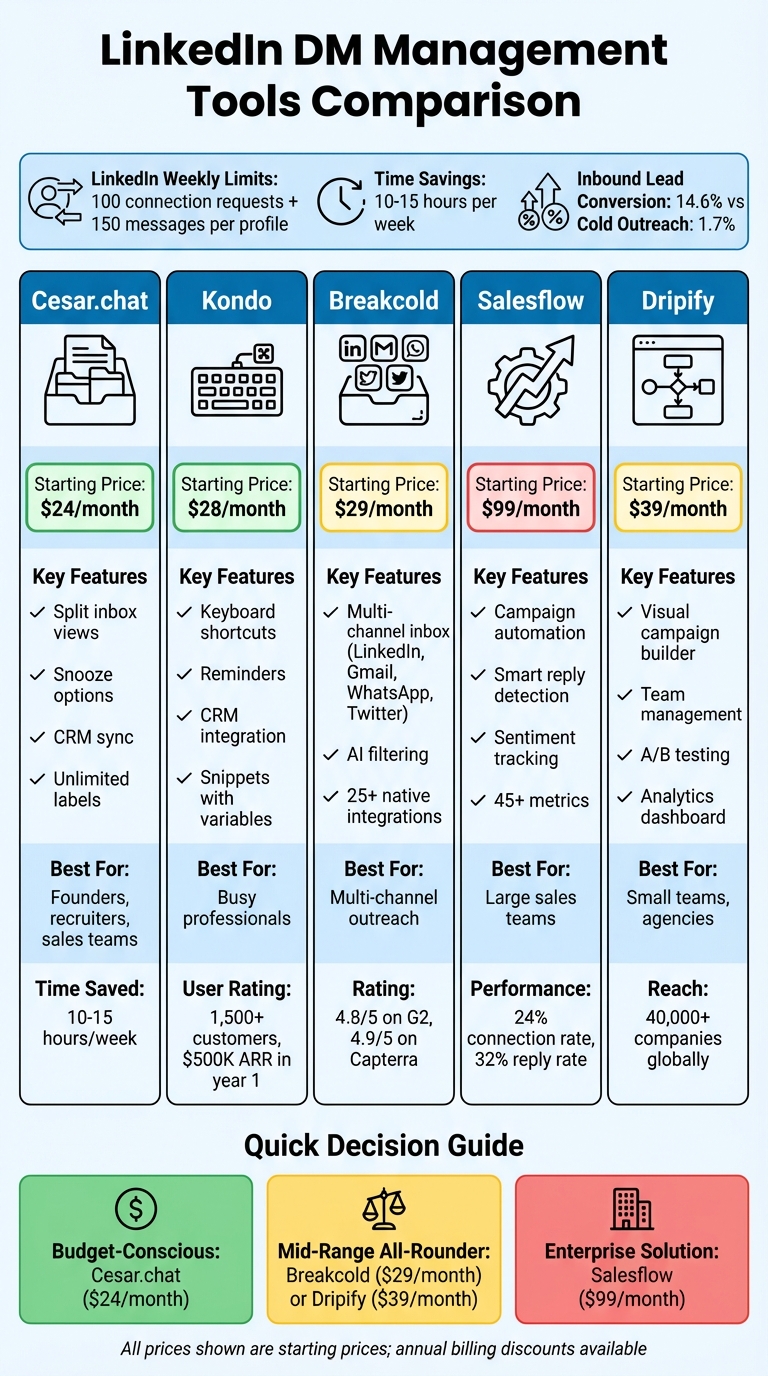
LinkedIn DM Management Tools Comparison: Features, Pricing & Best Use Cases
1. Cesar.chat – Enhanced LinkedIn Messenger
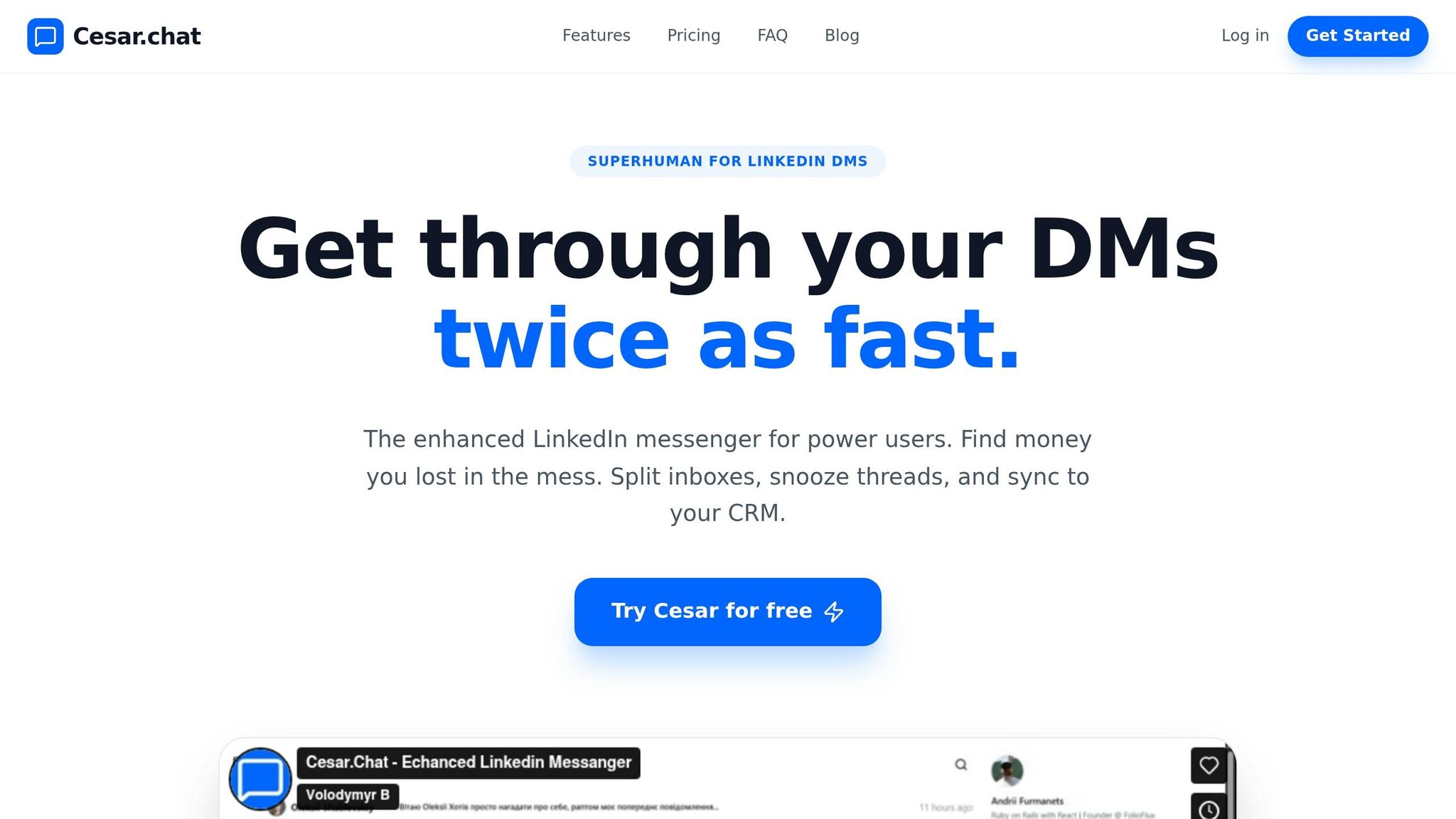
Cesar.chat describes itself as “Superhuman for LinkedIn DMs” , providing LinkedIn power user tips, offering a tool that speeds up manual LinkedIn messaging while ensuring account security. Unlike bots or automation tools, it enhances your outreach efficiency using official API interactions. Power users have reported handling LinkedIn DMs twice as fast.
Message Organization Features
Cesar.chat gives you tools to keep your LinkedIn inbox organized and efficient. With a split inbox and unlimited custom labels, you can easily sort conversations into categories like “Hot Opportunities” or “Follow-Up Needed.” The snooze feature is handy for leads that aren’t ready now but require attention later – snoozed threads disappear and reappear at the top of your inbox when it’s time to follow up. Keyboard shortcuts let you quickly label, snooze, or switch between conversations, speeding up your workflow. To save even more time, message snippets allow you to store and reuse templates, cutting out repetitive tasks like copy-pasting.
CRM and Third-Party Integrations
For those needing CRM support, the Business plan ($32/month) syncs conversation data, labels, and notes with platforms like HubSpot, Salesforce, Notion, Clay, Zapier, Make, and Slack. It allows up to 3 integrations, while the Enterprise plan ($40/month) removes that limit, offering unlimited sync destinations. Every LinkedIn interaction – whether it’s a message, label update, or note – flows directly into your CRM, so you can skip manual updates and keep everything in one place.
Response Optimization Capabilities
With the Business plan, Cesar.chat provides analytics to help teams track and improve messaging performance. Quick responses are key – if you don’t reply within 5 minutes, conversion rates can drop by 50%. The platform’s reminder system ensures important messages don’t slip through the cracks. It also supports voice notes on all tiers, giving sales reps a personal and engaging way to communicate amid the usual text-heavy exchanges.
Pricing and Scalability for Teams
Cesar.chat is designed to scale, whether you’re an individual salesperson or part of a large team. There are three pricing tiers:
- Basic plan: $24/month (or $19.20/month with annual billing). Includes unlimited labels, snippets, reminders, and voice notes.
- Business plan: $32/month. Adds Sales Navigator message support, analytics, and up to 3 integrations.
- Enterprise plan: $40/month. Includes everything in the Business plan plus unlimited integrations, white-glove setup, and VIP support.
All plans offer a 20% discount for annual billing.
Next, we’ll dive deeper into how these features and pricing options make Cesar.chat a solid addition to your sales strategy.
2. Kondo
Kondo describes itself as “Superhuman for LinkedIn”, offering a focused and efficient way to manage LinkedIn messages with features like keyboard shortcuts, labels, and a simple interface. The platform has seen impressive growth, hitting $500K ARR in its first year and attracting over 1,500 customers. Unlike automation tools, Kondo uses LinkedIn’s internal APIs to sync messages securely, maintaining compliance while improving productivity. It also includes CRM integration and tools for timely responses, making it a comprehensive solution for LinkedIn messaging.
Message Organization Features
Managing a busy LinkedIn inbox is easier with Kondo’s organizational tools. You can create custom labels – like “Hot Lead”, “Follow Up”, or “Networking” – to categorize conversations. Split inboxes ensure high-priority leads stay in focus, while a unified inbox brings together regular LinkedIn messages and Sales Navigator messages in one streamlined view.
Other handy features include:
- Snooze and Reminders: Temporarily hide conversations and resurface them when follow-ups are due.
- Keyboard Shortcuts: Navigate your inbox faster.
- Snippets with Variables: Insert personalized responses instantly using placeholders like
{firstName}. - Private Notes: Add context directly to LinkedIn profiles for better follow-ups.
“With Kondo, I can finally make sense of inbox chaos with labels and reminders. Game changer for anyone with a very busy inbox!”
- Lorraine K. Lee, Founding Editor, LinkedIn
Users report saving over 5 hours per week on LinkedIn DM management and doubling their response speeds.
CRM and Third-Party Integrations
Kondo takes workflow efficiency up a notch by syncing LinkedIn messages, labels, and private notes directly with popular CRMs like HubSpot and Salesforce. It also integrates with productivity tools like Notion, Google Sheets, Clay, and Freckle, ensuring all LinkedIn activity is logged automatically.
For instance, Andy Toizer connected Kondo with HubSpot and Freckle.io, allowing enriched and qualified DM context to appear directly in his inbox for faster, more informed responses.
“Now when I get a DM, they’re automatically enriched and qualified with context directly inside my inbox… Kondo shows those enriched HubSpot fields right inside my inbox.”
- Andy Toizer
These integrations, along with webhooks and native CRM connections, are part of the Business plan and higher tiers.
Response Optimization Capabilities
Kondo ensures no message gets overlooked. With reminders and snooze options, non-urgent messages resurface when it’s time to follow up. The snippets feature helps users craft consistent, professional responses quickly, cutting down on typing time for common inquiries.
“Kondo outperforms with a clean, efficient inbox that highlights ready-to-buy prospects effectively.”
- Charlotte Lloyd, Founder, Client Acquisition Lab
Pricing and Scalability for Teams
Kondo offers a per-user pricing model with three tiers, each providing a 20% discount for annual billing:
- Basic plan: $28/month (billed annually) – Includes unlimited labels, snippets, reminders, and voice notes.
- Business plan: $36/month – Adds features like a Sales Navigator inbox, CRM integrations, analytics, and MCP (Claude connector).
- Enterprise plan: $52/month – Includes everything in the Business plan plus unlimited sync destinations, SAML SSO, and VIP support.
The platform is designed to scale easily, whether you’re a solo founder or part of a large sales team. For those needing CRM synchronization, the Business plan or higher is recommended, as these features aren’t available in the Basic tier.
3. Breakcold
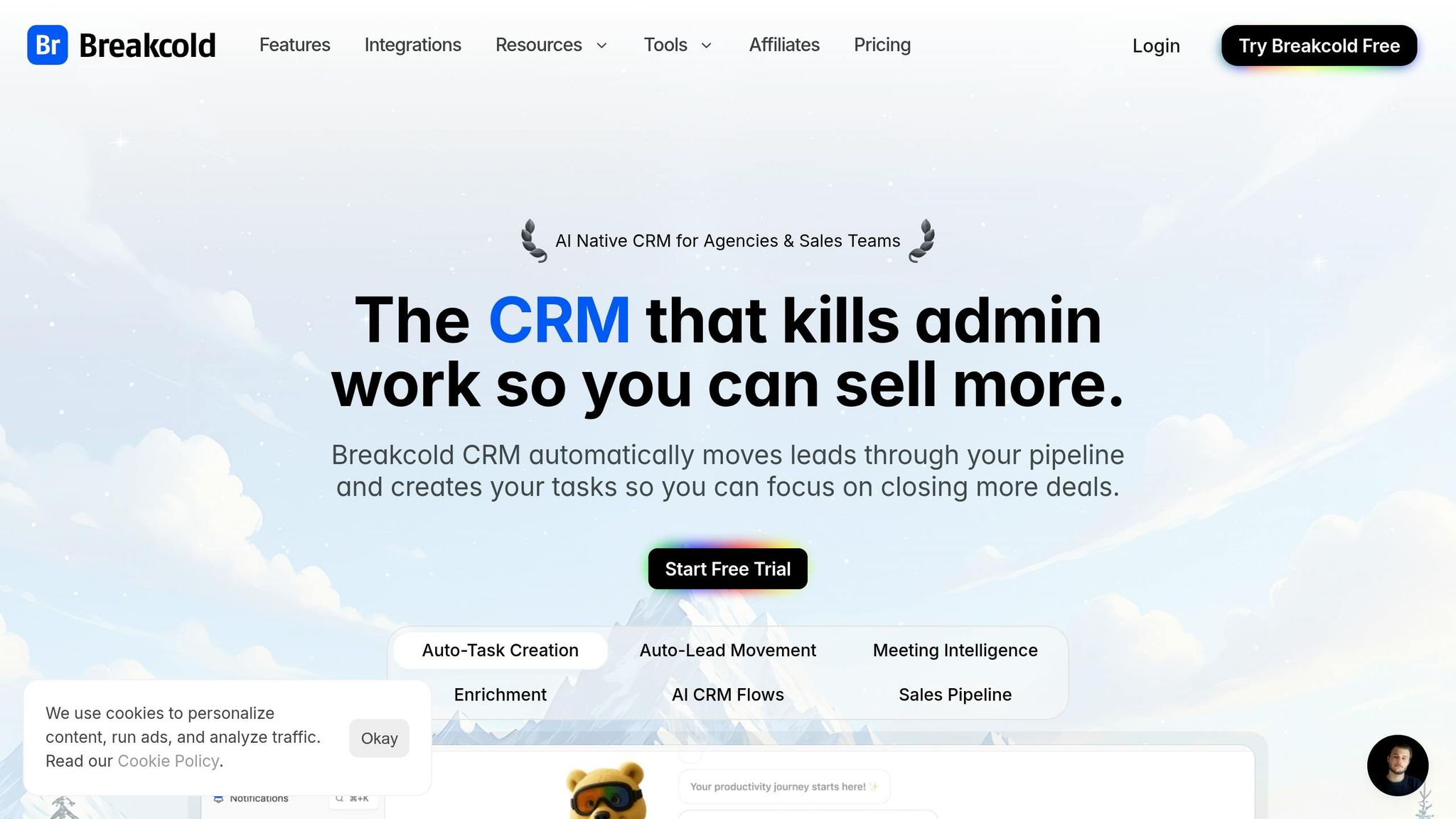
Breakcold is an AI-powered CRM that brings together messages from LinkedIn, Gmail, WhatsApp, Telegram, and X (Twitter) into a single inbox. This streamlined setup simplifies LinkedIn outreach by cutting down on tool-switching and manual work. With a 4.8/5 rating on G2 from 114 reviews and 4.9/5 on Capterra from 91 reviews, Breakcold has earned recognition for its automation-focused design.
Message Organization Features
Breakcold’s unified LinkedIn inbox allows users to manage multiple LinkedIn accounts from one interface. With smart inbox views, you can create specific filters – like identifying prospects who haven’t responded in 14 days or those working at companies of a certain size. Plus, the platform’s AI can automatically generate these views based on your preferences.
A B2B contact filtering toggle ensures sales teams concentrate on business prospects while excluding personal connections. By automating lead movement and task creation, Breakcold saves users over 10 hours per week in manual data entry. Next, let’s look at how its integrations simplify sales workflows even further.
CRM and Third-Party Integrations
Breakcold integrates with over 25 native tools and connects to more than 8,000 apps through Zapier, Make, and Pabbly. This makes it easy to push CRM leads into automated workflows. Tools like Apollo, Prospeo, Wiza, and BetterContact enhance your outreach by automatically finding verified emails and phone numbers for leads.
The Chrome extension syncs leads from platforms like LinkedIn Sales Navigator, Instagram, and YouTube. AI meeting intelligence tools like Fireflies.ai and tl;dv further enhance productivity by logging meeting transcripts and follow-up tasks directly into the CRM.
Response Optimization Capabilities
Breakcold automates follow-up tasks and suggests personalized messages while prioritizing high-value conversations through smart filters. Its AI agents even adjust follow-up frequency based on each prospect’s personality. These features are particularly useful on LinkedIn, where timely responses can significantly improve conversion rates.
The social engagement feed lets you interact with prospects’ LinkedIn posts – liking and commenting directly from the CRM – before sending direct messages. These social selling workflows can boost conversations with leads by up to 200%. Breakcold also avoids risky mass messaging, helping protect your account from potential bans.
“Breakcold is both an AI CRM and a Sales CRM, but with a twist… you don’t babysit it.”
- Breakcold
Pricing and Scalability for Teams
Breakcold offers three pricing tiers, each with a 14-day free trial:
- CRM Essentials: $29/user/month – Includes 25 AI leads, automated lead movement, and task creation.
- CRM Pro: $59/user/month – Adds 50 AI leads and one social account connection for LinkedIn, X, or WhatsApp.
- CRM Max: $99/user/month – Offers 200 AI leads and three social account connections.
The platform is suitable for both individual sellers and larger teams. However, some users have noted that its advanced reporting features don’t quite match those of enterprise-level CRMs like HubSpot.
4. Salesflow
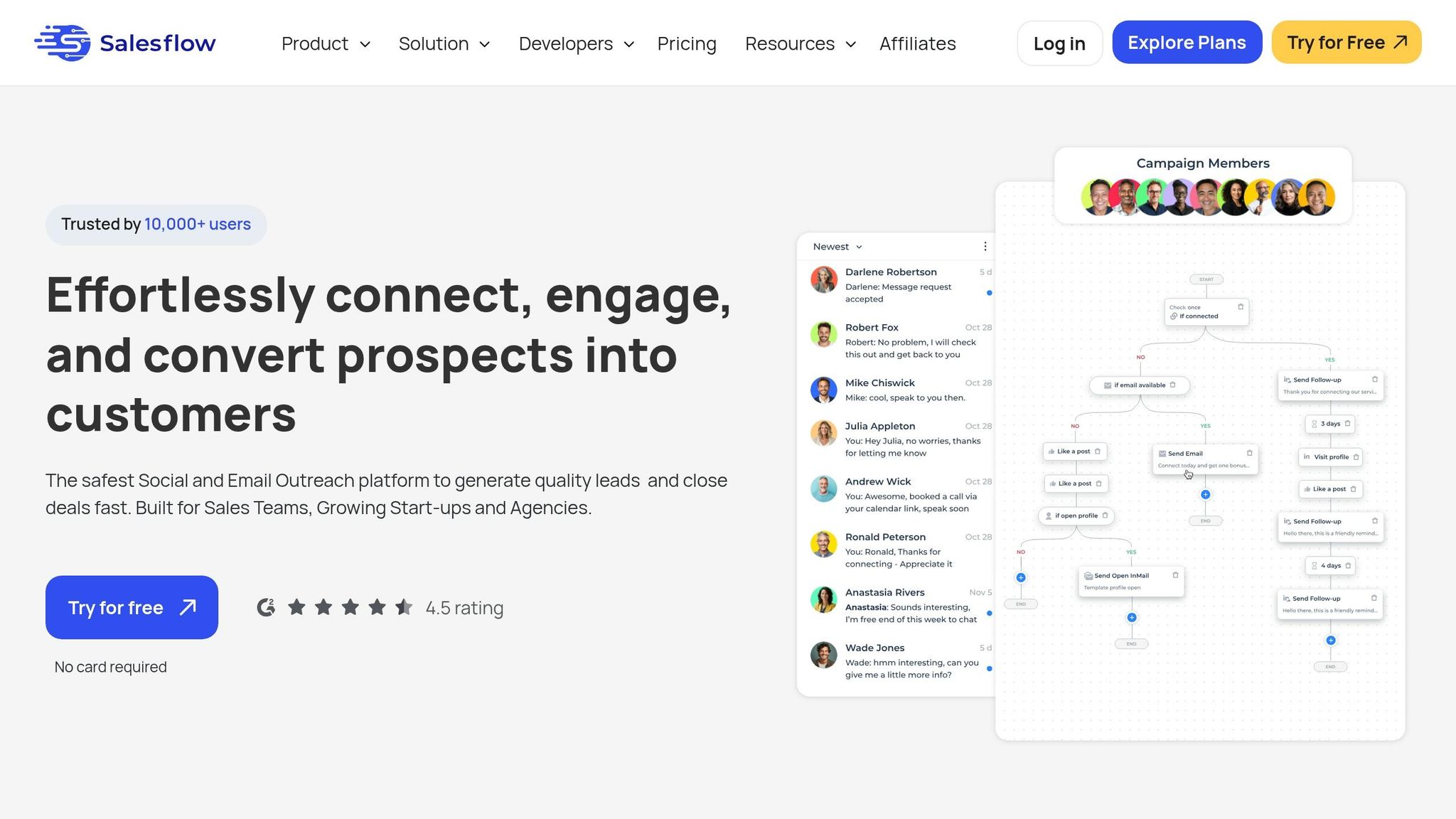
Salesflow steps in to streamline LinkedIn outreach with automation and organization tools tailored for efficient messaging workflows. Trusted by over 10,000 users across 120 countries, this cloud-based platform achieves a 24% connection rate, a 32% reply rate, and an 80% customer retention rate. Unlike browser extensions that need your computer to stay on, Salesflow operates from dedicated cloud IPs, minimizing LinkedIn detection risks and letting you run campaigns even while offline.
Message Organization Features
Salesflow’s Real-Time Inbox brings all your campaign conversations, including Open InMails, into a single, easy-to-navigate view. You can organize leads using smart filters, custom tags, and a search function to quickly find specific conversations. Features like reminders, snooze, and scheduled sends help ensure no high-priority leads slip through the cracks.
The platform also includes a template library for storing and sharing message templates, ensuring consistent communication across your team. Shared blacklists can be created using specific keywords to automatically exclude certain contacts. For managers, an admin dashboard provides a clear overview of all campaigns and team activities. These tools make managing LinkedIn outreach smoother and more efficient.
CRM and Third-Party Integrations
Salesflow integrates seamlessly with other tools to enhance your workflow. Its native HubSpot integration syncs contacts, messages, replies, and activity data in real time. For example, Simon Kinneen, Sales Manager at HubSpot, used Salesflow to automate top-of-funnel processes for his UK team, leading to two closed deals directly linked to the platform.
Through Zapier integration, Salesflow connects with thousands of third-party tools like Salesforce and Pipedrive, enabling automated multi-touch sequences. For instance, you can set up workflows that send LinkedIn connection requests to new inbound leads. The platform also supports custom integrations via API access and includes a Google Sheets add-on for syncing campaign performance data. These integrations make Salesflow adaptable to a variety of sales processes.
Response Optimization Capabilities
Salesflow takes follow-up messaging to the next level with smart reply detection, which automatically pauses sequences when a lead responds. This prevents the awkwardness of automated follow-ups after engagement. The platform tracks over 45 metrics across campaigns, offering detailed insights into performance.
Gianluca Bisceglie, Founder of Visyond, shared his success with Salesflow: 4,636 invitations sent, 1,391 connections made, 515 replies received, 50 demos booked, a $650K pipeline generated, and 5 closed deals averaging $13K each. Users can send up to 400 connection invites and 800 Open InMails monthly, with automation supporting up to 1,000 follow-up messages.
“My sales team has seen a large uplift in connections, messages replied to and meetings booked. So far our team has closed 2 deals using Salesflow, my reps are able to automate some of their top of the funnel sales process.”
- Simon Kinneen, Sales Manager, HubSpot
Pricing and Scalability for Teams
Salesflow offers flexible pricing based on team size, with costs per seat decreasing as the number of users grows. Plans start at $99 per seat per month for the Basic plan, with Enterprise plans dropping to $24.99 per seat for teams of 100 or more. Discounts of 15% and 30% are available for 6-month and 12-month commitments, respectively.
| Plan | Price per Seat | Minimum Seats | Key Features |
|---|---|---|---|
| Basic | $99/month | 1 | UI Customization, API Access |
| Starter | $70/month | 5 | UI Customization, API Access |
| Pro | $39.95/month | 20 | Dedicated CSM, Priority Support, Whitelabel URL |
| Agency | $29.98/month | 50 | Batched seat management, early access |
| Enterprise | $24.99/month | 100 | Full white-labeling, batched seat management |
A 7-day free trial is available, and the customer success team is known for its quick response time, typically within 2 minutes, to help new users get started without hassle.
5. Dripify
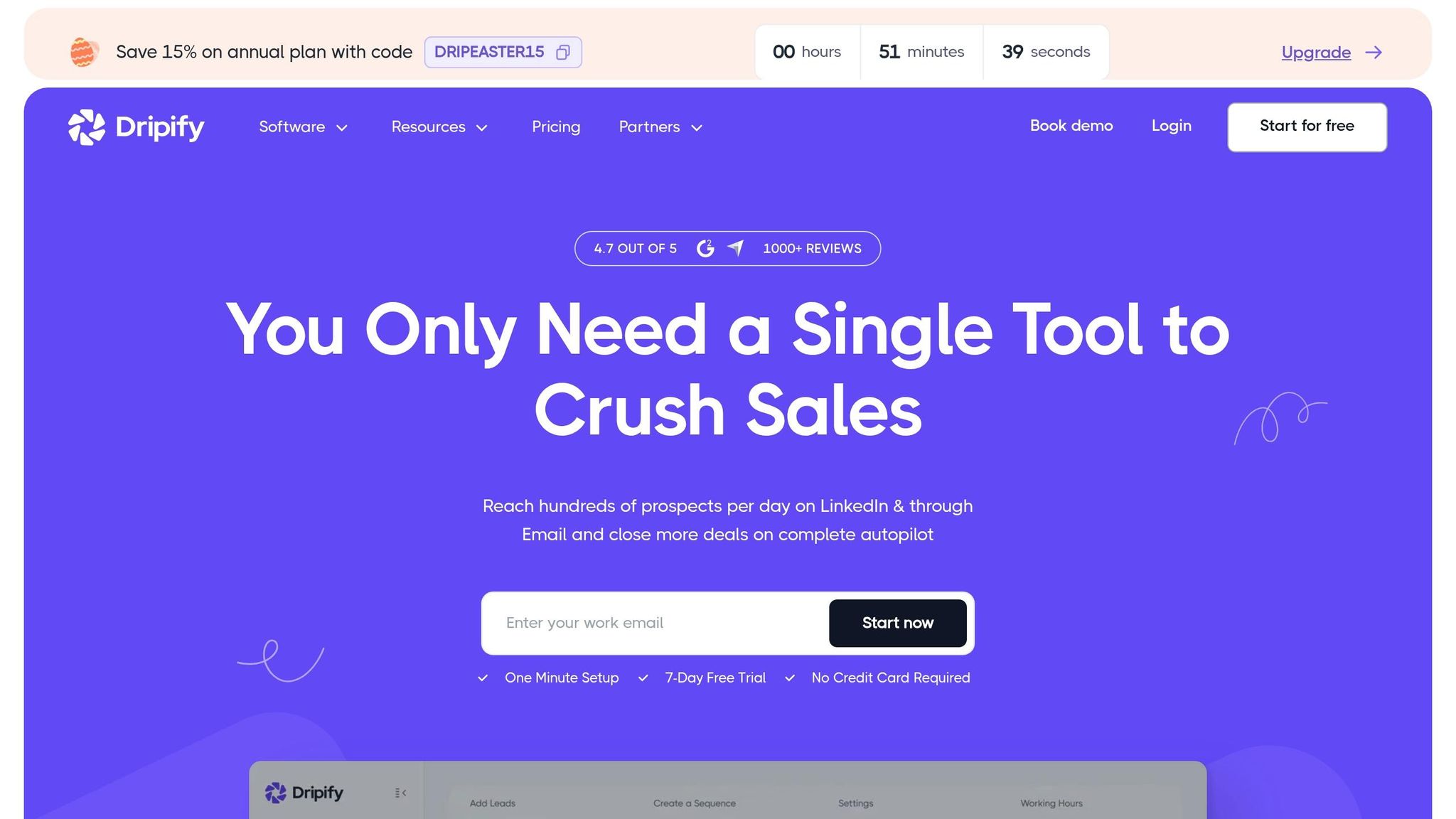
Dripify takes a cloud-based approach to LinkedIn outreach, making it a standout DM management solution. Trusted by over 40,000 companies globally, it runs campaigns around the clock while filtering out 70% of spam messages.
Message Organization Features
Dripify’s Smart Inbox brings all your LinkedIn and email conversations into one place, making it easier to manage leads without jumping between platforms. It filters out irrelevant messages, so you’re only seeing the ones that matter. Key features include the ability to pin critical conversations, archive completed threads, and mark messages as unread for follow-up reminders. You can also star high-priority messages and blacklist unwanted contacts permanently.
To keep your conversations organized, Dripify allows you to add internal notes directly on a lead’s profile. The inbox refreshes automatically every 15 minutes, but you can manually sync it anytime for real-time updates.
“Then, the product itself, to be able to do a workflow for your campaign and to push later your contacts to a CRM that’s priceless compared to other products!”
- Khaled A., Founder and CEO
CRM and Third-Party Integrations
Dripify integrates seamlessly with over 1,000 tools through native integrations, webhooks, and Zapier. This means you can easily transfer lead data from Dripify to your CRM or other platforms for further processing. Webhooks ensure smooth data flow across your tech stack.
The platform supports up to 20 personalization variables, and its AI-powered icebreaker feature helps boost response rates. With the ability to connect with up to 800 leads per month, Dripify also includes an email validator to achieve up to 99% deliverability rates.
Response Optimization Capabilities
Dripify’s automation tools include A/B testing and “stop on reply” logic, which halts follow-ups as soon as a lead responds. Detailed step-level analytics allow you to monitor conversion rates and fine-tune your campaigns.
“The automation part hands down. You create a sequence and it’s working wonders for you, while you getting fed marketing leads from the side.”
- Arthur Isaksson, Account Manager, Tobii
For teams, Dripify offers safeguards to prevent multiple members from contacting the same lead. The team dashboard allows role assignments and tracks performance, giving managers a clear view of outreach efforts.
Pricing and Scalability for Teams
Dripify provides three pricing tiers, with a 15% discount for annual billing:
- Basic Plan: $39/month (annual) or $59/month (monthly), ideal for startups running one campaign.
- Pro Plan: $59/month (annual) or $79/month (monthly), offering unlimited campaigns and full daily quotas.
- Advanced Plan: $79/month (annual) or $99/month (monthly), which includes team management, lead tagging, and detailed analytics.
For larger teams, Enterprise plans offer custom pricing, premium onboarding, and a dedicated success manager. A 7-day free trial is also available, requiring no credit card.
“Dripify has helped our team with lead generation through LinkedIn tremendously. It makes it simple to use and it is on autopilot.”
- Brian Hartman, Managing Partner, Pharus Global
With its robust tools and flexible pricing, Dripify is a powerful ally for streamlining LinkedIn outreach efforts.
Feature and Pricing Comparison
When it comes to LinkedIn DM management tools, selecting the right one depends on balancing features, budget, and workflow needs. Prices range from $24/month for basic tools to $99/month for more advanced solutions, making it essential to weigh costs against functionality.
Here’s a quick breakdown of key features, pricing, and benefits for three popular tools:
| Tool | Starting Price | Best Use Case | Key Features | Response Rate Benefits |
|---|---|---|---|---|
| Cesar.chat | $24/month | Ideal for founders, recruiters, and sales teams focused on inbox efficiency | Split inboxes, snooze threads, keyboard shortcuts, saved snippets, live CRM sync | Encourages faster responses and ensures consistent follow-ups |
| Salesflow | $99/month | Designed for professional sales teams using LinkedIn Sales Navigator | AI-powered sentiment detection, built-in CRM, unified inbox, Sales Navigator integration | Sentiment analysis helps prioritize high-intent leads, boosting engagement to 10–25% compared to 2% for cold calls |
| Dripify | $39/month | Best for sales teams and small agencies running automated outreach campaigns | Visual campaign builder, centralized team inbox, performance insights dashboard | Improves outreach with stop-on-reply logic and detailed analytics |
Additional Costs to Consider:
Don’t forget LinkedIn Sales Navigator subscriptions, which typically cost $80–$135/month, and potential CRM setup fees ranging from $500 to $5,000.
Why Automation Matters:
LinkedIn automation tools can generate 3–5x more qualified leads in just one quarter. Inbound leads boast a conversion rate of 14.6%, far surpassing the 1.7% rate seen with cold outbound efforts. Tools like Cesar.chat, Salesflow, and Dripify run 24/7 on dedicated IPs to minimize account restrictions.
Calculating ROI:
To assess the value of these tools, use this formula:
(New revenue – Tool costs) ÷ Tool costs × 100
For example, a tool priced at $99/month that helps secure multiple $50,000 deals offers far greater ROI than a $24/month tool focused solely on inbox management.
Conclusion
Selecting the best LinkedIn DM management tool requires matching its features to your team’s workflow and prioritizing account safety. Cloud-based tools with dedicated IPs operate around the clock, simulating human behavior to reduce the risk of LinkedIn restrictions. This is especially important given LinkedIn’s efforts to curb fake accounts, with 15 million removed in 2025 alone. Features like randomized delays and activity caps are essential for keeping your account secure.
Start by identifying your primary needs. For solo founders or recruiters prioritizing inbox efficiency, an option like Cesar.chat, priced at $24/month, provides tools such as split inboxes, saved message templates, and live CRM synchronization. These features help streamline messaging workflows. On the other hand, sales teams managing higher volumes should focus on tools that include unified inboxes and multi-account rotation to adhere to LinkedIn’s weekly limits of about 100 connection requests and 150 messages per profile.
The return on investment (ROI) is clear: automation significantly reduces time spent on manual tasks. For example, inbound leads have a conversion rate of 14.6%, compared to just 1.7% for cold outreach. Additionally, tools that leverage triggers like comment-to-DM features often achieve response rates of 40–60%, far surpassing the 15–20% average for cold messages. These numbers emphasize the importance of selecting a tool that not only automates processes but enhances the effectiveness of your LinkedIn outreach.
To wrap it up, take a gradual approach. Limit yourself to fewer than 100 weekly connection requests initially, and only scale up if your tool employs dedicated IPs and mimics human interaction patterns. The right tool doesn’t just save time – it safeguards your account and turns LinkedIn conversations into a reliable sales pipeline.
FAQs
Will using a LinkedIn DM tool get my account restricted?
Using a LinkedIn DM tool comes with risks, especially if it breaches LinkedIn’s terms of service. Problems often arise when tools rely heavily on automation – like sending an overwhelming number of connection requests or quickly browsing through profiles – which can set off LinkedIn’s spam filters. To stay on the safe side, make sure the tool aligns with LinkedIn’s rules and use it in moderation.
Which features matter most for faster replies and follow-ups?
Speeding up replies and follow-ups is all about leveraging the right tools. Here are some standout features that can make this process smoother:
- Automated Message Tracking and Scheduling: Keep tabs on sent messages and schedule follow-ups automatically, so nothing slips through the cracks.
- AI-Powered Personalization: Quickly craft responses that feel tailored and relevant, saving time while maintaining a personal touch.
- Efficient Conversation Management Tools: Handle multiple conversations seamlessly, ensuring every interaction gets the attention it deserves.
These tools work together to cut down response times and make follow-ups more efficient.
How do I estimate ROI before paying for a tool?
To figure out the ROI of a LinkedIn DM management tool, start by comparing its cost to the potential value it could bring to your business. Here’s how you can approach it:
- Improved Response Rates: Consider how the tool could help you get more responses from your outreach efforts. Higher response rates often lead to more conversations and, ultimately, more leads.
- Time Savings: Think about how much time your team can save by automating repetitive tasks, like sending follow-ups or managing large volumes of messages. Time saved can be redirected to activities that directly drive revenue.
- Lead Generation: Evaluate the tool’s potential to bring in more qualified leads. Increased engagement through better message management can lead to higher conversion rates.
- Revenue Impact: Estimate the additional revenue generated from improved engagement and conversions. For example, if the tool helps you close even a small percentage of extra deals, how much would that add to your bottom line?
- Analytics and Insights: Factor in the value of any analytics features the tool offers. These insights can help you refine your outreach strategy, making future campaigns more effective.
Ultimately, weigh the tool’s ability to enhance your sales pipeline against the cost of investment. By focusing on measurable outcomes like time saved, leads generated, and revenue growth, you’ll have a clearer picture of its return on investment.