
Struggling to sync LinkedIn and HubSpot? Here’s the solution: This article compares five tools to integrate LinkedIn with HubSpot, saving your team hours of manual data entry every week.
Key takeaways:
- Cesar.chat: Ideal for managing LinkedIn messages with features like split inboxes and real-time HubSpot syncing. Starts at $24/month.
- HubSpot Native Sales Navigator: Embeds LinkedIn data into HubSpot but requires Sales Navigator Advanced Plus ($1,600+/year).
- HubSpot CRM Sync: Automates two-way data sync but needs high-tier subscriptions.
- Hublead Chrome Extension: Affordable at $15–$30/month, offering quick contact imports and message logging.
- HubSpot LinkedIn Ads Integration: Focuses on lead syncing and ad performance tracking for marketers.
Quick Comparison:
| Integration Option | Setup Effort | Pricing (USD) | Messaging Features | Best For |
|---|---|---|---|---|
| Cesar.chat | Easy (Extension) | $24–$40/month | Split inboxes, CRM sync | Sales teams managing LinkedIn DMs |
| HubSpot Native Sales Nav | Medium (Admin) | $1,600+/year* | View profiles, send InMails | Teams using Sales Navigator Advanced |
| HubSpot CRM Sync | High (Admin) | $1,600+/year* | Automatic data sync | Enterprise teams |
| Hublead Extension | Easy (Extension) | $15–$30/month | 1-click contact import, sync | Budget-conscious users |
| HubSpot LinkedIn Ads | Medium (Admin) | Marketing Hub Pro | Lead Gen Form sync, ad tracking | Marketing teams |
Each tool caters to different needs. For messaging efficiency, Cesar.chat offers advanced features at a lower cost. If you’re already using Sales Navigator Advanced Plus, the HubSpot CRM Sync ensures seamless integration. Budget-friendly teams can opt for Hublead, while marketers can use HubSpot LinkedIn Ads for ad-focused workflows.
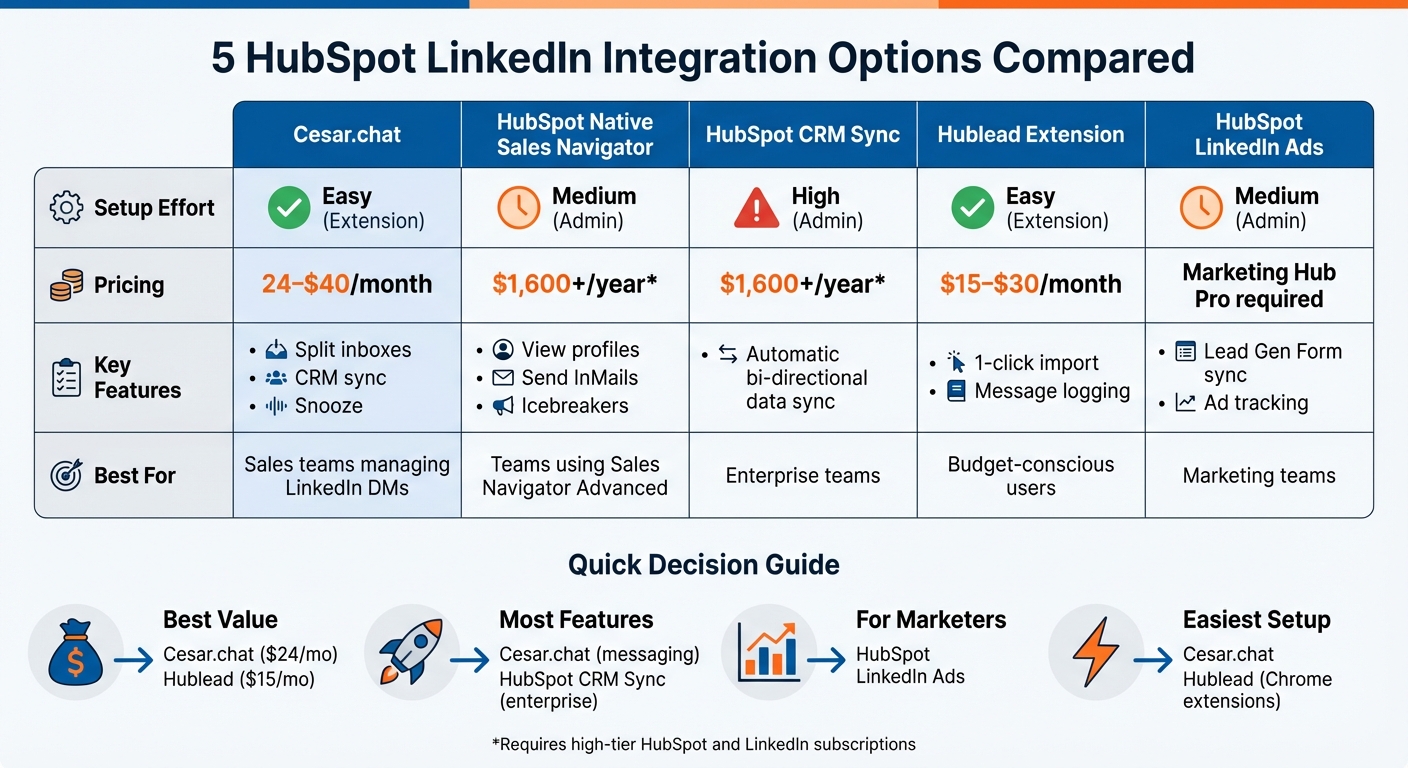
HubSpot LinkedIn Integration Options Comparison: Features, Pricing & Best Use Cases
Set up the best HubSpot LinkedIn Integration with Hublead

sbb-itb-3e8f5dc
Cesar.chat – Enhanced LinkedIn Messenger
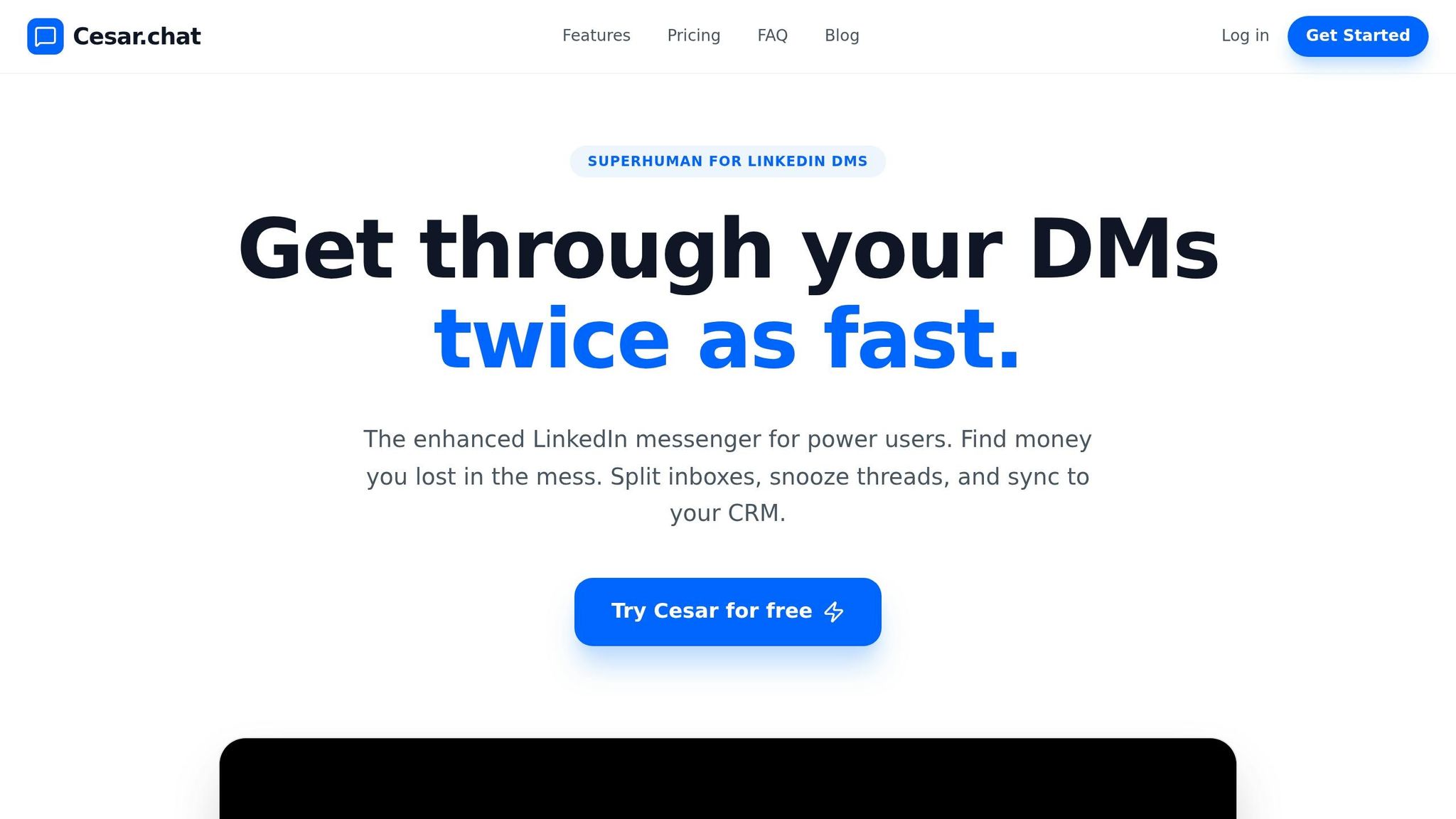
Cesar.chat describes itself as "Superhuman for LinkedIn DMs", offering a faster and more efficient way to manage LinkedIn messaging. By building a streamlined interface on top of LinkedIn’s existing messaging system, Cesar.chat doubles the speed of processing messages. Importantly, it uses official API interactions rather than scraping, ensuring your LinkedIn account stays safe and compliant. The tool also syncs messages bidirectionally, making it easier to handle large volumes of conversations without missing a beat. These improvements form the foundation for a suite of productivity-focused features.
Features and Benefits
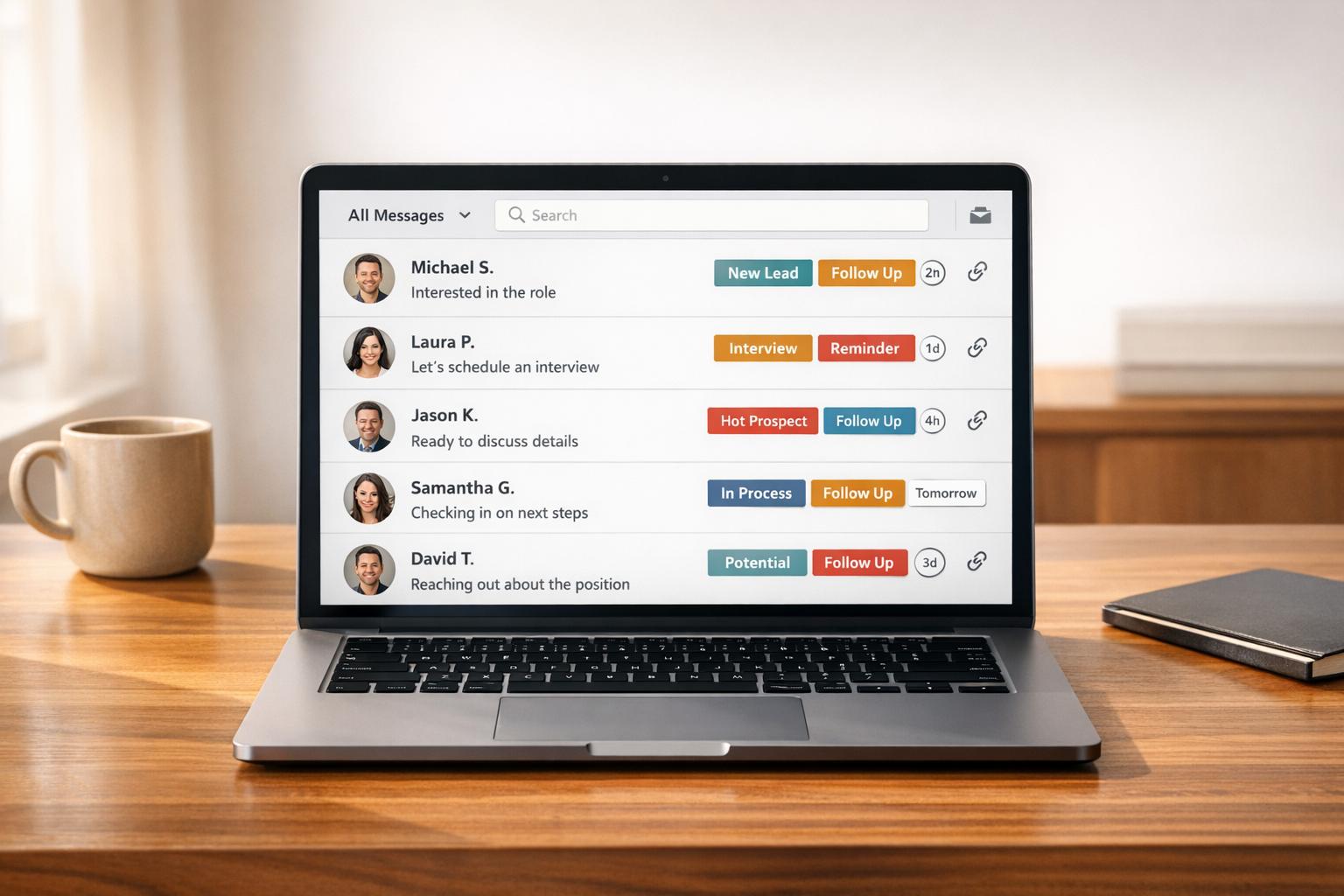
Cesar.chat integrates seamlessly with HubSpot, reducing the need for manual CRM data entry. Its custom split inboxes and snooze feature help users prioritize important messages and schedule follow-ups effectively. With saved snippets and keyboard shortcuts, repetitive tasks become a thing of the past, cutting manual messaging time by up to 50%. The ability to send voice notes adds a personal touch, while thread-specific reminders ensure no conversation gets forgotten.
One standout feature is the Live CRM Sync, which automatically updates LinkedIn conversation data, labels, and notes into HubSpot in real time. This eliminates the hassle of manual updates, keeping your sales pipeline current effortlessly.
Pricing and Plans
Cesar.chat offers three subscription tiers to match different needs:
- Basic ($24/month): Includes unlimited labels, snippets, reminders, and voice notes.
- Business ($32/month): Includes everything in Basic, plus up to 3 integrations (like HubSpot), Sales Navigator message support, and analytics.
- Enterprise ($40/month): Includes everything in Business, along with white-glove integration setup, unlimited sync destinations, and VIP support.
To access HubSpot integration, you’ll need the Business plan or higher. Similarly, syncing LinkedIn Sales Navigator messages requires at least the Business tier.
Best Use Cases
Cesar.chat is a game-changer for founders, recruiters, and sales teams managing high volumes of LinkedIn outreach. If you’re sending dozens of personalized messages daily and struggling to stay on top of follow-ups, features like the split inbox and snooze will help you stay organized. For sales reps who want their LinkedIn conversations to sync automatically with HubSpot – without the hassle of manual updates – the Live CRM Sync is a must-have.
HubSpot Native LinkedIn Sales Navigator Integration
HubSpot’s built-in Sales Navigator integration brings LinkedIn data directly into your CRM. With this feature, LinkedIn cards are embedded into HubSpot contact and company records, showing essential profile details like job title, company, time in role, and location. It also highlights icebreakers – shared connections, experiences, and interests – so you can create personalized outreach without leaving HubSpot.
You can send InMails straight from HubSpot records and view conversation history in a pop-up window. Features like "Related Leads" and "Get Introduced" provide additional account insights. For teams using HubSpot Sequences, LinkedIn task steps can be added to remind reps to send InMails or connection requests. These tools make it easier to understand the integration’s functionality and benefits.
Features Overview
The standard integration operates mainly as a view-only tool. It pulls LinkedIn data into existing HubSpot records but doesn’t automatically create or import contacts. HubSpot matches profiles based on the contact’s name, email, company, and job title. For automatic logging of LinkedIn activities like InMails and messages to HubSpot timelines, you’ll need to upgrade to Sales Navigator Advanced Plus.
However, the integration has its limitations. It focuses on logging InMails and often misses standard LinkedIn DMs or connection requests. This means reps may need to manually copy messages into HubSpot notes, which can reduce managerial oversight. These limitations are important to keep in mind when evaluating potential subscriptions and costs.
Requirements and Costs
To use the integration, you’ll need a HubSpot Sales Hub Professional or Enterprise subscription, along with a LinkedIn Sales Navigator Advanced Plus account. Sales Navigator Advanced Plus typically costs between $1,600 and $1,800+ per user annually. Meanwhile, HubSpot Sales Hub Professional starts at about $500 per month for five users. Each user must have both a HubSpot Sales seat and a LinkedIn Sales Navigator Advanced Plus license, adding up to $1,600–$1,800+ per user per year.
Every team member needs their own Sales Hub seat and Sales Navigator Advanced Plus license to access the full range of features. Additionally, for installations after October 7, 2025, teams will need to manually add the LinkedIn Sales Navigator card to HubSpot record views.
HubSpot LinkedIn CRM Sync
The CRM Sync feature enables a two-way data exchange between Sales Navigator and HubSpot. Instead of just displaying LinkedIn data in HubSpot, this integration actively synchronizes contacts, companies, and deals in both systems. HubSpot’s objects are automatically matched with LinkedIn’s terminology: Contacts align with Leads, Companies with Accounts, and Deals with Opportunities. This setup simplifies workflows, cutting down on manual CRM updates.
How It Works
The CRM Sync is designed to improve sales efficiency by automating key interactions between LinkedIn and HubSpot. For instance, activities in Sales Navigator – like InMails and messages – are automatically logged in the HubSpot contact timeline, removing the need for manual entries. Additionally, HubSpot CRM data is synced back to Sales Navigator, offering valuable context during prospecting.
The integration also lets you:
- Create and update HubSpot contacts directly from Sales Navigator.
- Import contact lists for targeted outreach.
- Track Smart Links to see how prospects interact with shared content.
However, there are limitations. Field mappings are predetermined and can’t be customized, and stopping the sync requires uninstalling the app. Only new or updated data syncs after activation, so if you want historical records included, you’ll need to reinstall the app. These features are tied to specific subscription levels, outlined below.
Subscription Requirements
To access CRM Sync, users must have a Sales Navigator Advanced Plus account. On the HubSpot side, you’ll need a Sales Hub Professional or Enterprise subscription, with Professional plans starting around $500 per month for a base of five users. Each user must authenticate their Sales Navigator account individually within HubSpot to enable activity writebacks. Installation requires Super Admin permissions in HubSpot, and only one HubSpot account can be linked to a Sales Navigator environment at a time.
Hublead Chrome Extension
Hublead is a lightweight Chrome extension designed to connect all HubSpot tiers, including the free version, with LinkedIn accounts. It’s a great solution for LinkedIn power users or solo sales professionals who can’t justify the hefty $16,000 annual price tag of Sales Navigator Advanced Plus. With Hublead, importing contacts and syncing messages becomes a seamless process.
Main Features
Hublead makes manual data entry a thing of the past with its 1-click contact import feature. When you view a LinkedIn profile, the extension automatically pulls key details – such as names, job titles, company information, LinkedIn URLs, and location – directly into HubSpot. It even checks your HubSpot database for duplicates by matching names, titles, and company data.
For users on the Professional tier ($32/month per seat), logging LinkedIn conversations into HubSpot requires a manual click. However, the Business and Scale plans ($64 and $112 per seat, respectively) offer fully automated background syncing of messages. For teams managing over 10 conversations daily, this automatic syncing can save a lot of time.
Another standout feature is sequence enrollment, which allows you to directly enroll LinkedIn contacts into HubSpot outreach campaigns. The extension also enriches contact data by pulling verified emails and phone numbers through integrations with Apollo, RocketReach, and Lusha. Keep in mind, though, that these enrichments rely on credits – Professional plans include 600 email credits, which might not last long for active prospectors.
"Hublead saved our team hours every week. It’s incredibly easy to set up, and the impact was immediate. Our reps simply won’t work without it now."
- Russ Meinhardt, CEO at Shoplift
Compatibility and Setup
Hublead combines powerful features with an easy setup process. Installing the Chrome extension and authenticating your HubSpot connection takes less than five minutes. The extension works on both Chrome and Safari browsers but doesn’t support mobile devices or iPads since mobile browsers aren’t compatible with Chrome extensions.
With over 8,000 users and a stellar 4.9/5 rating on G2, Hublead has proven to be a game-changer for teams looking to streamline their workflows. Users report saving 8 to 10 hours per month by eliminating repetitive data entry tasks, making it an essential tool for anyone juggling LinkedIn and HubSpot.
HubSpot LinkedIn Ads Integration
This section dives into HubSpot’s native LinkedIn Ads integration, a tool built for marketers to monitor ad performance and manage leads within a single platform. While it focuses exclusively on advertising, leaving out messaging and organic outreach, it shines when it comes to syncing ad metrics and LinkedIn Lead Gen Form submissions directly into your CRM.
Ad Metrics and Lead Syncing
With this integration, your LinkedIn ad metrics – like impressions, clicks, and spend – are automatically imported into HubSpot’s Ads dashboard. You can track data across campaign groups, individual campaigns, and specific ads, all in one centralized view. HubSpot also applies UTM parameters to supported ad types, including Sponsored Content, Single Image, Carousel, Video, and Text Ads.
One standout feature is lead syncing. When someone completes a LinkedIn Lead Gen Form, their information updates or creates a contact record in HubSpot within two hours. You can even pull in leads from the past 90 days when you first connect your accounts. A real-world example? The INBOUND by HubSpot team used this integration to build "Matched Audiences" from CRM data, excluding existing registrants and targeting similar audiences. This strategy led to a 40% conversion rate from event page visits to registrations.
To make the most of this feature, ensure your LinkedIn forms require the "Email" field. Without it, HubSpot can’t create contact records. Also, avoid link shorteners like bit.ly in your ad URLs – they strip out the tracking parameters HubSpot relies on (hubs.ly is the only exception). These features make it clear that the integration is designed purely for ad performance tracking.
What It Doesn’t Do
This tool is strictly for paid advertising. It won’t sync LinkedIn messages, connection requests, or organic interactions. If you’re looking to log InMail conversations or other LinkedIn messaging, you’ll need to explore separate solutions – this integration is all about lead gen forms and ad campaign tracking.
Additionally, it doesn’t support Document Ads or Thought Leader Ads, and while Event Ads are included, they only offer reporting capabilities without full tracking. It’s a valuable complement to your advertising efforts but isn’t a replacement for tools focused on LinkedIn messaging or sales outreach.
Side-by-Side Comparison
Feature Comparison Table
When deciding on an integration, it all comes down to your budget, LinkedIn subscription, and specific needs. Here’s a quick breakdown of how the five options compare:
| Integration Option | Ease of Setup | Pricing (USD) | Messaging Capabilities | Ideal User |
|---|---|---|---|---|
| Cesar.chat | Low (Chrome Extension) | $24–$40/month | Split inboxes, snooze threads, saved snippets, CRM sync | Sales reps and recruiters seeking a smoother messaging workflow |
| HubSpot Native Sales Navigator | Medium (Admin) | Included with Sales Nav* | Send InMails from HubSpot; view-only profile cards | Users needing LinkedIn context within HubSpot records |
| HubSpot CRM Sync | High (Admin) | $1,600+/year* | Automatic bi-directional sync of InMails/activities | Enterprise teams using Sales Navigator Advanced Plus |
| Hublead Chrome Extension | Low (Chrome Extension) | $15–$30/month | 1-click DM/InMail sync, selective sync, activity tagging | Sales reps on any LinkedIn tier wanting quick CRM logging |
| HubSpot LinkedIn Ads | Medium (Admin) | Marketing Hub Pro required | Sync Lead Gen Forms; automated follow-up | Marketing teams focused on paid advertising |
*Requires specific high-tier HubSpot and LinkedIn subscriptions
The costs vary significantly depending on the integration. Native options often require higher-tier subscriptions, while tools like Cesar.chat and Hublead are compatible with any LinkedIn plan – even free accounts.
Which Integration to Choose
Your choice should align with your sales process and budget. If messaging efficiency is your top priority, Cesar.chat offers a cost-effective solution for managing conversations. It simplifies follow-ups with features like snoozing threads, saved snippets for quick replies, and live CRM sync with HubSpot – all without the steep price tag of enterprise tools.
For larger teams already invested in Sales Navigator Advanced Plus, the HubSpot CRM Sync provides seamless data flow. According to reports, sales teams using native integrations save 8–12 hours weekly per rep by cutting out manual data entry.
If you’re running LinkedIn ads, the HubSpot LinkedIn Ads integration lets you sync Lead Gen Forms and automate follow-ups. Just remember: responding within five minutes can significantly boost conversions. For sales teams focused on messaging, combining advanced messenger tools with HubSpot sync can deliver the productivity boost they need.
Conclusion
Picking the right LinkedIn integration can significantly boost sales productivity by reducing the time spent on manual CRM updates. With sales reps dedicating just 28% of their time to selling, cutting out repetitive admin work becomes crucial. The right tool ensures more time is spent where it matters most – closing deals.
For teams prioritizing messaging efficiency, Cesar.chat stands out with its advanced inbox management features. Priced between $24 and $40 per month, it offers tools like split inboxes, snooze threads, and saved snippets to streamline LinkedIn conversations. This provides the functionality of high-end enterprise tools without the hefty $1,600+ annual cost.
Meanwhile, for those utilizing Sales Navigator Advanced Plus, HubSpot’s native CRM Sync ensures smooth, two-way data integration. Marketing teams also benefit from LinkedIn Ads integration, which automates lead syncing. For budget-conscious teams, Hublead offers quick CRM logging starting at just $15 per month.
"A solid HubSpot LinkedIn integration closes the gap between LinkedIn prospecting and CRM data entry, giving your team back hours of selling time every week." – Nicolas Pamart, RedactAI
Ultimately, the best tool depends on your workflow. If you’re heavily focused on LinkedIn messaging and need a cost-effective yet robust CRM integration, Cesar.chat strikes the perfect balance between features, affordability, and efficiency.
FAQs
Which integration logs regular LinkedIn DMs into HubSpot automatically?
Hublead offers a seamless way to log your regular LinkedIn DMs directly into HubSpot. With just one click, you can sync your LinkedIn conversations into your CRM. This integration simplifies tracking and managing LinkedIn messages, making it easier to keep your workflows organized and efficient.
Do I need LinkedIn Sales Navigator Advanced Plus for full HubSpot syncing?
You don’t need LinkedIn Sales Navigator Advanced Plus to sync fully with HubSpot. However, if you want to use CRM sync features – like auto-saving and activity writeback – you’ll need the Advanced Plus plan, as these features are exclusive to it.
What’s the easiest way to avoid duplicate contacts when importing LinkedIn profiles into HubSpot?
The simplest way to prevent duplicate contacts when importing LinkedIn profiles into HubSpot is to use HubSpot’s built-in Manage duplicates tool. This handy feature allows you to spot and merge duplicate records efficiently, keeping your CRM tidy and well-organized. For step-by-step instructions, check out HubSpot’s official documentation or join the community discussions for additional tips.