LinkedIn is great for finding prospects, but its inbox often fails at turning those connections into meaningful conversations. Why? Messages get lost in the "Other" tab, follow-ups are hard to track, and the inbox lacks tools for prioritization and efficiency.
Here’s the main takeaway: Most sales require 5+ follow-ups, but LinkedIn’s messaging system isn’t built for this level of engagement. To fix this, you need strategies and tools to organize leads, track follow-ups, and save time.
Key Fixes for LinkedIn Inbox Challenges:
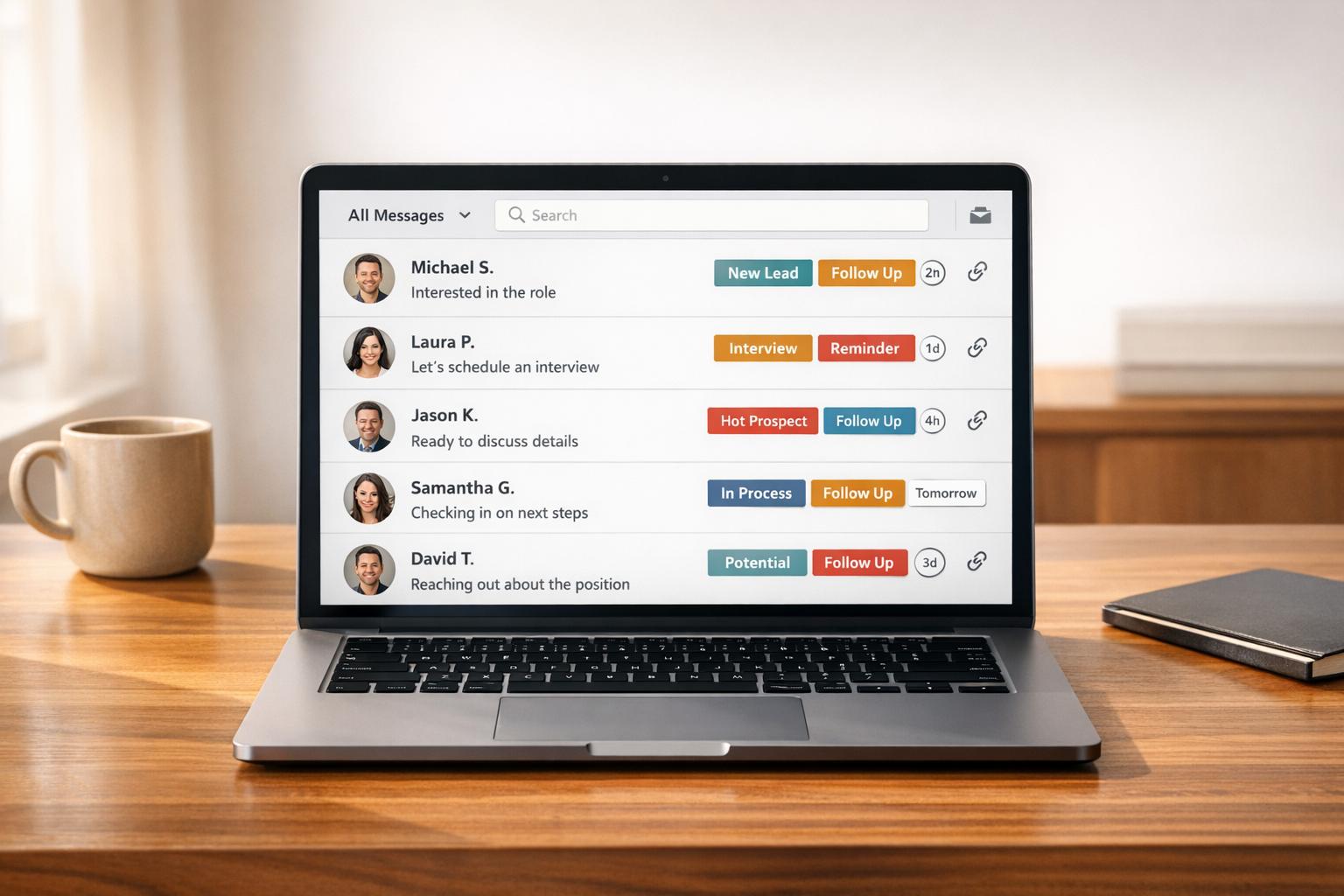
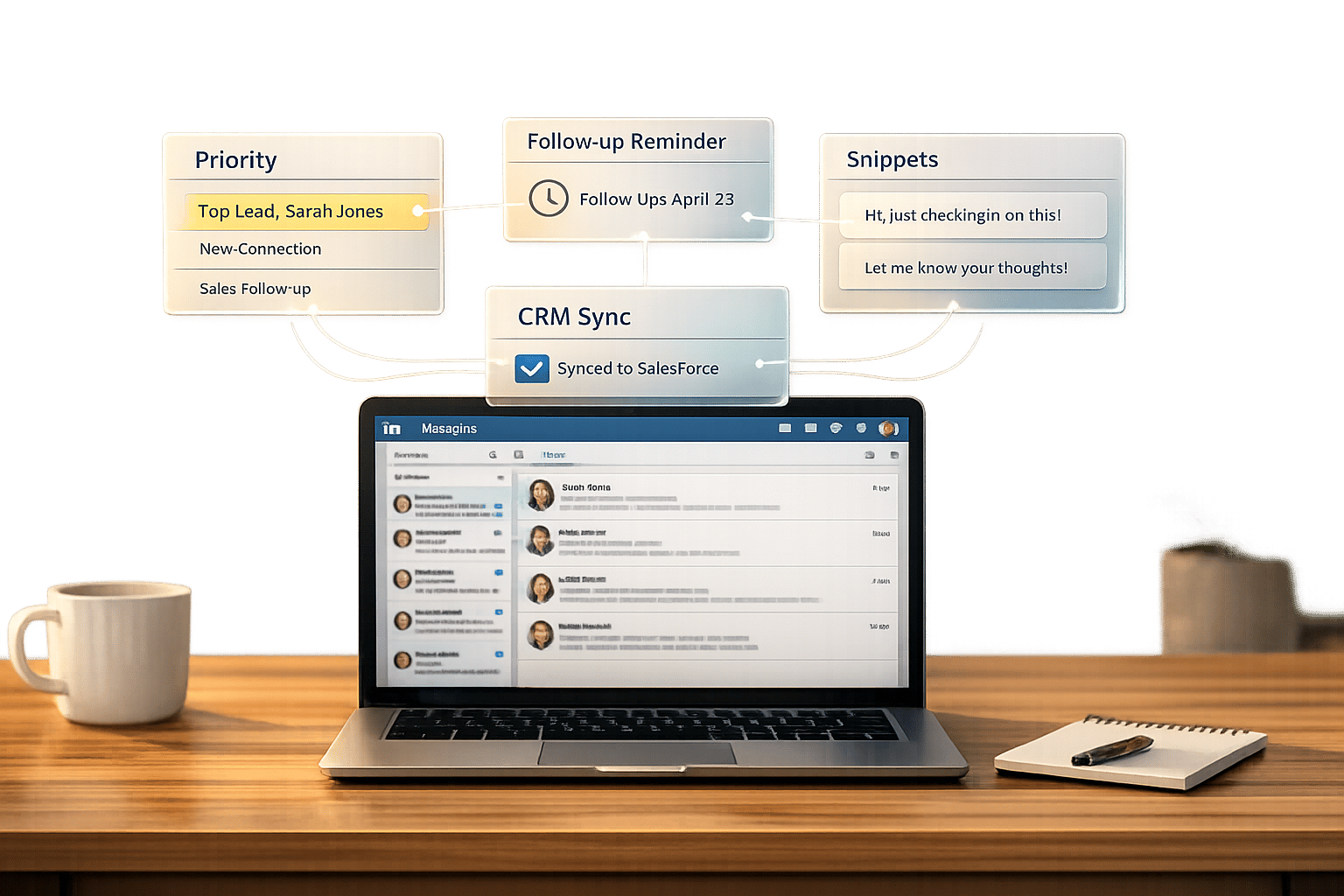
- Split Inboxes: Focus on high-priority leads by segmenting messages.
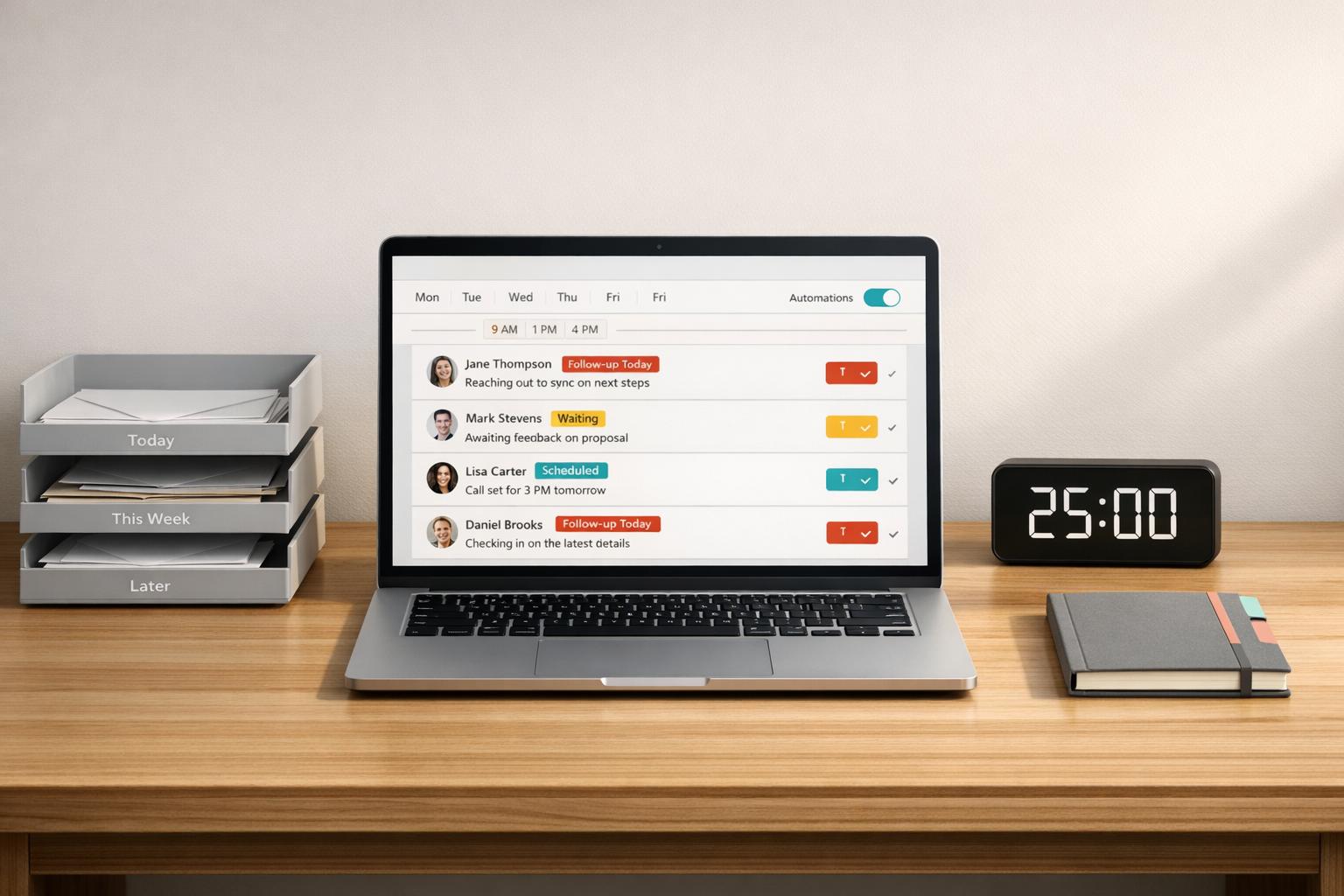
- Follow-Up Reminders: Set reminders to stay consistent with outreach.
- Message Snippets: Save time with pre-written templates for common scenarios.
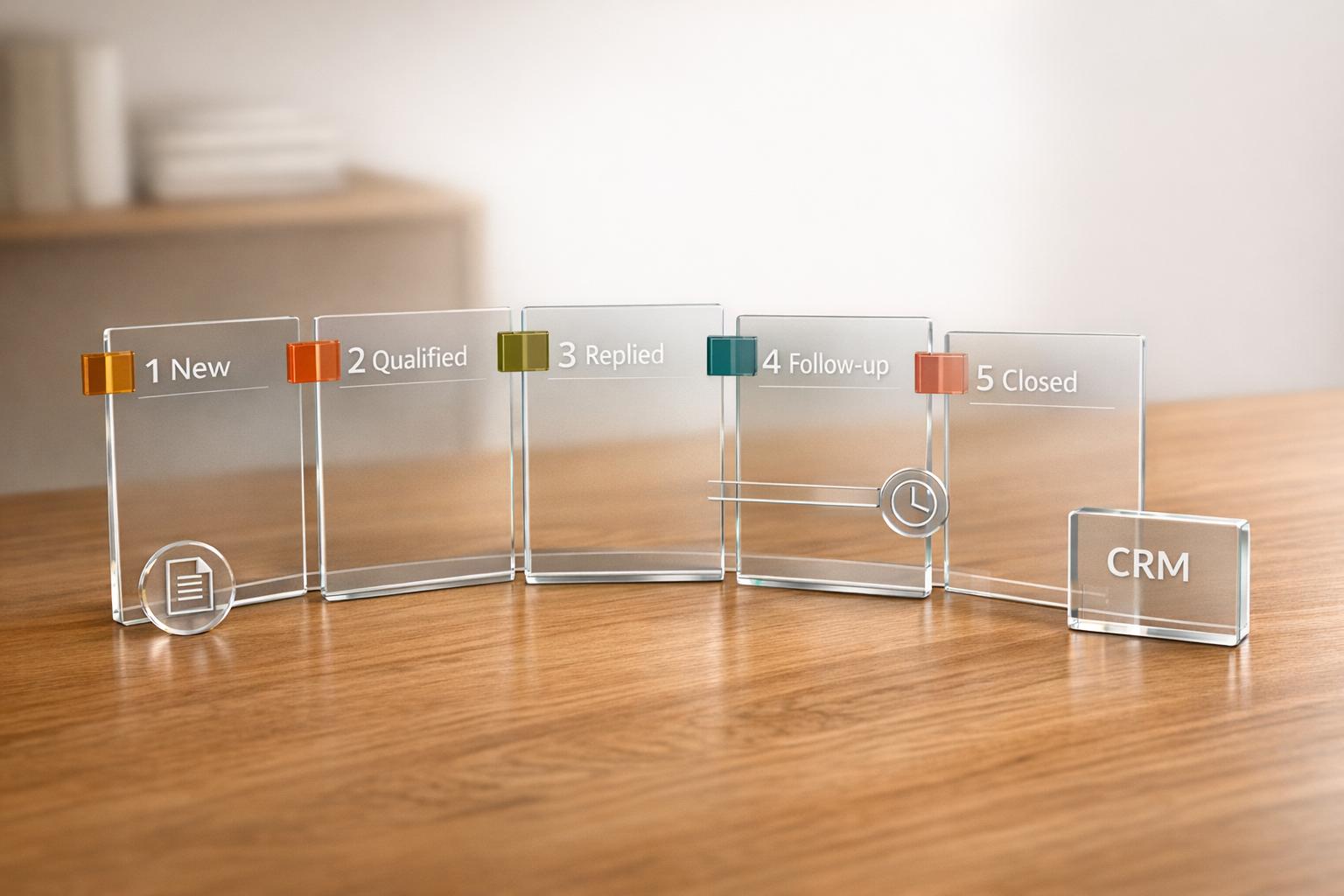
- CRM Sync: Integrate LinkedIn with tools like HubSpot or Salesforce for better tracking.
Tools like Cesar.chat (starting at $24/month) offer features like snooze options, conversation labels, and analytics to simplify inbox management. With the right approach, you can turn LinkedIn into a prospecting powerhouse.
Why LinkedIn Works for Prospecting
How LinkedIn’s Professional Network Gives You an Edge
As of 2026, LinkedIn’s user base has grown to over 1.3 billion members. This vast network provides a unique advantage for prospecting by combining professional credibility with the power of mutual connections – something cold emails simply can’t match.
The numbers back this up. LinkedIn InMail boasts response rates between 18–25%, far surpassing the 1–5% typically seen with cold emails. On top of that, LinkedIn generates 80% of high-quality B2B social media leads. Meanwhile, cold calling is losing its edge, with a 7.51% drop in effectiveness for B2B lead generation as of 2026.
A winning strategy many top performers use is the "inbound-led outbound" approach. This involves consistently sharing content, which builds familiarity and trust before reaching out. Research shows that 90 days of repeated exposure to your LinkedIn content can increase a prospect’s purchase intent by 47%.
"LinkedIn is not punishing outreach. It is punishing lazy outreach. The platform just made that truth impossible to ignore." – Semir Jahic, CEO & Co-Founder, Salesmotion
Beyond its networking potential, LinkedIn also equips users with tools to refine and sharpen their prospecting efforts.
How Advanced Search and Filters Help You Find the Right People
LinkedIn’s Sales Navigator offers powerful filters – Lead, Account, Spotlight, and Boolean Search – that allow you to pinpoint prospects based on job titles, company details, behaviors, and even custom queries.
Spotlight Filters, in particular, help you time your outreach more effectively. For example, the "Changed Jobs in Past 90 Days" filter identifies new executives, who are three times more likely to invest in fresh solutions. Similarly, the "Posted on LinkedIn in the Last 30 Days" filter ensures you’re engaging with active users.
The contrast in results is striking. Generic outreach efforts typically see response rates of 15–20%. But when you use targeted, filter-driven searches, acceptance rates can climb to 45–50%. This demonstrates how LinkedIn’s advanced tools can make a significant difference in your prospecting success.
sbb-itb-3e8f5dc
Master LinkedIn for Sales: Top Prospecting Tips and Messaging Tactics
What’s Actually Wrong with the LinkedIn Inbox
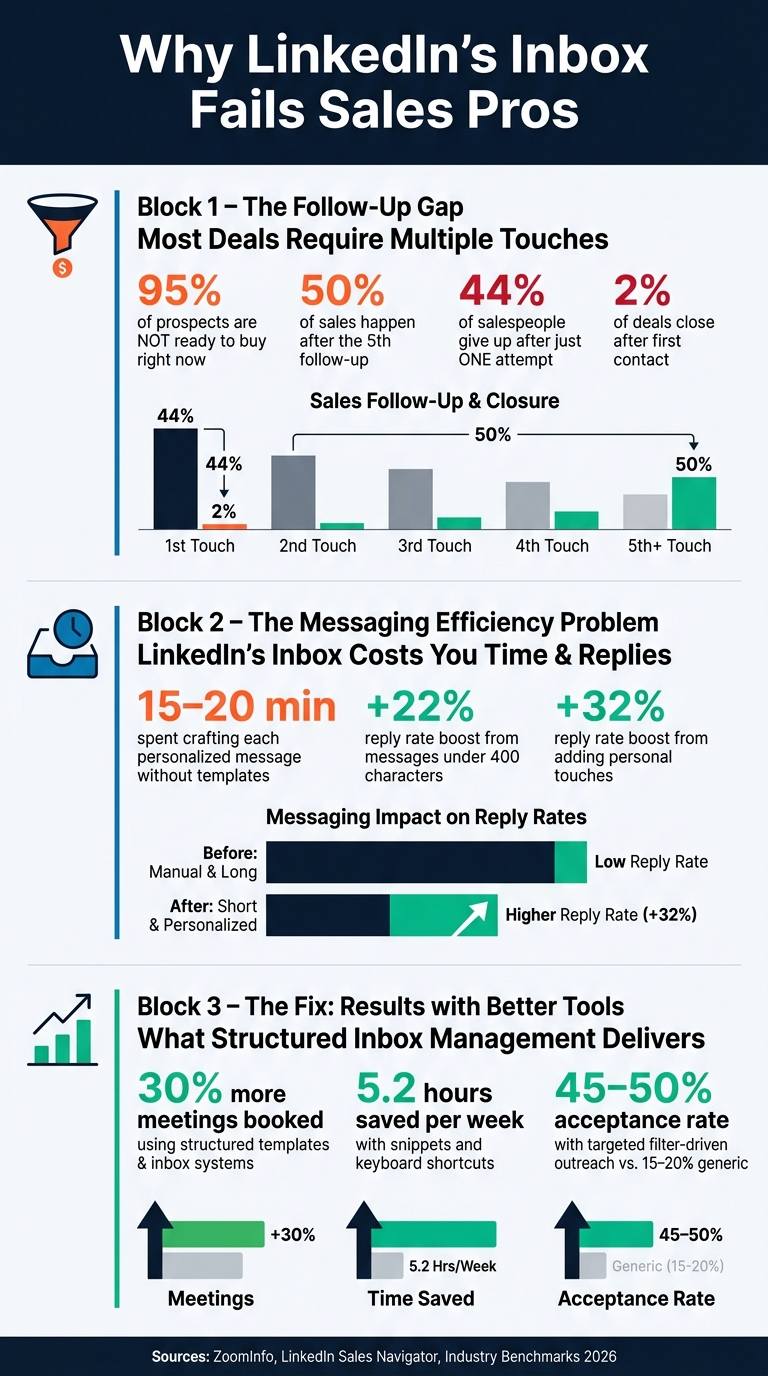
LinkedIn Prospecting Stats: Why Your Inbox Is Killing Your Pipeline
LinkedIn may be a powerhouse for prospecting, but its messaging system leaves much to be desired when it comes to managing leads effectively. While the platform thrives at helping users find prospects, its inbox – geared toward one-on-one conversations – falls short in handling the demands of high-volume sales workflows.
Too Many Messages, No Way to Prioritize
If you’re actively prospecting, your inbox can quickly become a chaotic mess. Connection requests, replies, follow-ups, and unsolicited pitches all pile up, making it nearly impossible to identify high-priority messages. As ZoomInfo explains, "Native LinkedIn features have limits. Third-party tools address gaps in data accuracy, intent signals, workflow automation, and contact enrichment".
The real kicker? A staggering 95% of your prospects aren’t ready to buy right now. This means that not only are you dealing with a flood of messages, but you’re also navigating conversations that may not yield immediate results. And once those important threads get buried, LinkedIn offers no tools to easily reengage or bring them back to the surface.
No Built-in Follow-Up or Reminder Tools
Another major issue is LinkedIn’s lack of follow-up or reminder features. The inbox is purely chronological, so quieter conversations often disappear into the void. That’s a big problem when you consider these stats: only 2% of deals close after the first contact, and 50% of sales happen after the fifth follow-up. Yet, 44% of salespeople give up after just one attempt.
"No follow-up system wastes opportunities. Most deals require multiple touches. One message rarely works." – ZoomInfo
Without built-in reminders or snooze options, even promising leads can slip through the cracks. And for sales professionals, this means missed opportunities that could have been saved with better tools.
Slow Responses Due to Missing Shortcuts and Templates
Personalizing messages is critical, but LinkedIn’s inbox doesn’t make it easy. Sending a tailored message to each prospect can take 15–20 minutes, as the platform lacks basic features like saved replies, keyboard shortcuts, or pre-designed templates.
Data shows that keeping messages short (under 400 characters) can improve response rates by 22%, and adding personal touches can boost them by another 32%. So, the issue isn’t about sending more messages – it’s about sending smarter ones. Unfortunately, LinkedIn’s native messaging system doesn’t support the kind of efficiency or scalability that modern sales workflows demand.
How to Fix Your LinkedIn Inbox for Better Prospecting
The challenges of a cluttered LinkedIn inbox can be resolved with a few adjustments. By implementing the right strategies, you can turn your inbox into a powerful tool for prospecting. Here’s how you can make it happen.
Use Split Inboxes to Prioritize High-Value Leads
Not all messages are created equal. To focus on what matters, separate high-priority leads from general inquiries or irrelevant messages. Prioritize prospects who have recently viewed your profile, engaged with your content (like commenting or liking posts), changed jobs, or work at companies that have announced funding. These are the warm leads that deserve attention over cold outreach attempts.
Tools like Cesar.chat simplify this process by offering split inboxes. These allow you to label and segment conversations, keeping critical leads front and center. Instead of sifting through an endless stream of messages, you’ll have a curated list of meaningful prospects, making your outreach more efficient.
Set Reminders and Snooze Threads for Timely Follow-Ups
When it comes to prospecting, timing can make or break a deal. A good rule of thumb is to send your first follow-up 3–5 days after the initial message. If there’s no response, send a second follow-up 7–10 days later. After two or three attempts without a reply, consider sending a brief “breakup” message to let the prospect know you’re stepping back but remain available if their needs change.
To stay on top of this, use tools with snooze features and follow-up reminders. For instance, Cesar.chat offers these features in its Basic plan, starting at $24/month, ensuring no high-priority lead slips through the cracks. If reminders don’t yield a response, consider pivoting to other channels like email or a phone call.
Save Time with Snippets and Keyboard Shortcuts
Crafting individual messages for every prospect can be a major time drain. Instead, build a library of snippets – templates for common scenarios like accepting connection requests, sending follow-ups, booking meetings, or recapping discussions. Personalize these templates with placeholders like [Name], [Company], or [Trigger] to make each message feel tailored.
The time savings are undeniable. Sales teams using structured templates and inbox systems reportedly book 30% more meetings while saving 5.2 hours per week. Keyboard shortcuts can further boost efficiency – use G + M to jump to messaging or Shift + Enter to add a line break without accidentally sending the message. For high-level prospects, consider sending a short voice note (30–60 seconds) instead of text to add a personal touch in a crowded inbox.
Sync LinkedIn Messages with Your CRM and Productivity Tools
Keeping track of your LinkedIn conversations doesn’t have to be a manual process. Syncing your inbox with tools like HubSpot, Salesforce, or Notion provides a unified view of your pipeline, helping you track discussions, follow-ups, and the status of each prospect.
Cesar.chat’s Business plan, priced at $32/month, supports live integrations with up to three tools, including Slack, so your team stays updated without constant tab-switching. For larger teams, the Enterprise plan at $40/month offers unlimited integrations and personalized setup services. By connecting your LinkedIn inbox to your CRM, you’ll streamline your workflow and maintain a consistent, scalable prospecting process.
How to Measure Whether Your Inbox Fixes Are Working
Metrics Worth Tracking
Fixing your inbox workflow is just one part of the equation – tracking the results is where the real value lies. To gauge the success of your efforts, focus on outcomes, not just activity. As Fuzzy AI Blog puts it: "Stop counting outputs. Start counting outcomes."
Here are some key metrics to monitor:
| Metric | Target Benchmark | What a Low Number Indicates |
|---|---|---|
| Connection Acceptance Rate | 30%+ | Issues with targeting or lack of trust in your profile |
| Reply Rate | 15%–25% | Problems with messaging or relevance |
| Meeting Booked Rate | 5%–10% of conversations | Weak conversion or ineffective pitch |
| Time-to-First-Reply | As fast as possible | Lack of pre-warm engagement |
Metrics sourced from industry insights.
A fast time-to-first-reply, especially after pre-warm activities like commenting on a prospect’s post, shows that your approach is resonating. This can also lead to better reply rates overall. These metrics provide a clear starting point for refining your outreach strategy.
Using Analytics to Refine Your Prospecting Over Time
Once you’ve got your metrics in place, use them to fine-tune your approach. Analyze which message templates lead to higher reply rates, track which intent signals (like job changes or funding news) generate engagement, and adjust follow-up sequences if reply rates dip below 10%. Small tweaks – such as reworking your opening lines, refining calls-to-action, or adjusting the timing of follow-ups – can make a big difference.
If you’re looking for tools to simplify this process, Cesar.chat’s Business plan ($32/month) offers built-in analytics. This feature takes the hassle out of tracking data manually, helping you quickly spot trends and make adjustments.
Lastly, timing matters. Respond within 24 hours when a prospect views your profile or interacts with your content. This immediate follow-up can capture their interest while it’s fresh and improve your reply rates.
Conclusion: Better Inbox Management Leads to Better Prospecting Results
LinkedIn provides a powerful platform for connecting with the right people. But the real challenge begins after you hit "send." Without a clear system, a messy inbox can derail promising conversations before they have a chance to grow.
The strategies we’ve covered work together to create a streamlined approach to managing your LinkedIn inbox. Split inboxes help you focus on high-priority leads. Snooze reminders ensure you never miss a follow-up. Snippets and keyboard shortcuts save time while keeping messages personal. And CRM sync keeps your pipeline up-to-date with the latest conversation details.
Sticking to a structured approach – like a 14-day follow-up cycle with concise messages under 75 words – can significantly improve reply rates.
For those looking to simplify this process, Cesar.chat offers an all-in-one solution. It combines features like conversation labels, snooze options, snippets, CRM integrations with HubSpot and Salesforce, and built-in analytics. Starting at just $24/month, it’s a practical choice for founders, recruiters, and sales teams who rely on LinkedIn for daily outreach.
Ultimately, a well-managed inbox isn’t just about staying organized – it’s about driving better results. Faster responses, consistent follow-ups, and clear visibility of your top leads all contribute to more effective prospecting and stronger connections.
FAQs
How many follow-ups should I send on LinkedIn?
Research indicates that sending up to four follow-up messages within 14 days of your initial LinkedIn outreach can be effective. Keep these messages concise, focused on providing value, and steer clear of direct requests. This strategy helps build relationships naturally, without coming across as overly aggressive.
How do I stop losing leads in the LinkedIn “Other” inbox?
To ensure your messages land in LinkedIn’s Focused inbox – where they’re more likely to grab attention – here are a few strategies to keep in mind:
- Engage with prospects beforehand: Strengthen your connection by interacting with their posts or profile before sending a message. This builds rapport and increases the chances of your message being noticed.
- Make it personal: Skip the cookie-cutter templates. Craft messages that are tailored to the recipient, showing genuine interest and relevance.
- Keep the conversation alive: Active, ongoing message threads are more likely to remain in the Focused inbox, so aim to keep the dialogue flowing.
These steps can help you stand out and avoid getting lost in the "Other" inbox.
What’s the easiest way to track LinkedIn messages in my CRM?
The simplest way to keep tabs on your LinkedIn messages within your CRM is by using Cesar.chat. This tool links your LinkedIn inbox directly to platforms like HubSpot, Salesforce, Notion, and Slack, automating the transfer of data. It ensures real-time updates for your conversations, labels, and notes.
Setup is a breeze and takes just about 5 minutes:
- Install the Cesar.chat Chrome extension.
- Connect your LinkedIn account.
- Adjust your CRM sync settings.
By doing this, you can save hours of manual data entry each week!