
LinkedIn DMs are one of the most effective ways to generate B2B leads, with response rates of 18-25% for InMails – far higher than cold email. Personalized messages can push this number to 70-90%, making LinkedIn a key platform for building connections and driving revenue.
To succeed, focus on:
- Personalization: Reference recent posts, job changes, or shared connections.
- Profile Optimization: Use a professional photo, a clear headline, and showcase results in your About section.
- Warm Outreach: Engage with prospects’ content before messaging to improve response rates by up to 30%.
- Message Structure: Keep DMs short (under 400 characters) and conversational, with a clear call-to-action.
- Follow-Ups: Send 2-3 follow-ups spaced 3-5 days apart, adding new value each time.
Tools like Cesar.chat can streamline your workflow by organizing your inbox, automating CRM syncs, and speeding up responses with saved snippets. Teams using strategic DM outreach close deals 2.8x faster, proving that LinkedIn messaging isn’t just effective – it’s essential for modern B2B sales.
How I Generated 177 Leads in 30 Days (LinkedIn DM Masterclass)
sbb-itb-3e8f5dc
Preparing for Effective Outreach
Building rapport before reaching out can significantly improve your response rates – from 5–8% for cold outreach to 30–50% or more with warm leads. As mentioned earlier, personalization is key, but even the most tailored message can feel intrusive if there’s no prior connection. When prospects recognize your name and see value in your expertise, they’re much more inclined to respond.
Warm Up Your Prospects First
The best LinkedIn DMs don’t feel “cold” at all. Start by following your prospects and interacting with their posts before reaching out. Leave thoughtful comments on 3–5 of their recent updates to create familiarity. Mentioning a prospect’s recent activity in your message can increase response rates by 30%, making your outreach feel more natural and less intrusive.
"Your profile is your sales asset. It’s doing the selling before you even send a DM." – The Growth Terminal
Take a few minutes to review a prospect’s profile for recent posts, company news (like funding announcements or product launches), or shared connections. These details can help you craft a personalized message that resonates. If someone views your profile, it’s a strong indicator they’re open to engagement – reach out promptly. For example, in 2026, Built.io boosted its response rates from 12% to 18% by analyzing patterns and personalizing outreach, which led to over 300 additional meetings per month.
Keep in mind, an incomplete or unprofessional profile can hurt your connection rates by as much as 60%. Prospects often review your profile before deciding to respond, so ensure it’s polished and professional. These initial steps help establish trust and position your profile as a credible foundation for future interactions.
Optimize Your Profile for Trust
Your LinkedIn headline is one of the first things prospects see, especially in DM previews. Instead of a generic title like "Sales Manager", try something more value-focused, such as "Helping B2B SaaS Companies Triple Their Pipeline". Your About section should clearly answer, “Why should I meet with you?” Highlight specific results you’ve achieved and explain who you help.
Use the Featured section to pin high-impact content like case studies with measurable results or video testimonials. Doing so can increase your profile’s credibility by over 40%. In the Experience section, focus on outcomes – like revenue growth or time savings – rather than just listing responsibilities.
Profile visuals matter, too. Use a professional headshot and a custom cover photo with a tagline that addresses your audience’s challenges. Decision-makers often check your activity feed to ensure you’re genuine and not just another automated account. Personal LinkedIn profiles perform far better than company pages, generating five times more engagement and 561% greater reach. Staying active and authentic on the platform is essential for building trust and expanding your network.
Writing Messages That Get Responses
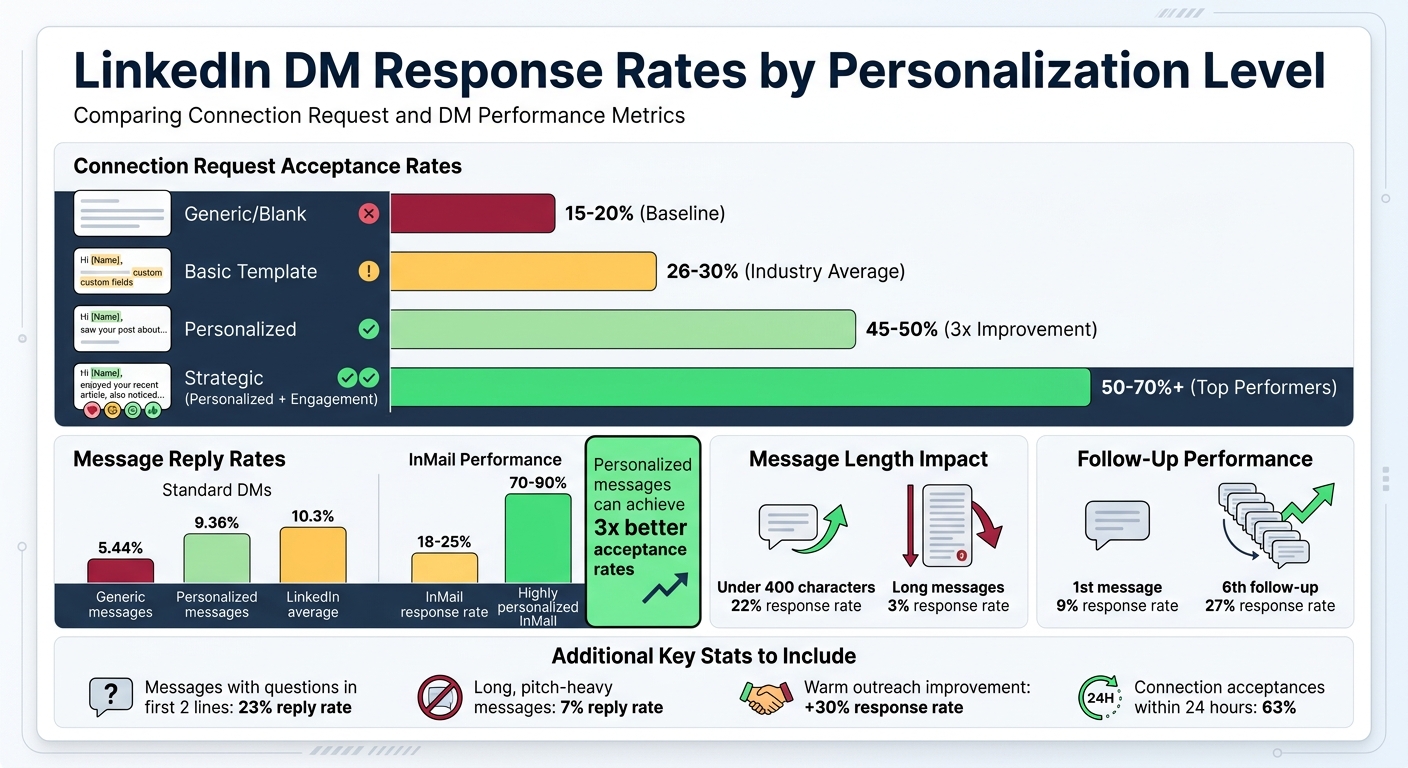
LinkedIn DM Response Rates: Personalization vs Generic Outreach Performance
With a polished profile and engaged prospects, the next step is crafting messages that actually get responses. The difference between a 5% and a 35% response rate often boils down to how you write your messages. The most effective LinkedIn DMs feel conversational and easy to read on a phone. Skip formal intros like "Dear" or "I hope this finds you well." Instead, keep it casual and use short, natural sentences.
Personalize Every Message
Personalization goes beyond just adding a name or company. Personalized connection requests see a 45% acceptance rate, compared to 15% for generic ones. Use a simple three-part structure: a 40–50 character personal hook, an 80–120 character explanation for reaching out, and a 30–50 character clear call-to-action (CTA).
Your hook should reference something specific, like a recent post they shared, a job change, company news (e.g., funding), mutual connections, or content they’ve interacted with. For example, if they recently posted about a product launch, mention it directly. Keep your message under 400 characters, as shorter messages increase response rates by 22%. For high-value leads, go fully custom. For broader outreach, use templates but add 2-3 personalized details.
"Quality beats quantity – 50 good > 200 generic." – LeadHunter Team
Timing is key. Send messages Tuesday through Thursday between 8–10 AM or 2–4 PM in the recipient’s time zone for better engagement. Also, act fast – 63% of connection acceptances happen within 24 hours of sending. If you notice someone viewing your profile or engaging with your content, don’t wait to reach out.
These personalization tips form the backbone of efficient templates, helping you save time without losing that personal touch.
Message Templates That Work
Using proven templates saves time while keeping your outreach authentic. Each message should focus on one goal: getting a reply, gauging interest, or offering value. Start with curiosity and value in your first 2-3 messages before moving to a pitch.
Here’s an example: "Hey Sarah – loved your post on scaling customer success teams. Worth connecting?" This simple, specific message encourages a response without feeling pushy.
Once connected, wait 1-2 days before sending your first DM to avoid coming across as automated. A good opening message might look like this: "Hey Alex – saw you recently joined [Company]. How’s the transition going so far?" This approach feels conversational and low-pressure. Messages with a question in the first two lines get a 23% reply rate, compared to just 7% for long, pitch-heavy messages.
For follow-ups, stick to 2-3 messages spaced 3-5 days apart. Always add something new, like a useful resource or insight, instead of just "checking in". Use reassuring phrases like "No pressure" or "No worries if not" to make it clear that saying "no" is okay. This lowers resistance and builds trust. End every message with a question to keep the conversation going and give them a reason to reply.
| Request Type | Acceptance Rate | Performance Level |
|---|---|---|
| Generic/Blank | 15-20% | Baseline |
| Basic Template | 26-30% | Industry Average |
| Personalized | 45-50% | 3x Improvement |
| Strategic (Personalized + Engagement) | 50-70%+ | Top Performers |
For high-value prospects, consider using voice notes. A 30-45 second voice message feels more personal and can double response rates compared to text-only DMs. Voice messages stand out because they feel authentic and aren’t easily automated. And since 57% of LinkedIn traffic comes from mobile, keep your messages short enough to fit on one screen without scrolling. Most people are reading on their phones, so brevity is key.
Improving Productivity with Cesar.chat
Once your messaging strategy is in place, the next step is tackling the challenge of managing high conversation volumes. If you’ve ever struggled with LinkedIn’s native inbox, you know it’s not built for handling large-scale sales outreach. Important leads can get buried, and follow-ups often slip through the cracks. That’s where Cesar.chat steps in, offering a faster, more efficient way to handle your LinkedIn DMs – helping you process messages twice as fast by layering advanced tools directly on top of LinkedIn.
Split Inboxes for Better Organization
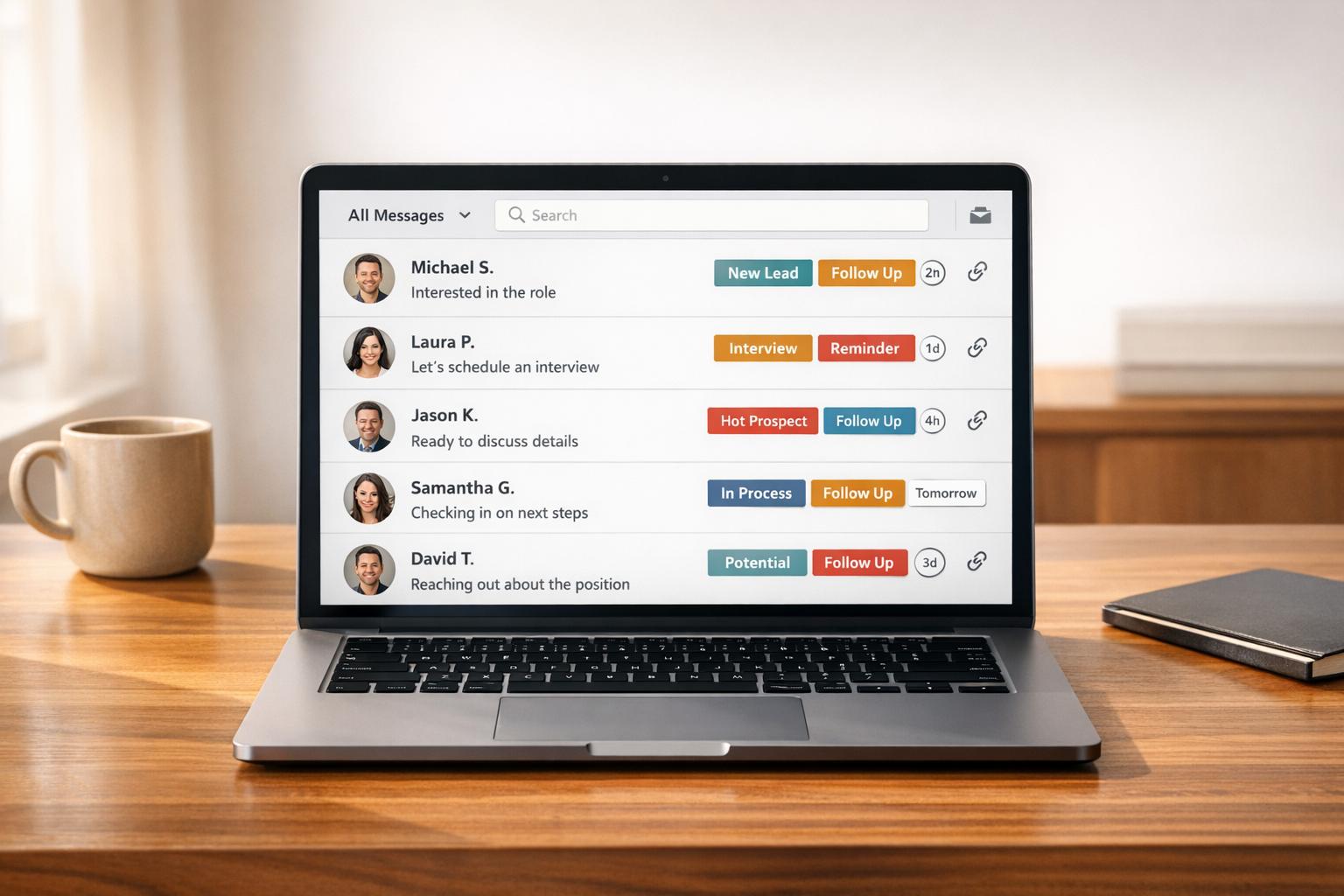
One of Cesar.chat’s standout features is its split inboxes, which let you apply custom labels to conversations and organize them into separate feeds. Imagine ditching the chaos of a cluttered inbox where recruiters, spam, and prospects all fight for your attention. Instead, you can create focused categories like "Hot Lead", "Follow-Up", or "Client." This setup ensures that high-priority leads get the attention they deserve.
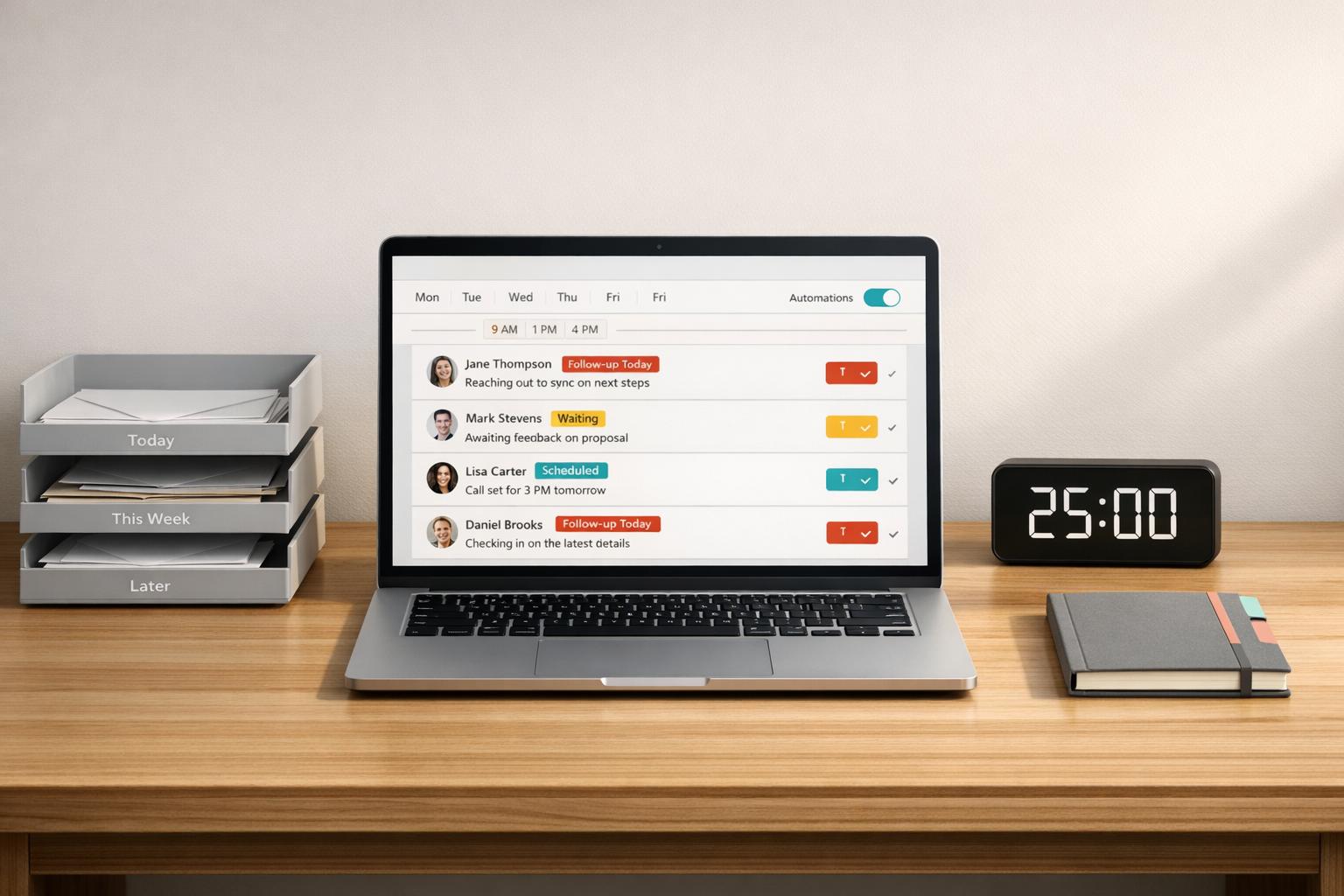
Cesar.chat also merges your standard LinkedIn inbox with the Sales Navigator inbox, so you never lose track of messages while switching tabs. And with the snooze function, you can temporarily hide conversations until it’s time to follow up – essentially turning your inbox into a dynamic to-do list. Once organized, you can speed things up even more with saved snippets and keyboard shortcuts.
Saved Snippets and Keyboard Shortcuts
If typing out the same responses over and over is draining your time, Cesar.chat has you covered with unlimited saved snippets, available with the Basic plan ($24/month). These snippets act as customizable templates for common responses, allowing you to quickly personalize them with a few details before sending. This approach balances efficiency with a personal touch, making it ideal for sales reps who want to move leads through the funnel faster.
For example, you can label a lead as "Hot", then immediately use a pre-saved "Booking" snippet to schedule a call. Pairing snippets with split inboxes lets you handle high volumes of messages without sacrificing quality. And with keyboard shortcuts for tasks like archiving and labeling, you can maintain speed and consistency in your outreach.
Live CRM Sync for Centralized Communication
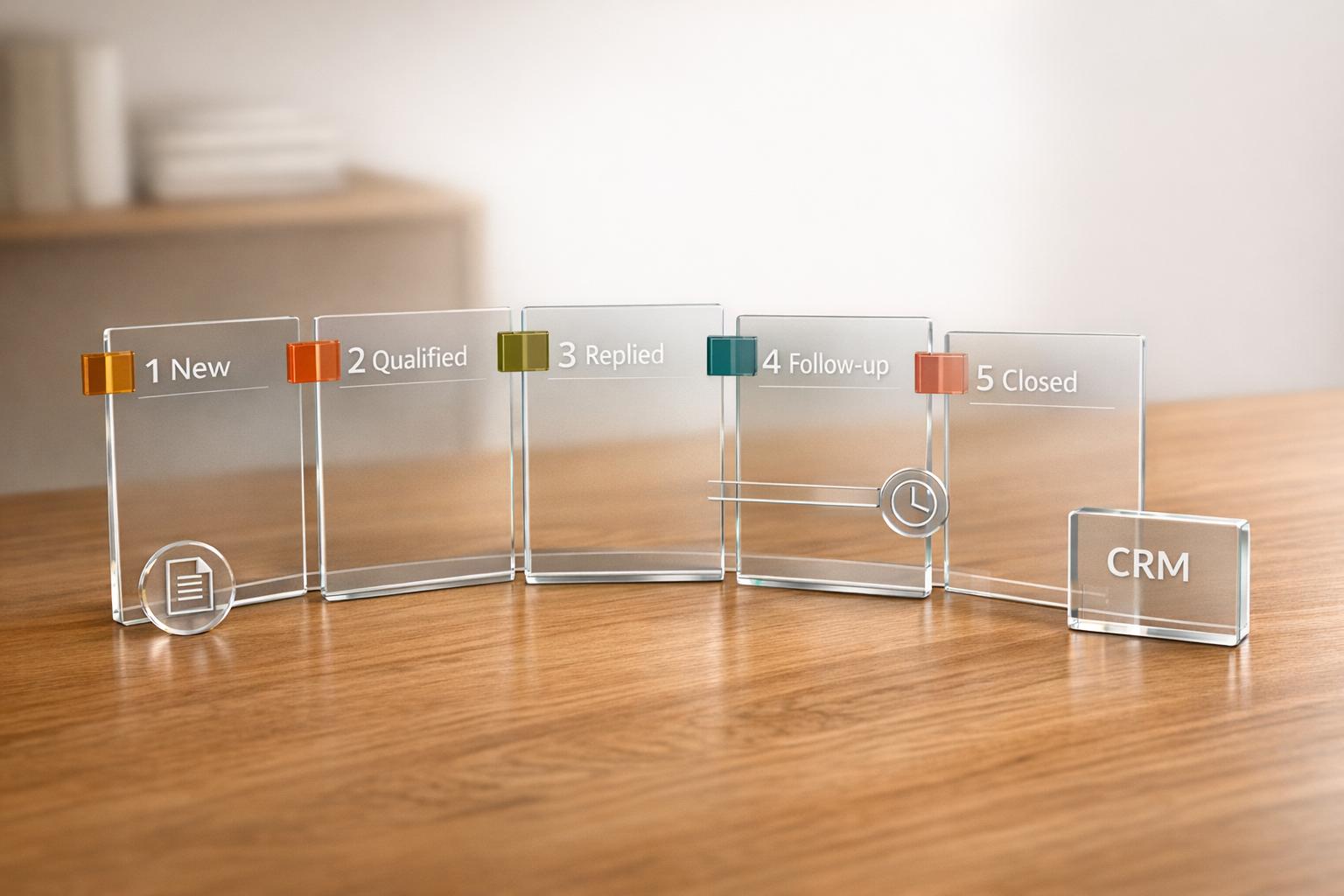
Cesar.chat also simplifies your workflow by syncing LinkedIn DMs, labels, and notes directly into popular CRMs like HubSpot, Salesforce, and Google Sheets – in real time. This automatic logging eliminates the need for manual data entry, reducing errors and saving valuable time. When you apply a label to a conversation in Cesar.chat, it’s instantly reflected in your CRM, allowing your team to easily filter leads by urgency or deal stage.
"Find money you lost in the mess. Split inboxes, snooze threads, and sync to your CRM." – Cesar.chat
Tracking Performance and Scaling Your Outreach
Track Your Engagement Metrics
To improve your outreach, start by measuring how it’s performing. Compare your response rates to LinkedIn’s average of 10.3%. For example, personalized connection requests tend to perform better, with a 9.36% reply rate compared to just 5.44% for generic ones. Shorter direct messages – those under 400 characters – also see a noticeable boost in responses. And don’t underestimate the power of follow-ups! Response rates climb from 9% on the first message to 27% by the sixth follow-up. Industry-specific data shows some variation: HR professionals respond at a rate of about 12.08%, while prospects in Software/SaaS average around 4.77%.
Here’s a real-world example: In 2025, the agency OneAway built a $35,000-per-month business by sending just 20 targeted LinkedIn DMs daily. With a 10% response rate and a 25% meeting booking rate, their funnel worked like this: 20 DMs led to 2 replies, which resulted in 1 qualified conversation and roughly 1.25 meetings per week.
Scale Your Outreach with Cesar.chat Plans
Once you’ve nailed your messaging strategy, scaling your outreach becomes the next big step. Tools like Cesar.chat can help you manage high-volume campaigns efficiently.
The Business plan ($32/month) offers AI-driven lead scoring, ranking prospects on a 0–100 scale based on how well they match your ideal customer profile. This helps you focus on the most promising leads. Plus, the built-in analytics provide practical tips to refine your outreach.
For larger teams handling even higher volumes, the Enterprise plan ($40/month) is a game-changer. It supports unlimited sync destinations, so you can seamlessly connect Cesar.chat with platforms like HubSpot, Salesforce, Notion, and Google Sheets, ensuring real-time updates across all your tools. With features like white-glove integration setup and VIP support, you can confidently scale from 20 DMs a day to over 100 without losing track of your conversations. As of May 2026, 96 out of 1,000 free early-access seats for this plan have been claimed, highlighting its appeal for high-demand users.
Conclusion
The key to turning LinkedIn DMs into conversions lies in three main strategies: personalization, organization, and data-driven scaling. LinkedIn messages currently boast a 10.3% response rate – double that of cold emails. To consistently achieve these results, avoid generic templates and overly aggressive pitches. As François Delporte, Founder of ReactIn, wisely advises:
"A 2-line question beats a 10-line pitch".
Keep your messages concise – under 400 characters – since shorter messages see a 22% response rate, compared to just 3% for longer ones. Before reaching out, engage with your prospects’ content and use behavioral signals, like their post interactions, to time your outreach. Always aim for low-pressure calls-to-action that encourage quick, easy replies.
Tools like Cesar.chat can simplify your workflow with features such as split inboxes, saved message templates, and live CRM synchronization. By automating organizational tasks and ensuring your CRM stays updated, Cesar.chat enables you to focus on crafting meaningful, conversion-focused conversations.
Tracking your performance metrics is just as important. Comparing your results to industry benchmarks and refining your approach based on data can lead to noticeable improvements. For instance, response rates can increase from 9% to 27% by the sixth follow-up.
FAQs
How do I avoid sounding salesy in LinkedIn DMs?
Focusing on your prospect’s problem is key to keeping your message from sounding pushy. Instead of diving straight into your solution, aim for a conversational tone. Use short, straightforward sentences, and skip the overly formal language – it’s about connection, not formality.
Personalization goes a long way. Address their specific pain points, offer something helpful, or ask a quick, relevant question. Keep your message short – under 150 words is ideal – and stick to one clear goal. Want a better response rate? Make it easy for them to reply with simple answers.
What should I say in a first DM after they accept my request?
After someone accepts your LinkedIn connection request, it’s a good idea to follow up with a thoughtful, personalized message. Mention something specific about their work, achievements, or recent activity. Then, briefly explain why you’re reaching out and include a light, open-ended question to make the conversation flow naturally. Here’s an example:
"Hi [First Name], I noticed your recent post about [topic], and I found it really interesting! I’m curious – how do you usually approach [relevant aspect]? I’d love to hear your perspective."
Which DM metrics matter most for improving conversions?
When it comes to boosting conversions through direct messaging, two metrics stand out: response rates and reply quality.
- Response Rates: A reply rate above 20% is a solid indicator of strong engagement. It shows that your audience is not only noticing your messages but also taking the time to respond.
- Reply Quality: It’s not just about getting replies; the quality of those responses matters. Are they leading to meaningful conversations or conversions?
Additionally, tracking factors like response time and message personalization can help fine-tune your approach. Quick responses and tailored messaging often result in better outcomes. By consistently monitoring these metrics, you can figure out what resonates with your audience, adjust your outreach strategy, and ultimately achieve stronger results.